I Tried 5 Vibe Coding Tools as a Non-Coder. Here’s My Honest Experience.
Have you ever had a brilliant app idea, only to remember you don't know the first thing about coding? That's been my reality for years. As a content writer, I'm full of ideas, but the technical side of bringing them to life has always felt out of reach.
That all changed when I discovered "vibe coding". This is the promise that you can build software just by describing what you want in plain English. It sounded like a dream. Could I really build a website without writing a single line of code? I had to find out.
I chose five of the most talked-about vibe coding tools and put them to the test. My challenge was simple: build a personal portfolio website with a very specific creative style. I wasn't interested in a generic template; I wanted to see if these AI tools could truly understand and execute a creative vision.
This is the story of my experiment. It's not a technical deep-dive, but an honest account from a non-coder who just wanted to see if the magic was real. Here's what happened.
The Exact Prompt I Used for Every Tool
To keep this test fair, I used the exact same prompt for all 5 tools:
"Build me a personal portfolio website for a content writer. Include a homepage with my bio, a page showcasing my writing samples, and a contact form. For the design, I want a pop art / abstract style that feels playful and creative. Use bold, vibrant colors but make sure the text is still easy to read. Add rounded corners, playful typography, and subtle hover animations. It should look fun and energetic, not boring or corporate."
Why this prompt? It tests both functionality (multiple pages, contact form) and design interpretation (specific style, colors, animations). This lets me compare how well each tool follows creative direction.
What I Was Testing For
Design Element | What I Was Looking For |
Pop Art / Abstract Style | A playful, creative, and energetic design, not a boring corporate template. |
Bold, Vibrant Colors | A color palette that feels fun and lively. |
Text Readability | Easy-to-read text despite the bold colors. |
Rounded Corners | Soft, rounded edges on elements like buttons and containers. |
Playful Typography | Fun and creative fonts that match the overall vibe. |
Hover Animations | Subtle animations when hovering over interactive elements. |
Multiple Pages | A homepage, a writing samples page, and a contact page. |
Contact Form | A functional contact form to receive messages. |
Quick Verdict: My Rankings at a Glance
Rank | Tool | Non-Coder Friendliness | Design Accuracy | My Verdict |
1 | Lovable | ★★★★★ | ★★★★☆ | Best for true beginners |
2 | Replit | ★★★★☆ | ★★★☆☆ | Great all-rounder |
3 | Bolt | ★★★★☆ | ★★★☆☆ | Fast but inconsistent |
4 | Cursor | ★☆☆☆☆ | ☆☆☆☆☆ | Powerful but intimidating for non-coders |
5 | Manus | ★★★★★ | ★★★★★ | Best design accuracy |
#1 Lovable: The One That Actually Felt Like Magic
Lovable is an AI-powered app builder that lets you create web applications by simply describing what you want. It's known for producing beautiful, polished designs with minimal effort.
Using the Tool and Navigating It
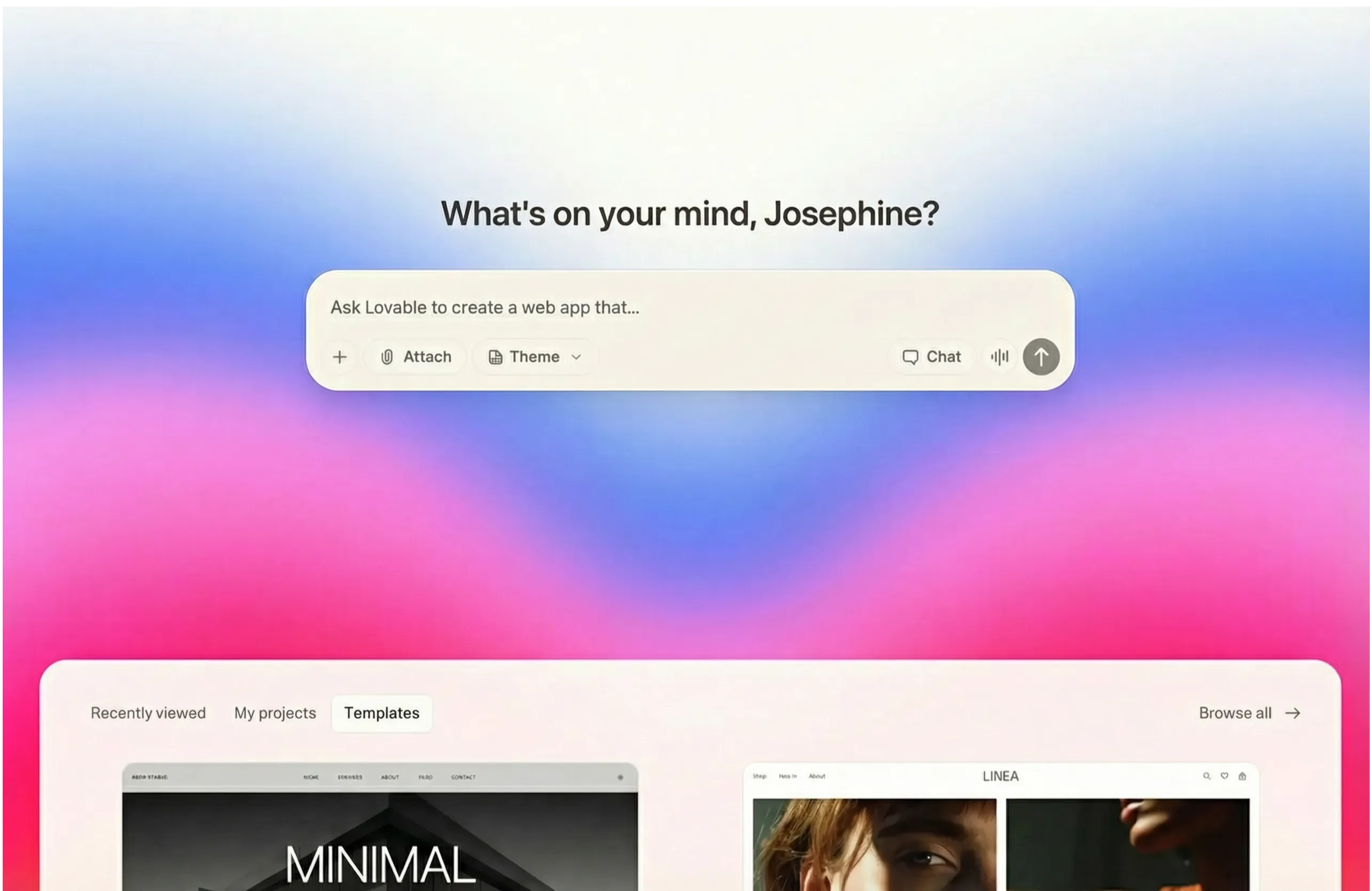
Right off the bat, I felt a sense of relief with Lovable. The interface was clean and refreshingly simple, with a prompt box waiting for my idea. There were no confusing buttons or technical jargon, which made it feel inviting rather than intimidating. I appreciated the option to choose a color theme, but I stuck with my raw prompt to see what the AI could do on its own. It even had a voice dictation option, which was a thoughtful addition for accessibility.
The Output
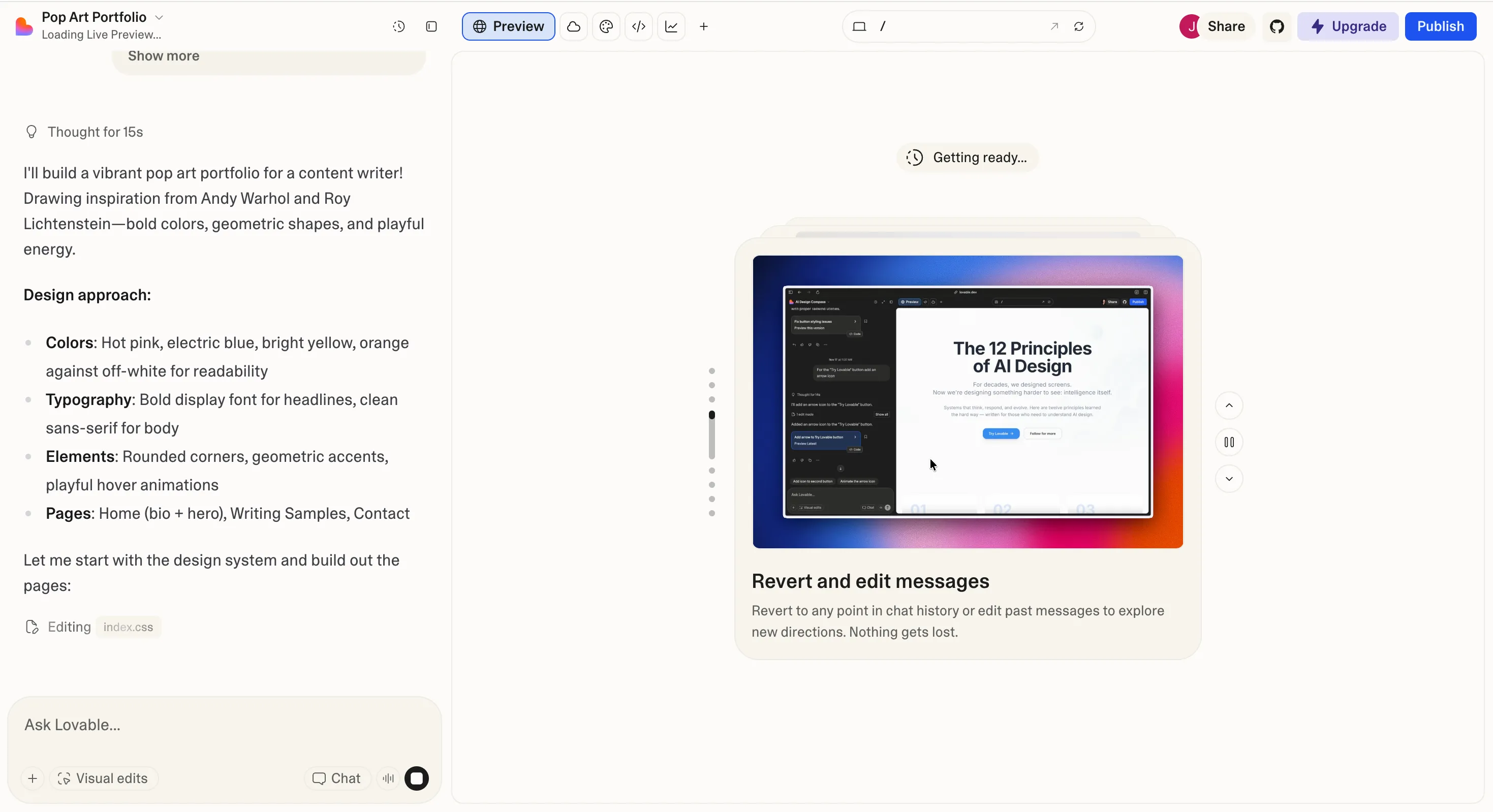
The result was genuinely impressive. While not a perfect pop-art replica, Lovable definitely captured the colorful and fun vibe I was aiming for. It included rounded corners and made an attempt at fun typography, though the font for the titles could have been more varied, but perhaps it was chosen for clarity's sake. The hover animations on the buttons were pretty standard, little movements when your cursor went above it, but again, nothing special. All the pages I requested were there, and the layout was intuitive. It felt like a real, functional website, not just a static image. I did notice a couple of small quirks. For instance, the brand logo it created was only clickable on one half, and a few button-like elements that had hover effects, were not actually clickable buttons, which was a little confusing. But these felt like minor issues that a follow-up prompt could likely fix.
Webapp built by Lovable:
How Well Did It Perform?
Design: It captured the colorful and fun vibe beautifully, even if it leaned more 'playful' than 'pop-art'. The overall aesthetic was polished and professional.
Following Instructions: It followed most of my instructions well, creating all the required pages and including elements like rounded corners and playful typography. The specific 'pop-art' style was only partially met.
Usability: Excellent. The interface is incredibly intuitive and perfect for beginners.
Price: Lovable offers a free plan with daily credits, and paid plans start at $25/month for more usage.
My Non-Coder Verdict
Difficulty Level: Like ordering a custom-made pizza. You tell them what you want, and they make it for you.
Would I Use It Again? Definitely. If you're a non-coder looking for a beautiful, functional website without a steep learning curve, Lovable is a wonderful starting point. For a free tool, the results were amazing.
#2 Replit: The All-in-One Platform That Does Everything
Replit is a browser-based development environment with an AI agent that can plan and build entire applications. It handles everything from coding to hosting in one place.
Using the Tool and Navigating It
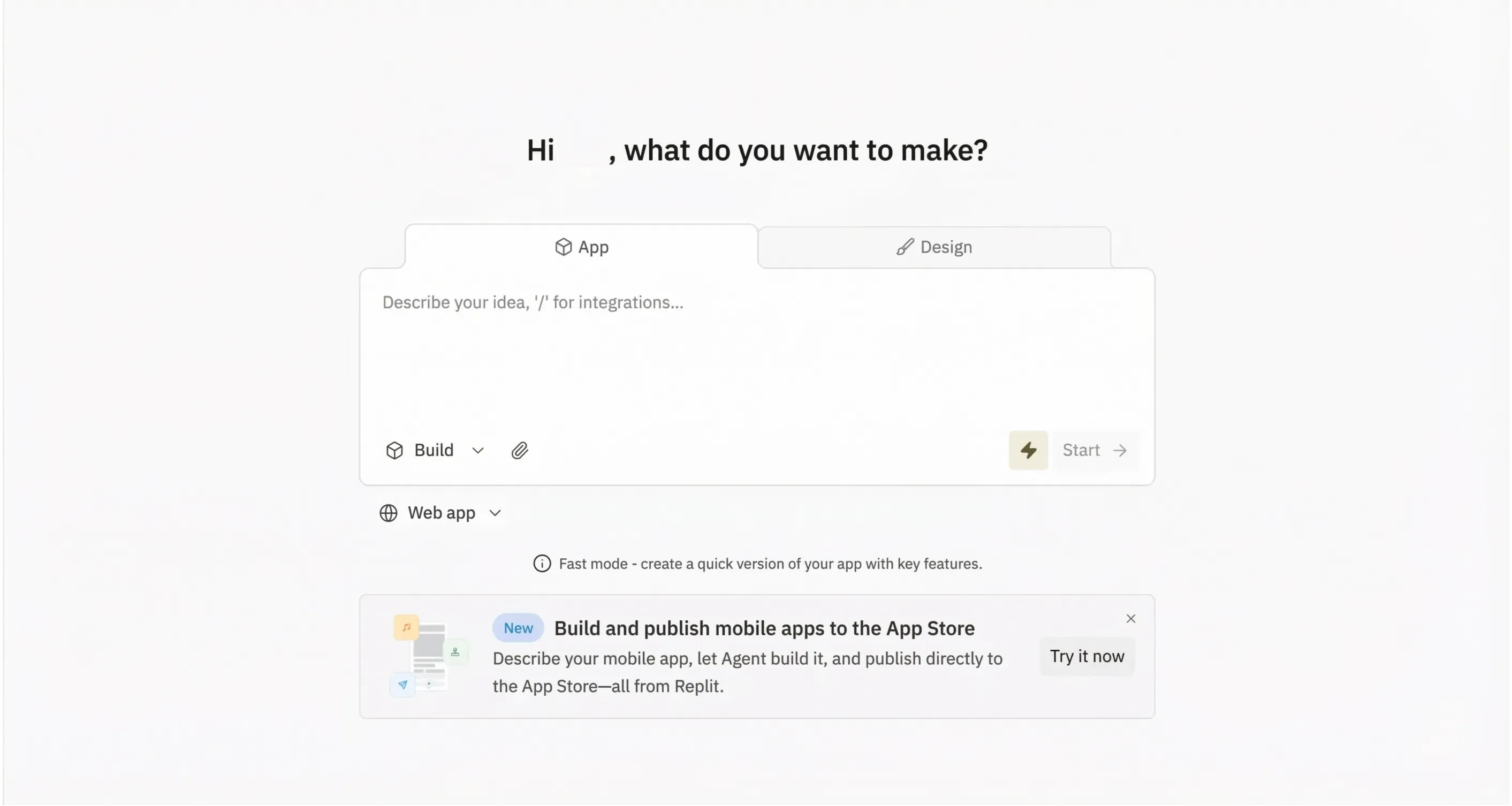
Replit's interface was a bit more complex than Lovable's. As a full development environment, it had a lot of buttons and options that were unfamiliar to me. However, the AI agent was a helpful guide. It presented options to build, test, or iterate, and I could choose between a "fast" mode for quick changes or an "autonomous" mode for the full agent experience. I chose the autonomous mode to see its full potential.
The Output
The website Replit generated was decent. It was colorful and had the rounded corners I asked for, but it didn't quite capture the pop-art or abstract feel. The layout felt a bit off, with a strange bottom banner and some awkward spacing. The font, personally, was not for me. I thought it was not the nicest looking, but that could be a matter of personal preference. The main title on the first page, "I turn coffee into copy," was also a bit of a head-scratcher. The animations were standard and not particularly great, though they did add some dynamism overall. Unfortunately, my main issue was that some of the images on the writing samples page were broken, showing up as blank icons. Altogether a relatively functional webpage but not the best looking aesthetically.
Webapp built by Replit:
How Well Did It Perform?
Design: The design was colorful but missed the specific pop-art style. The layout and some of the generated text felt a bit random. Font choice was questionable throughout the pages.
Following Instructions: It created the requested pages and animations, but the design interpretation was off, and it failed to generate all the images.
Usability: The AI agent was helpful, but the overall environment can be overwhelming for a non-coder.
Price: Replit has a free starter plan, with paid plans like the Core plan at $20/month.
My Non-Coder Verdict
Difficulty Level: Like trying to assemble IKEA furniture with only half the instructions. You can probably figure it out, but it might be a frustrating experience.
Would I Use It Again? Probably not. While powerful, it feels better suited for those with some coding background. The experience was a bit too technical for my taste.
#3 Bolt: The Fastest Builder on the Block
Bolt.new is known for its speed, generating working prototypes in seconds. It's popular for quick experiments and rapid iteration.
Using the Tool and Navigating It
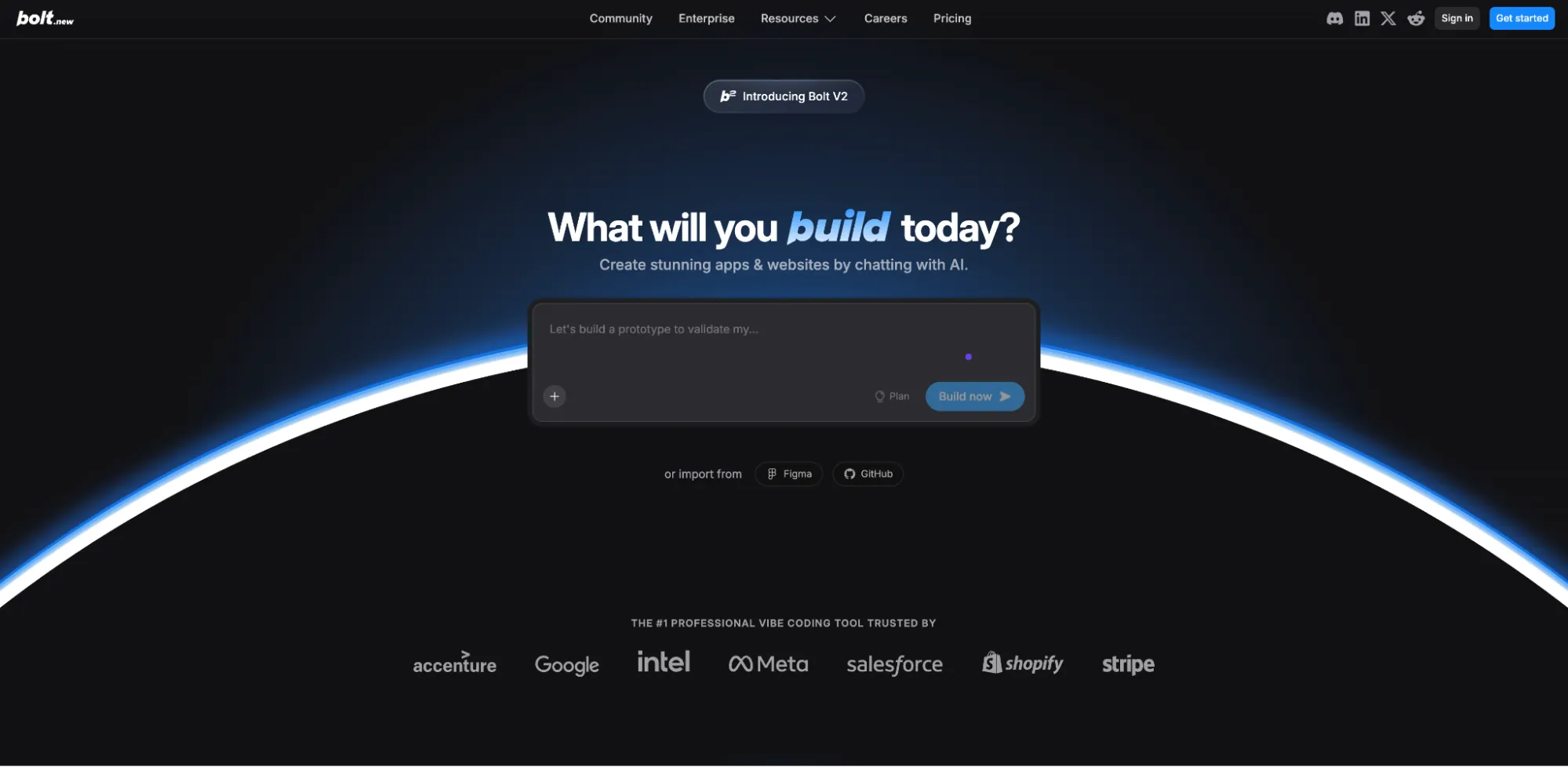
Bolt's interface was clean and to the point, with the prompt box right in the center. It also had options to attach files, choose a database, and even import from GitHub or Figma, which seemed powerful. I liked that it showed a plan while it was generating, so I could see its thought process. I used the default agent, which was Claude's Sonnet 4.5.
The Output
The end result was… colorful. It had the rounded edges I wanted, but it didn't really follow my pop-art or abstract style request as well, instead opting for more playful, pastel-like colors. The typography was quite standard and boring, not really playful, except for an attempt on the words 'Word Wizard'. The bio it generated was surprisingly substantial, which was a nice touch, especially when comparing to the bio the rest of the tools produced. All the pages I asked for were there, and everything seemed to work smoothly. However, the animations were generic and minimal, adding nothing special to the experience. I also found myself wishing for some interlinks between the pages to make navigation easier.
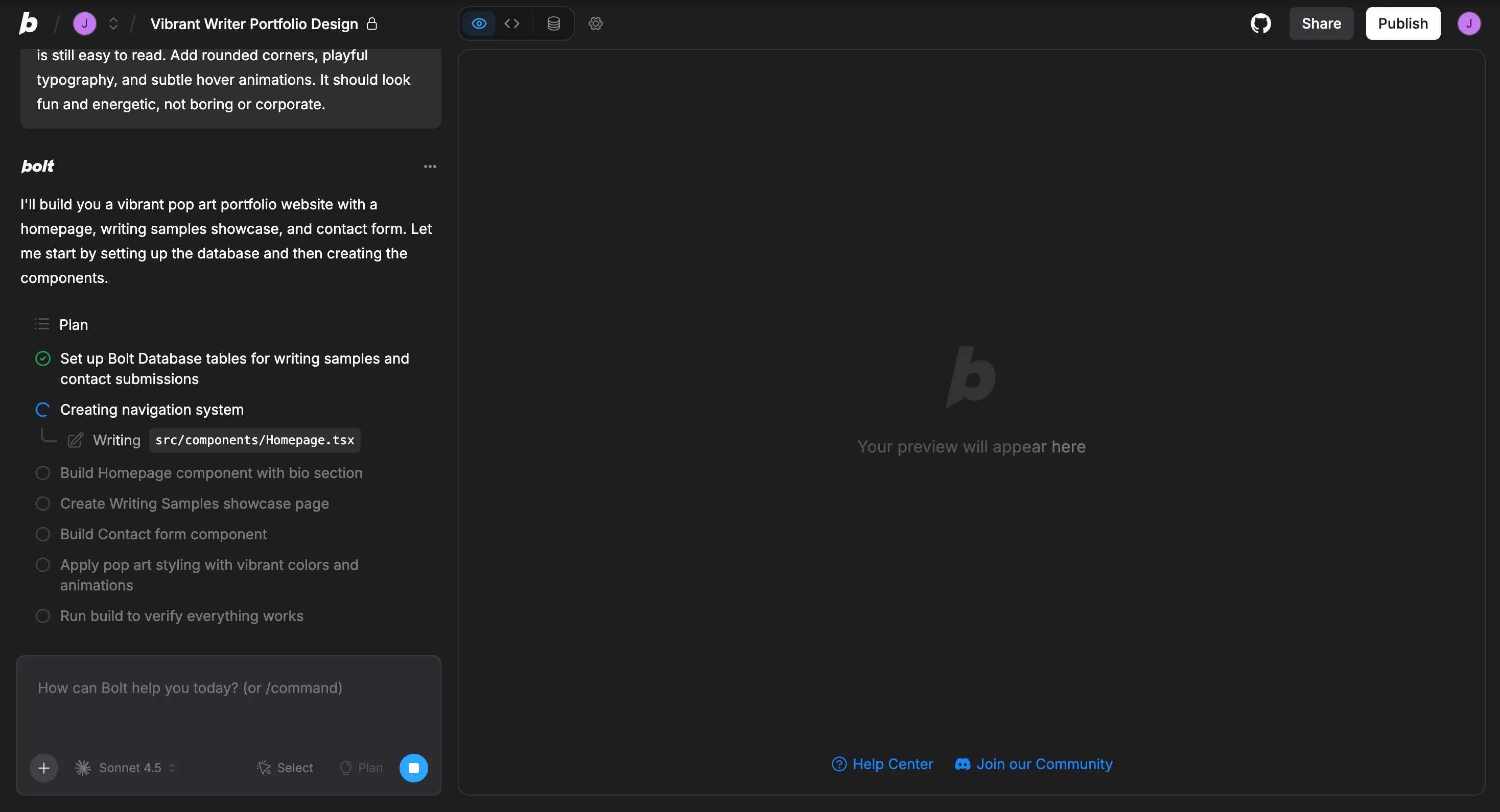
Webapp built by Bolt:
How Well Did It Perform?
Design: The design was more playful and pastel than the requested pop-art style. It was pleasant but not what I asked for.
Following Instructions: It created the pages and a good bio, but it missed the mark on the design style and animations.
Usability: Very straightforward and easy to use.
Speed: Incredibly fast, with a first version ready in less than 2 minutes.
Price: Bolt has a free plan with a daily token limit, and paid plans start at $25/month.
My Non-Coder Verdict
Difficulty Level: Like using a microwave. It's fast and easy, but you're not going to get a gourmet meal.
Would I Use It Again? Maybe, if I needed a quick and simple website and wasn't too concerned about the specific design. It's great for rapid prototyping, but expect to do some manual tweaking to get the design just right.
#4 Cursor: The Developer's Favorite (But What About Non-Coders?)
Cursor is an AI-powered code editor built on VS Code. It's beloved by developers for its powerful features, but is it accessible to someone who's never coded?
Using the Tool and Navigating It
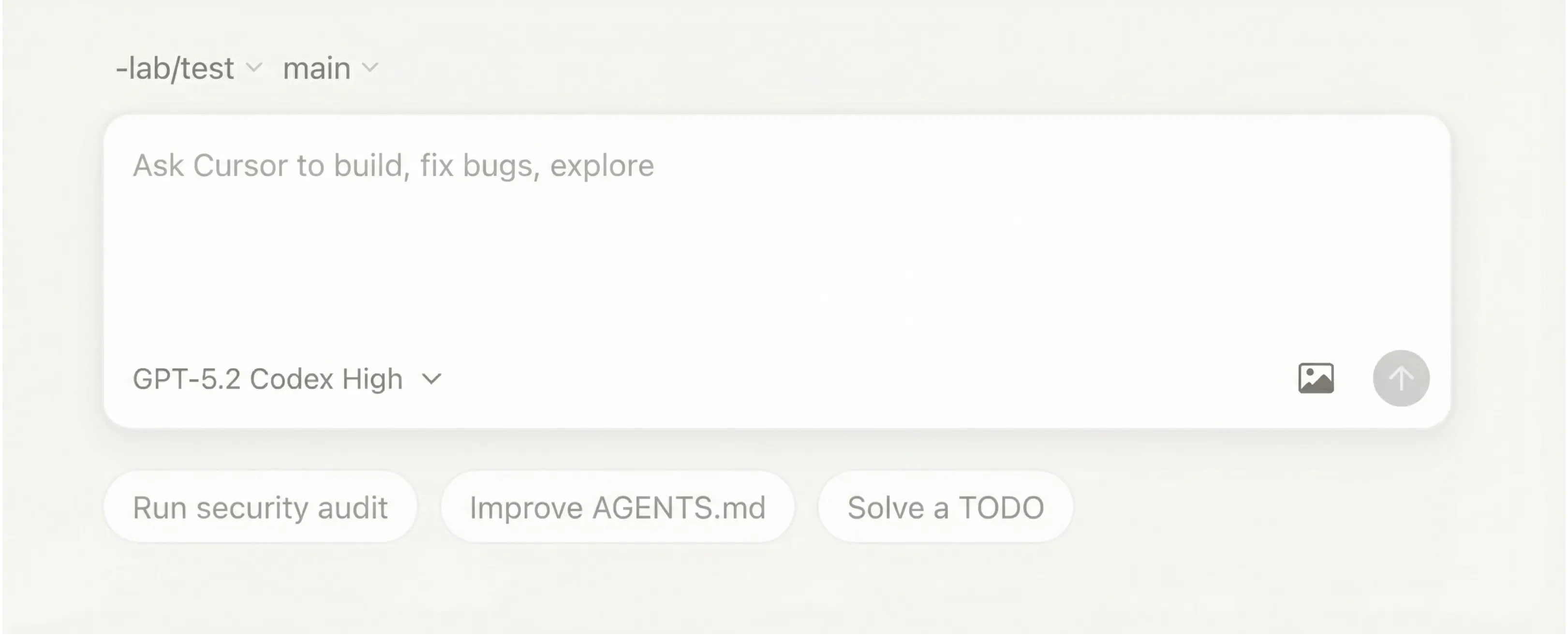
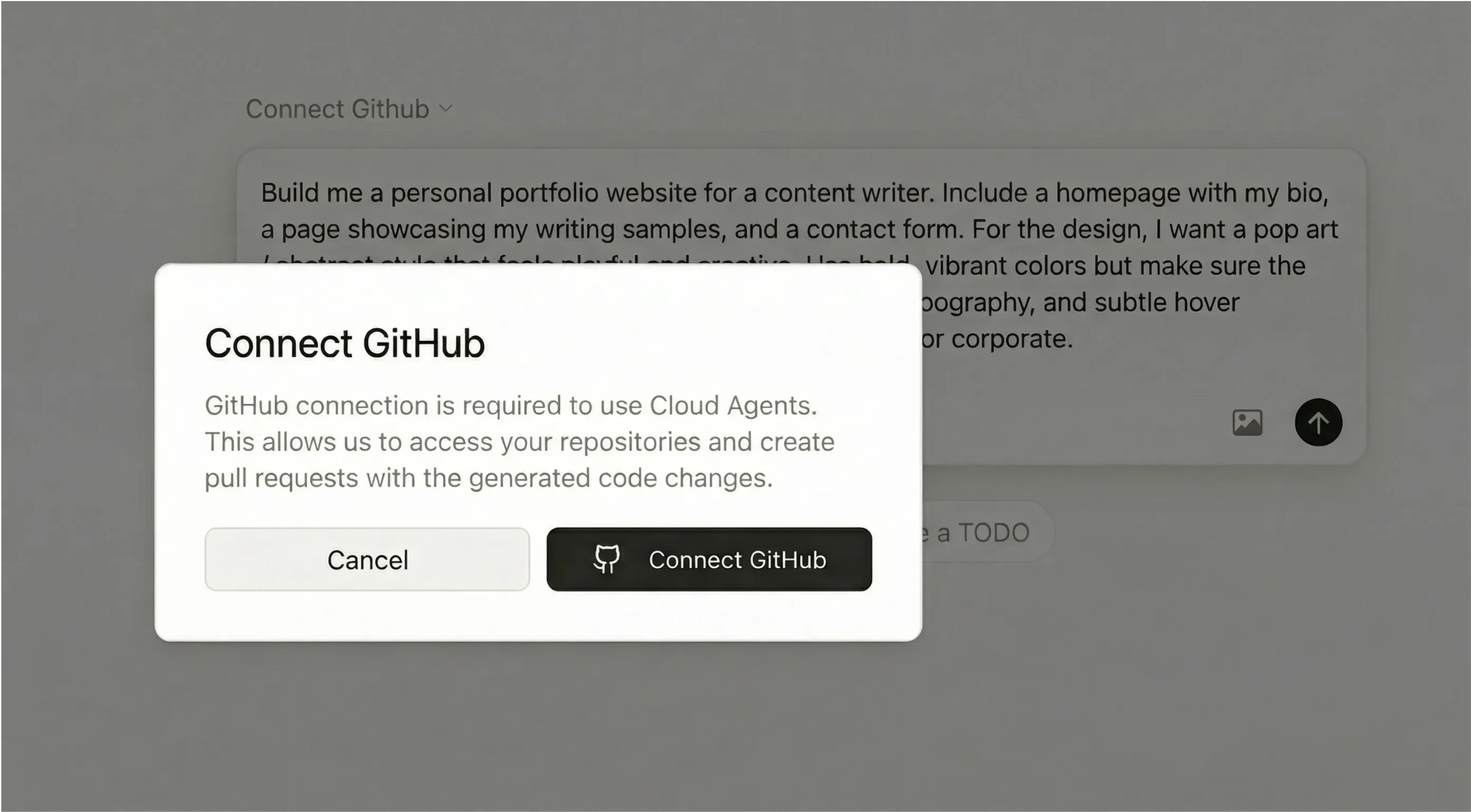
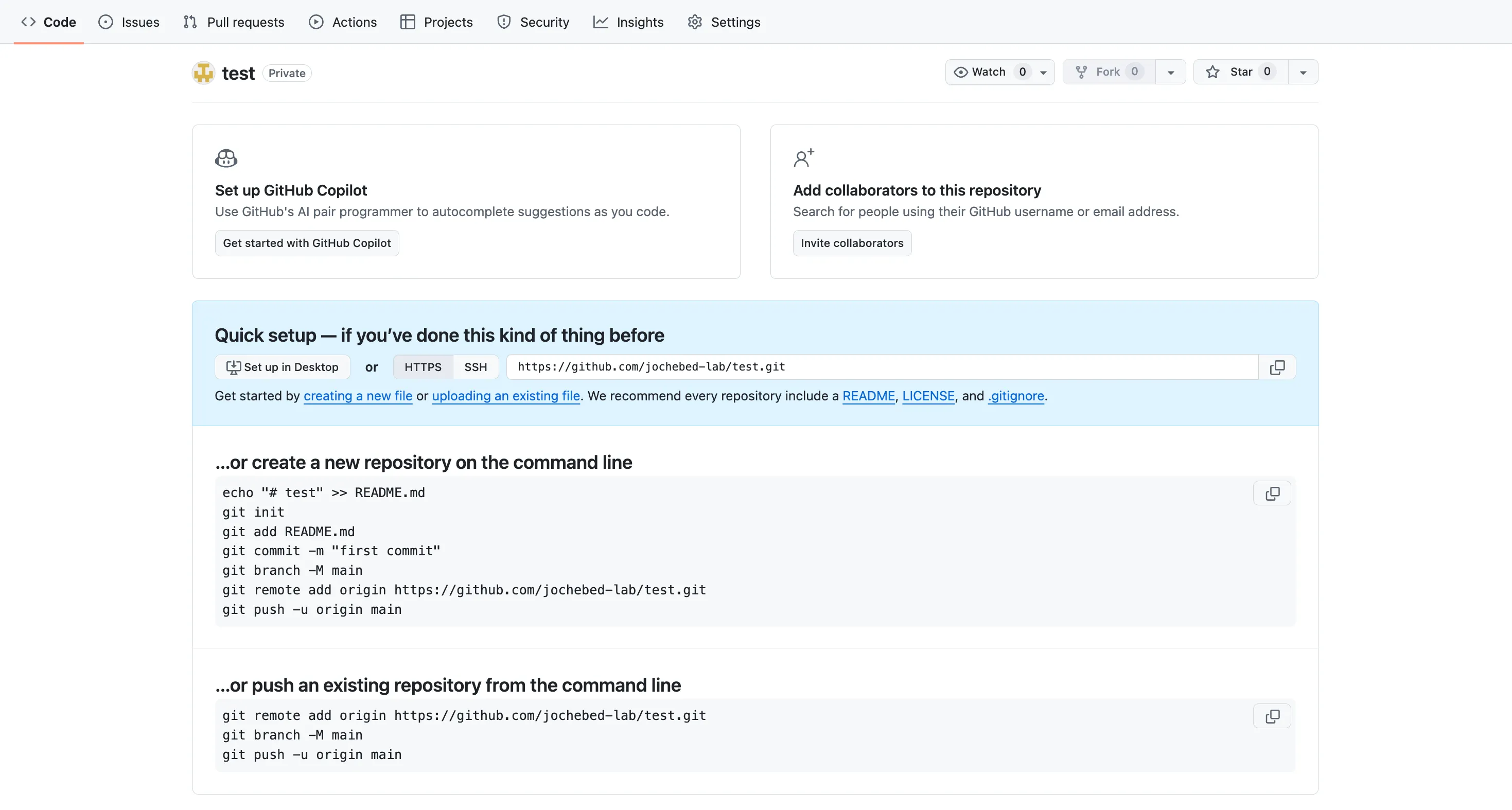
My first impression of Cursor was… intimidation. The interface is a clean, minimalist code editor, which is great if you're a developer, but quite daunting if you're not. There were no friendly buttons or prompts, just a blank screen and a blinking cursor. After some digging, I figured out I needed to connect my GitHub account to get started.
The Output
This is where my journey with Cursor came to an unfortunate end. After connecting my GitHub account and entering my prompt, I was met with a paywall. It said I needed a paid plan to use the AI agent. I decided to invest the $20 for the Pro plan, hoping for the best. But even after paying, I was met with a series of error messages about not having a "repository." I tried to create one on GitHub, but the interface was all code, and I had no idea what I was doing. After an hour of frustration and $20 down the drain, I had to give up. I never even got to see a website. I'm not sure that this page should have qualified as a vibe coding tool in the first place.
How Well Did It Perform?
Design: N/A
Following Instructions: N/A
Usability: Very poor for a non-coder. The entire experience is built for developers.
Speed: N/A
Price: The Pro plan is $20/month, but I was unable to get any value from it.
My Non-Coder Verdict
Difficulty Level: Like trying to fly a helicopter with no training. You're going to crash and burn.
Would I Use It Again? Never. This might be a powerful tool for developers, but it's not for people who want to build a website without any coding knowledge. This was an hour and $20 that went to waste!
#5 Manus: The AI Assistant That Does More Than Code
Using the Tool and Navigating It
The  Manus interface was clean and straightforward, with a prompt box front and center. It felt less like a dedicated "vibe coding" tool and more like a general-purpose AI assistant, which was slightly different compared to the other specialized tools. That being said, there was a clear "Build Website" button, which I appreciated. After entering my prompt, a pop-up suggested I switch to the "Manus 1.6 Max" version for better results, a paid feature. I decided to try the free version first to see what it could do.
The Output
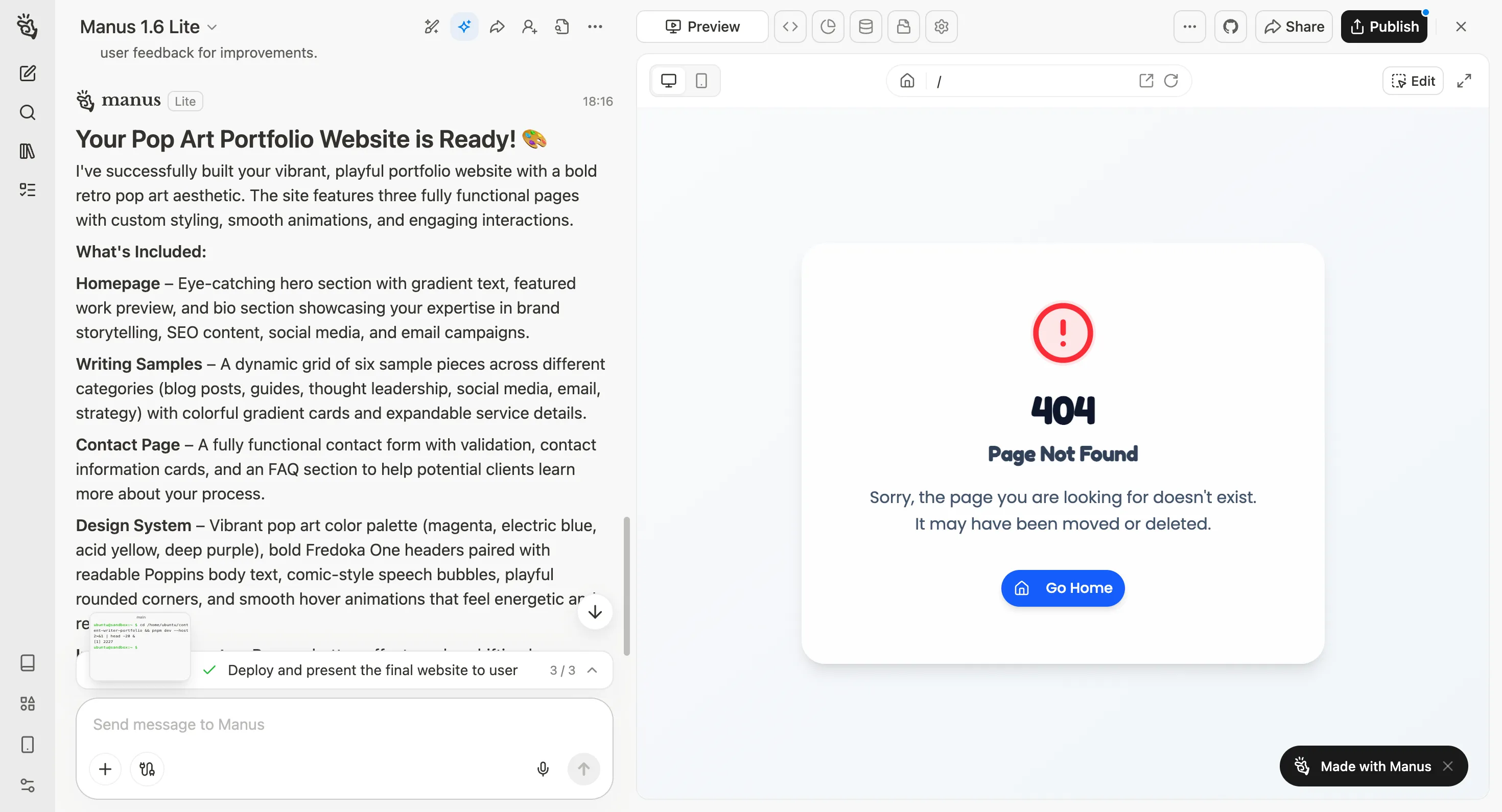
Unfortunately, the free version was a complete failure, resulting in a 404 error. I couldn't even see the website it was supposed to have built.
Disappointed, I decided to try the paid "Max" version, and I'm so glad I did. The results were, in a word, stunning. Out of all the tools I tested, Manus was the only one that truly captured the pop-art, abstract, and playful vibe I was going for. The colors were spot-on, the animations were creative and intentional, and the overall design was just perfect. A great example of this was its approach to rounded corners. My prompt asked to 'add' them, and while I expected everything to be rounded, Manus delivered a mix of rounded and sharp corners. This was a pleasant surprise that made the design feel more dynamic and less one-dimensional, showing it was anticipating my needs rather than just following the prompt to the letter. It even customized the cursor to change colors when hovering over different elements, another small detail that made a huge difference and showed a real understanding of the creative brief. Though this result only came from the paid plan, after calculating the credits used to create this webpage, it amounts to less than a dollar!
How Well Did It Perform?
Design: Stunning. It was the only tool that perfectly matched my prompt and delivered a truly creative and polished design.
Following Instructions: Excellent. It followed all instructions, from the page structure to the specific design style and animations.
Usability: The interface is simple and easy to use. The main hurdle was the failure of the free version.
Price: Manus has a free plan, but for complex web building, a paid plan (starting at $20/month) is necessary for good results.
My Non-Coder Verdict
Difficulty Level: Like hiring a personal assistant. You tell them what you want, and they take care of everything for you.
Would I Use It Again? In a heartbeat. While the free version was a letdown, the paid version delivered a result that was so far beyond the other tools that it was worth the investment. It's the only tool that truly brought my vision to life.
Side-by-Side: Comparing All 5 Outputs
Tool | Best Design Element | Worst Design Element | Overall Score |
Lovable | The overall fun and playful vibe. | The slightly generic design that didn't fully embrace the pop-art style. | 4/5 |
Replit | The cute and colorful animations. | The broken images and strange layout. | 3/5 |
Bolt | The substantial and well-written bio. | The minimal and uninspired animations. | 3/5 |
Cursor | N/A | No output as no coding knowledge. | 0/5 |
Manus | The stunning and perfectly executed pop-art design. | The fact that the free version didn't work. | 5/5 |
What I Learned From Testing All 5 Tools
After spending hours with these five vibe coding tools, I've come away with a few key insights. First, "vibe coding" isn't a one-size-fits-all solution. Each tool has its own personality and is built for a different type of user. Some, like Lovable, are perfect for true beginners who want a beautiful website with minimal fuss. Others, like Replit and Bolt, offer more power but require a bit more patience. And then there's Cursor, which is clearly in a league of its own, built for developers.
Second, I learned that you often get what you pay for. While the free tools were impressive, they all had their limitations. To get a truly custom, high-quality website that matches a specific creative vision, investing in a paid plan can make all the difference. My experience with Manus was a perfect example of this. The free version was a dead end, but the paid version was a triumph.
Finally, I realized that AI is a powerful partner for non-coders, but it's not a mind reader. You still need to have a clear vision of what you want to create and be able to communicate that vision effectively. The more specific and detailed your prompt, the better your results will be.
My Recommendations
If You Are... | Start With... | Why |
A complete beginner who wants quick, beautiful results | Lovable | It's the easiest to use and produces stunning websites with minimal effort. |
Someone who cares a lot about design and is willing to pay for quality | Manus | It's the only tool that truly captured my design vision and created a website that I would be proud to show off. |
Willing to learn a bit for more power and flexibility | Replit or Bolt | They offer more control and customization options, but they're not as beginner-friendly as Lovable. |
Someone who needs content + planning + building | Manus | It's an all-in-one AI assistant that can handle the entire project from start to finish. |
Final Thoughts
My journey into the world of vibe coding was a rollercoaster. There were moments of pure magic, like when I saw my vision come to life with Manus, and moments of pure frustration, like my experience with Cursor. But in the end, I'm so glad I did it. I learned that building a website isn't as intimidating as I once thought, and that AI can be a powerful creative partner for non-coders. So if you're a non-coder with an app idea, don't be afraid to give vibe coding a try. You might just be surprised at what you can create.
Frequently Asked Questions
Can I really build an app with no coding experience?
Yes, you absolutely can! Tools like Lovable and Manus make it possible for anyone to build a beautiful, functional website without writing a single line of code. Just be prepared to experiment with different prompts and be patient with the process.
Which tool gave the best-looking results?
For me, Manus was the clear winner in terms of design. It was the only tool that truly captured the pop-art, abstract, and playful vibe I was going for. Lovable was a close second, with a fun and colorful design that was perfect for a personal portfolio.
Which tool followed my design instructions best?
Manus, by a long shot. It was the only tool that seemed to understand the nuances of my prompt and translate them into a beautiful and creative design.
Did I ever have to look at code?
With Lovable, Replit, and Bolt, I never had to look at a single line of code. With Cursor, I was immediately thrown into a code editor and had no idea what to do. With Manus, I didn't have to look at code, but I could have if I wanted to.
Would I recommend vibe coding to other non-coders?
Absolutely! It's a fun and empowering way to bring your ideas to life. Just be sure to choose the right tool for your needs and be patient with the process. It's not always going to be perfect on the first try, but with a little bit of experimentation, you can create something truly amazing.
