AI scheduling assistant
Transform calendar chaos into organized productivity with Manus's intelligent scheduling assistant
Use cases
How it works


Frequently asked questions
How does Manus's AI scheduling assistant work?
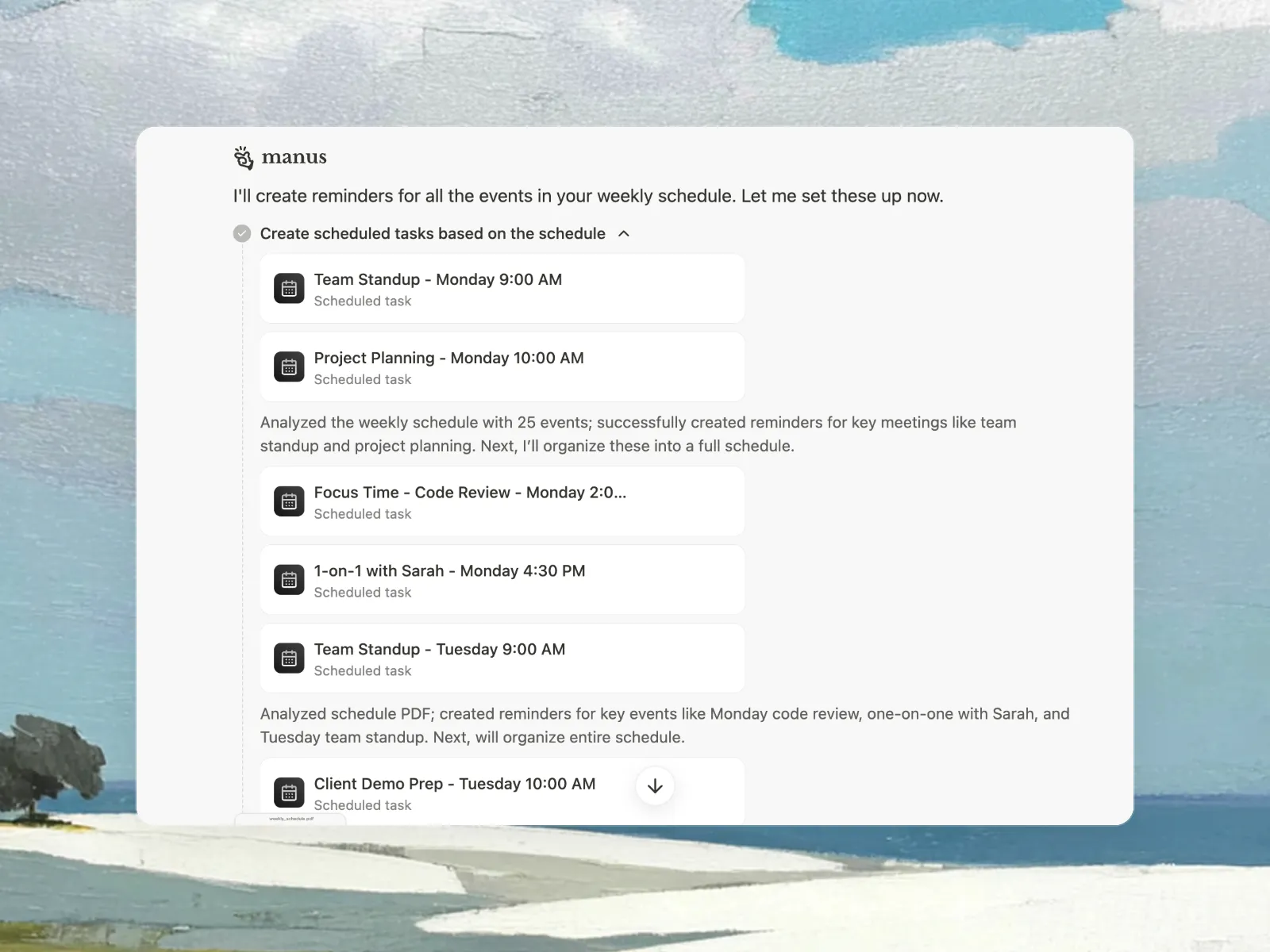
Manus analyzes your team's calendars, working hours, time zones, and scheduling preferences to automatically find optimal meeting times. Unlike static calendar tools, Manus continuously adapts to changes—rescheduling conflicts, protecting focus time, and ensuring your schedule stays aligned with priorities. It considers factors like meeting frequency, buffer time needs, and individual productivity patterns to create schedules that actually work for how your team operates.
Can Manus handle scheduling across multiple time zones?
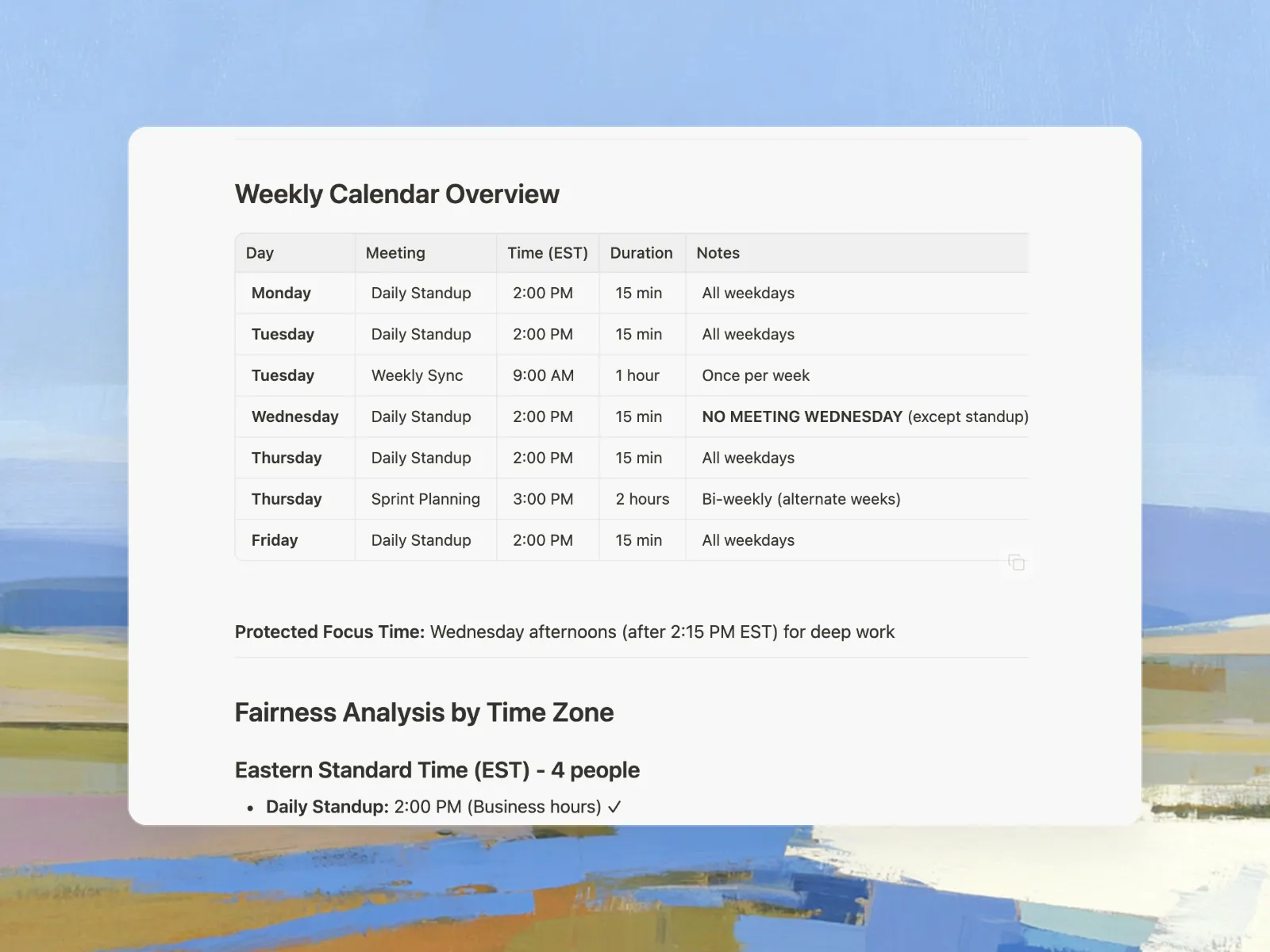
Absolutely. Manus automatically detects and manages time zone differences for distributed teams. It ensures no one accidentally books a 2am call and finds meeting slots that work for all participants. The AI considers each person's working hours and time zone constraints to suggest times that are reasonable for everyone involved. For teams using Slack, you can sync these scheduling decisions directly with your team communication.
Does the scheduling assistant integrate with my existing calendar?
Yes. Manus integrates seamlessly with Google Calendar, Outlook Calendar, and other major calendar platforms. You can export your optimized schedule directly to your preferred calendar, and Manus will sync with your existing commitments to avoid double-booking or conflicts with meetings already on your calendar. Learn more about Manus integrations.
How does Manus protect focus time while scheduling meetings?
Manus treats focus time as a priority, not an afterthought. When you specify your focus time needs, the AI automatically blocks out these periods and defends them from meeting requests. If urgent meetings arise, Manus intelligently reschedules less critical items to preserve your deep work blocks. You can set rules like 'protect 2-hour focus blocks every morning' or 'no meetings on Friday afternoons,' and Manus enforces these preferences consistently.
Can Manus schedule different types of meetings automatically?
Yes. Manus handles various meeting types including one-on-ones, team syncs, client calls, interviews, and recurring check-ins. You can set different rules and priorities for each type. For example, client meetings might take precedence over internal syncs, or one-on-ones might require 15-minute buffers before and after. The AI learns these patterns and applies them consistently across your scheduling.
What if someone needs to reschedule or cancel a meeting?
Manus handles rescheduling automatically. When a meeting is canceled or needs to move, the AI immediately analyzes everyone's availability and suggests new optimal times. It can also cascade changes through your schedule—if one meeting shifts, Manus can automatically adjust dependent meetings or reclaim the freed time for focus work or other priorities.
Is this better than using Calendly or other booking tools?
While booking tools like Calendly are great for simple appointment scheduling, Manus goes several steps further. It doesn't just find available slots—it actively optimizes your entire schedule around priorities, protects focus time, manages conflicts across teams, and continuously adapts as things change. Think of it less like a booking tool and more like having an intelligent assistant who understands your whole calendar strategy, not just individual meeting requests.
Do I need technical skills to set up scheduling rules?
Not at all. That's the whole point—you simply describe your scheduling needs in natural language, like 'I need to schedule weekly one-on-ones with my team, no meetings before 10am, and protect Wednesday afternoons for deep work.' Manus translates your preferences into intelligent scheduling rules. No complex configuration or learning curves required—just explain what you need, and Manus handles the rest.
How does Manus handle urgent meetings or last-minute changes?
Manus excels at handling the unexpected. When urgent meetings come up, it instantly reprioritizes your calendar—moving flexible tasks, rescheduling less critical meetings, and finding the next realistic opening. The AI understands which commitments can shift and which are fixed, ensuring urgent needs are met without completely derailing your week. You stay in control while Manus handles the complex rearrangement work.
Can multiple people use the same scheduling system?
Yes. Manus can coordinate scheduling across entire teams, managing calendars for multiple people simultaneously. Each person's preferences, working hours, and constraints are respected while finding optimal meeting times that work for everyone. It's particularly useful for leadership teams, project groups, or distributed teams that need intelligent coordination rather than endless email chains.