

What it is
Manus Flex lets you run Manus with your own API key from a supported inference provider. You choose the provider, the model, and the effort level. Manus still plans the work, uses tools, and runs tasks in the same projects, automations, and execution environments. Flex is for users who already have an account, credits, or a contract with an inference provider. With Flex, you can use that provider relationship inside Manus.Manus Flex is in beta. Third-party model performance may vary, and Manus does not guarantee it.
How to use it
Connect your provider
- Open the mode menu in the top-left corner of the workspace. The menu shows your current mode, for example Manus 2.0.
- Select Manus Flex.
- In Provider, select your inference provider.
- In API key, paste your API key.
- Read the confirmation message and confirm. The message explains which costs your provider bills and which costs use Manus credits.
Choose your model and effort level
- Open Manage your Flex models from the mode menu. (Exact entry point unverified.)
- In Primary model, select the model that runs your main work. The list depends on your provider.
- In Effort, select a level. A higher level can improve quality, but it is slower and uses more of your provider’s usage.
- Optional: turn on Use lightweight model for side tasks to send smaller tasks to a lighter model. (Behavior unverified.)
Change your API key or provider
- Open Manage your Flex models.
- Select Change API key.
- Enter the new key, or select a different provider and enter its key.
Switch back to standard Manus
- Open the mode menu in the top-left corner.
- Select a standard Manus mode, for example Manus 2.0 Max, Manus 2.0, or Manus 2.0 Lite.
What you need to know
Supported providers
Manus Flex works with these providers:- OpenAI
- Anthropic
- Google AI Studio
- xAI
- Meta
- OpenRouter
- Fireworks
- Modal
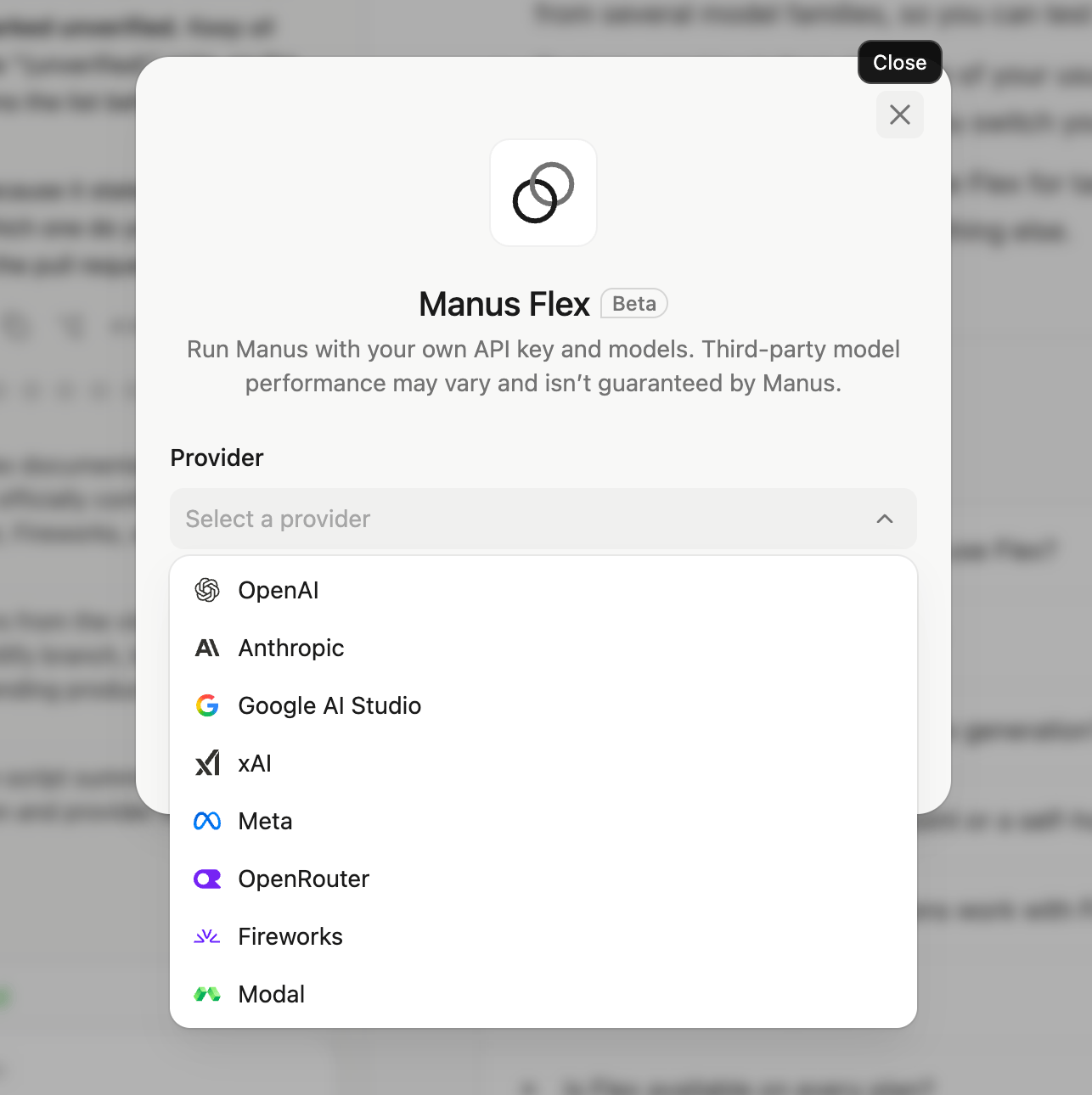
The Provider list in the Manus Flex setup window.
Who pays for what
Flex splits the cost of a task into two parts:What stays the same
- Your workspace: Projects, files, automations, and connectors work as before.
- The agent: Manus still plans the task, calls tools, and runs work in its execution environments.
- Built-in models: Video, image, audio, and 3D generation still use the Manus built-in models, not your provider.
What depends on your provider
- Model list: The models in Primary model come from your provider. Different providers show different models.
- Rate limits and quotas: Your provider’s limits apply. If your key reaches a limit or runs out of balance, tasks can stop or fail. (Error behavior unverified.)
- Quality and speed: Results depend on the model and effort level you choose. Manus does not guarantee third-party model performance.
Tips
- Use a dedicated API key. Create a separate key for Manus. Then you can track usage and revoke the key without affecting your other apps.
- Set a spending limit with your provider. Agent tasks can run many steps. A limit in your provider’s dashboard protects you from unexpected costs.
- Start with a medium effort level. Compare the quality and cost on a few tasks, then raise or lower the effort level.
- Use OpenRouter to compare models. One OpenRouter key gives you access to models from several model families, so you can test them without new keys.
- Test on a real task first. Run one of your usual tasks with Flex and compare it with a standard Manus mode before you switch your automations.
- Switch modes for each task. Use Flex for tasks where your own model fits best, and a standard Manus mode for everything else.
FAQ
Do I still need Manus credits if I use Flex?
Do I still need Manus credits if I use Flex?
Yes. Your provider bills model usage. Images, videos, Cloud Computer, web app hosting, and other paid features still use Manus credits.
Which providers can I connect?
Which providers can I connect?
OpenAI, Anthropic, Google AI Studio, xAI, Meta, OpenRouter, Fireworks, and Modal.
Can I use Flex for image or video generation?
Can I use Flex for image or video generation?
No. Flex connects the language model that runs the agent. Image, video, audio, and 3D generation use the built-in models and Manus credits.
Can I connect a custom endpoint or a self-hosted model?
Can I connect a custom endpoint or a self-hosted model?
The setup form has fields for a provider and an API key only. It does not have a custom endpoint field. To use open models, connect a supported provider that hosts them, such as Modal.
Do my projects and automations work with Flex?
Do my projects and automations work with Flex?
Yes. Flex uses the same projects, tools, execution environments, and automations as standard Manus.
How do I stop using Flex?
How do I stop using Flex?
Open the mode menu in the top-left corner and select a standard Manus mode, such as Manus 2.0.
Is Flex available on every plan?
Is Flex available on every plan?
Plan availability is not yet confirmed. (Unverified.) See Plans and Pricing.
Further reading: Introducing Manus Flex