

What it is
The “Make a Copy” feature allows you to duplicate your existing WebDev projects into new, independent sessions. This creates a safe sandbox for experimentation or a reusable template for future projects. Whether you want to try out a risky new feature without breaking your working site, or you want to use an existing project as a base template to build variations, “Make a Copy” gives you a clean slate while preserving your original work.How to use it
You can make a copy of your project from two convenient locations: From the Library: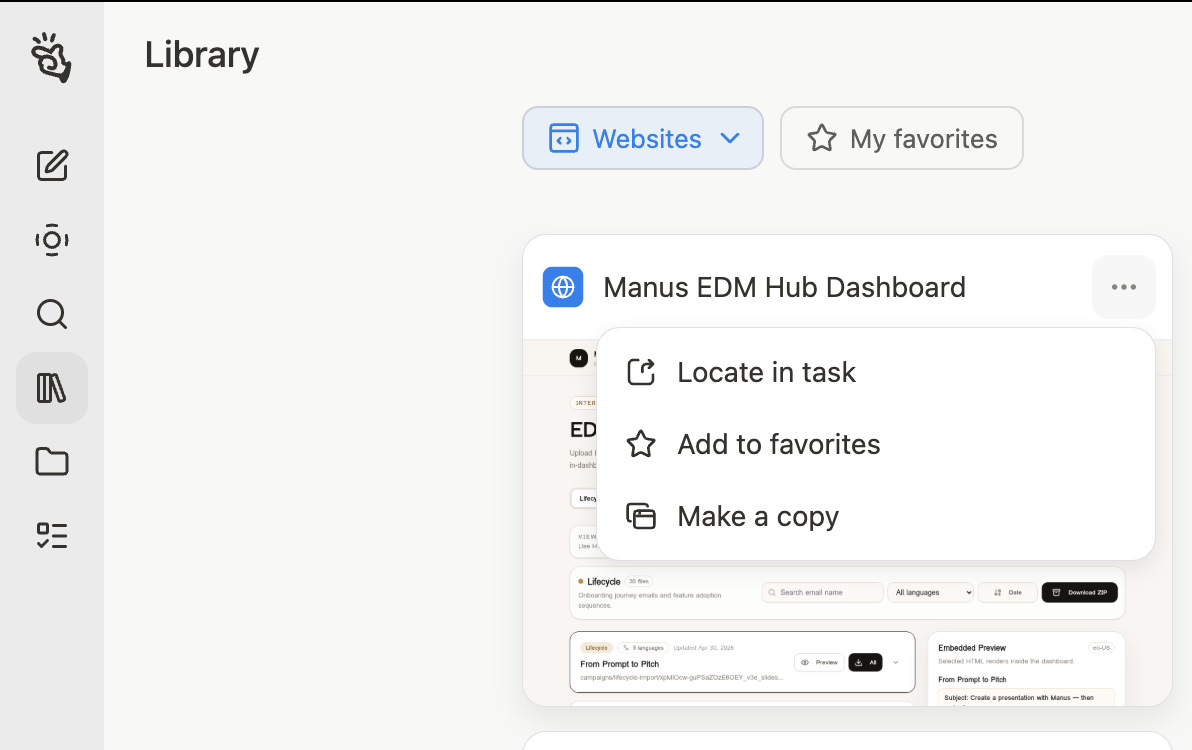
- Navigate to your Library.
- Find the project you want to duplicate.
- Click the three-dot context menu on the project card.
- Select Make a Copy.
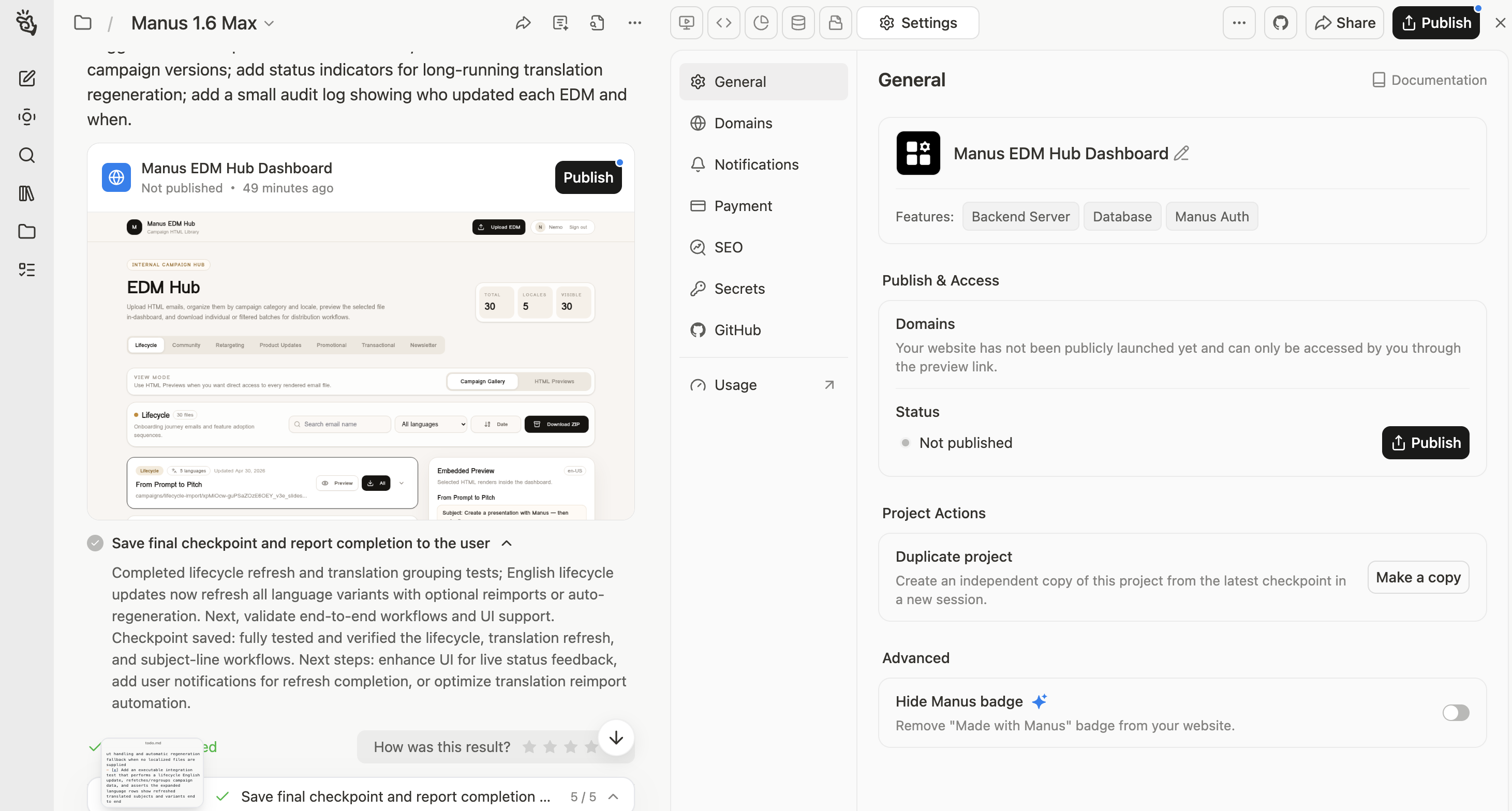
- Open the project you want to copy in the WebDev editor.
- Go to the project settings and open the General tab.
- Under the “Project Actions” section, click the Make a Copy button.
What users need to know
When you make a copy of a project, it is important to understand what is transferred to the new session and what is not:- Source Code: The full codebase (from the latest commit) is transferred. Your new project will look and function just like the original code-wise.
- Secrets: The names (definitions) of your secret keys and their actual values are transferred to the new copy, so your API integrations will continue to work seamlessly.
- Database: The database schema is copied so your app’s structure remains intact, but the actual data is not transferred. Your new project starts with a fresh, empty database.
- Integrations (Stripe): If your original project uses Stripe, you can choose whether to transfer the same sandbox to the new session to continue testing.
- Publishing & Domains: The new project starts unpublished and does not inherit any custom domain settings from the original.
- GitHub Connection: The GitHub connection is not transferred. You will need to connect the new project to its own repository if desired.
- AI Chat History: The conversation history from the original project is not transferred to the new session.
Tips
- Safe Experimentation: Before asking Manus to perform a major architectural change or framework swap, make a copy of your project. If the experiment goes wrong, you still have your pristine original project to fall back on.
- Build a Template Library: If you frequently build similar types of websites (like landing pages or portfolios), create a “base template” project. Whenever you need a new site, just make a copy of your template instead of starting from scratch.
- Check Your Database: Remember that your database data does not carry over. If your app relies on specific initial data to function properly, you will need to ask Manus to recreate or seed that data in the new project.
FAQ
Does making a copy affect my original project?
Does making a copy affect my original project?
No. The new project is completely independent. Any changes you make to the code, database, or settings in the copy will not affect the original project.
Why is my database empty in the copied project?
Why is my database empty in the copied project?
To ensure a clean slate and prevent unintended data corruption or privacy issues, only the database schema (the structure) is copied. The actual rows of data are not transferred.
Will my copied project be live on the internet?
Will my copied project be live on the internet?
No. Copied projects start in an unpublished state. You will need to publish the new project separately when you are ready.
Can I copy a project from my teammates or the community?
Can I copy a project from my teammates or the community?
Currently, you can only make copies of your own projects. However, the ability to copy team projects and public community templates is coming down the road!