

Built-in Tracking
Database
Every Manus web project with the database feature includes a fully managed MySQL database and a visual interface to inspect and manage your data.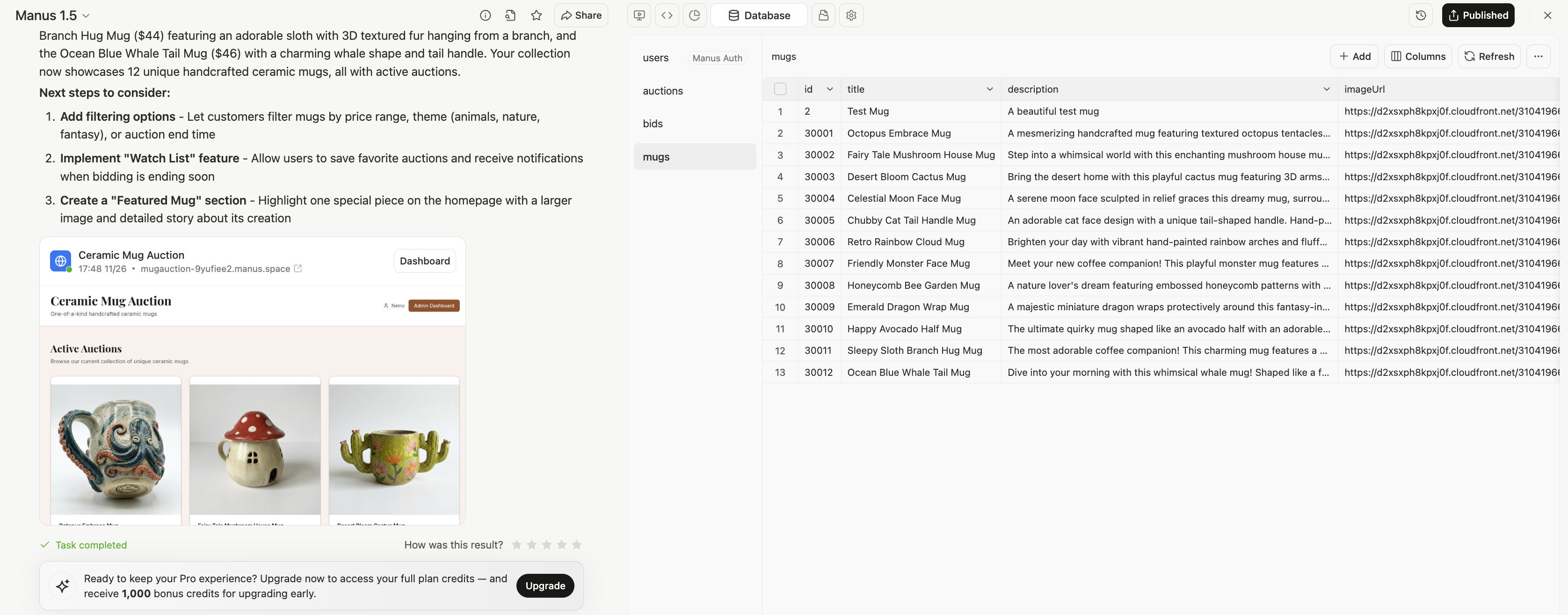
1. Visual Data Browser
- View all tables in your database from the left sidebar
- Click any table to see its contents in a sortable, searchable grid
- Inspect individual records by clicking rows
2. Direct Editing
- Add new records with the ”+ Add” button
- Edit existing records by clicking cells
- Delete records when needed
- Refresh to see the latest data from your live application
3. Column Management
- Click “Columns” to view the full schema (data types, constraints, indexes)
- See which fields are required, unique, or have default values
- Understand relationships between tables (foreign keys)