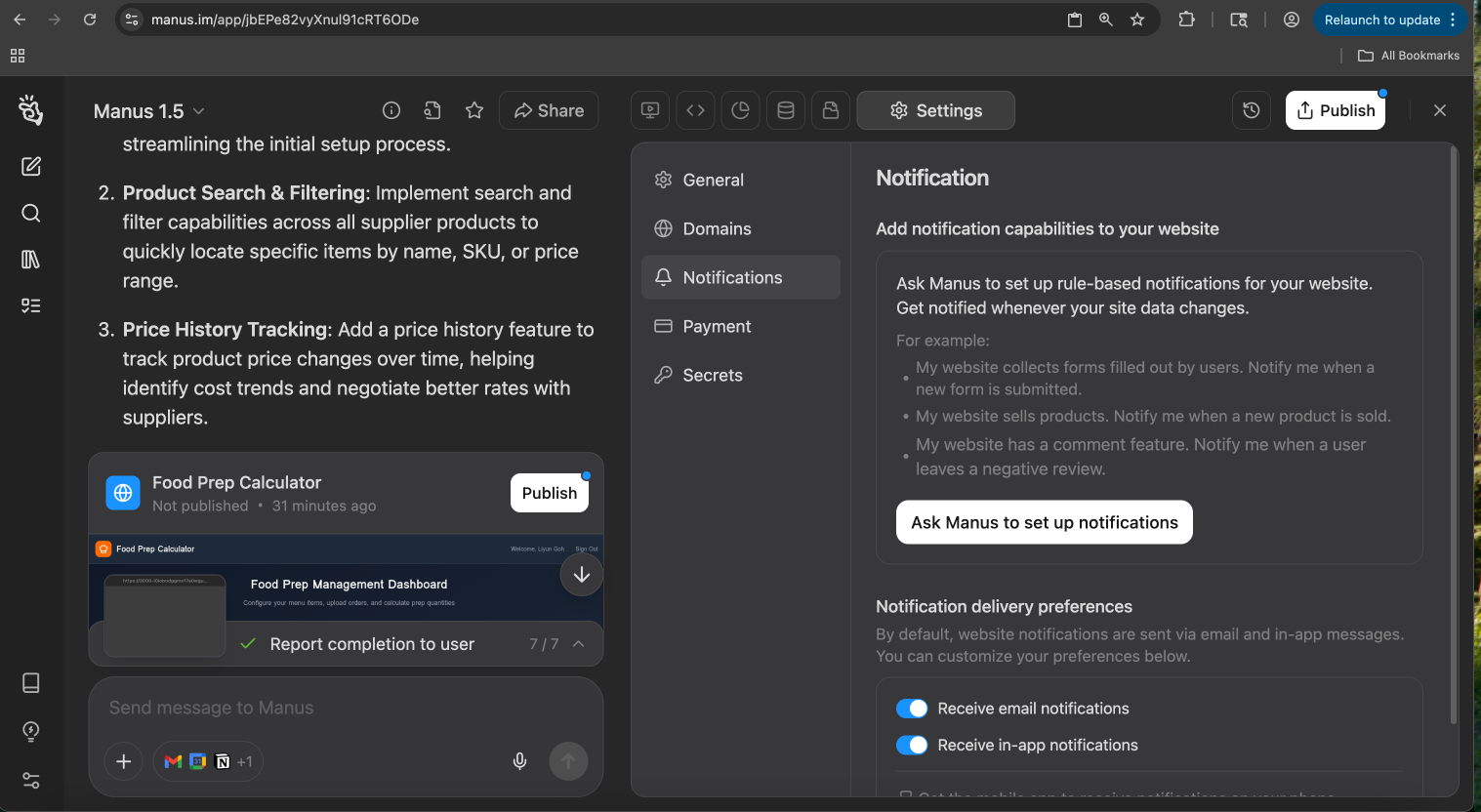
Setting Up Notifications

| Notification Trigger | Example Prompt |
|---|---|
| New Form Submission | "My website collects user data through a form. Notify me whenever a new form is submitted." |
| New Product Sale | "My website sells products. Send me a notification every time a new product is sold." |
| New Review | "My website has a review feature. Alert me immediately when a user leaves a negative review." |
| User Sign-up | "Send me a notification each time a new user creates an account on my site." |
Notification Preferences
You have full control over how you receive these alerts. By default, notifications are sent via both email and in-app messages, but you can customize your preferences at any time. Under Notification Sending Preferences, you can use the toggles to:- Receive email notifications: Get alerts sent directly to your inbox.
- Receive in-app notifications: See alerts within the Manus application interface.