Edit your photos with a simple prompt
Edit photos with AI instantly. Just upload your image and describe the changes to get perfect results with our online AI photo editor.
How to edit photos with Manus?
Professional results in three simple steps.
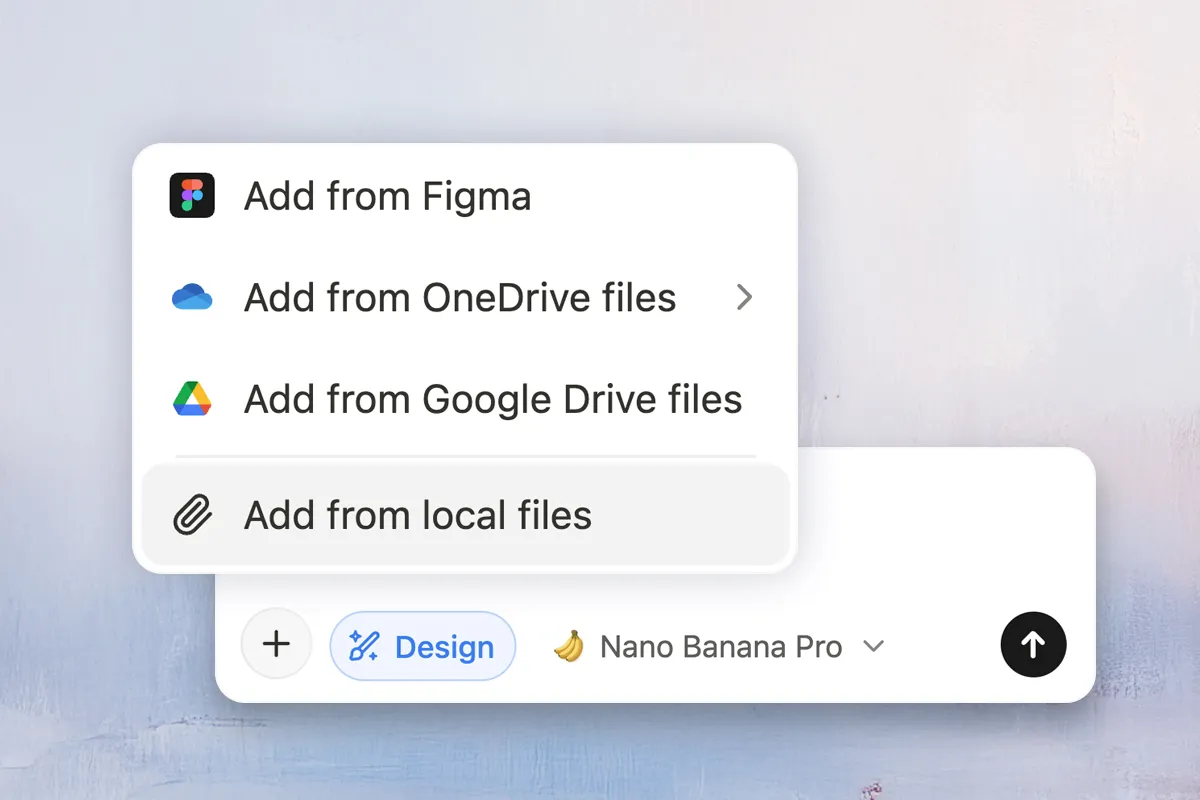
Step 1: Upload
Drag and drop your image, paste a URL, or import from cloud storage. Start editing instantly.
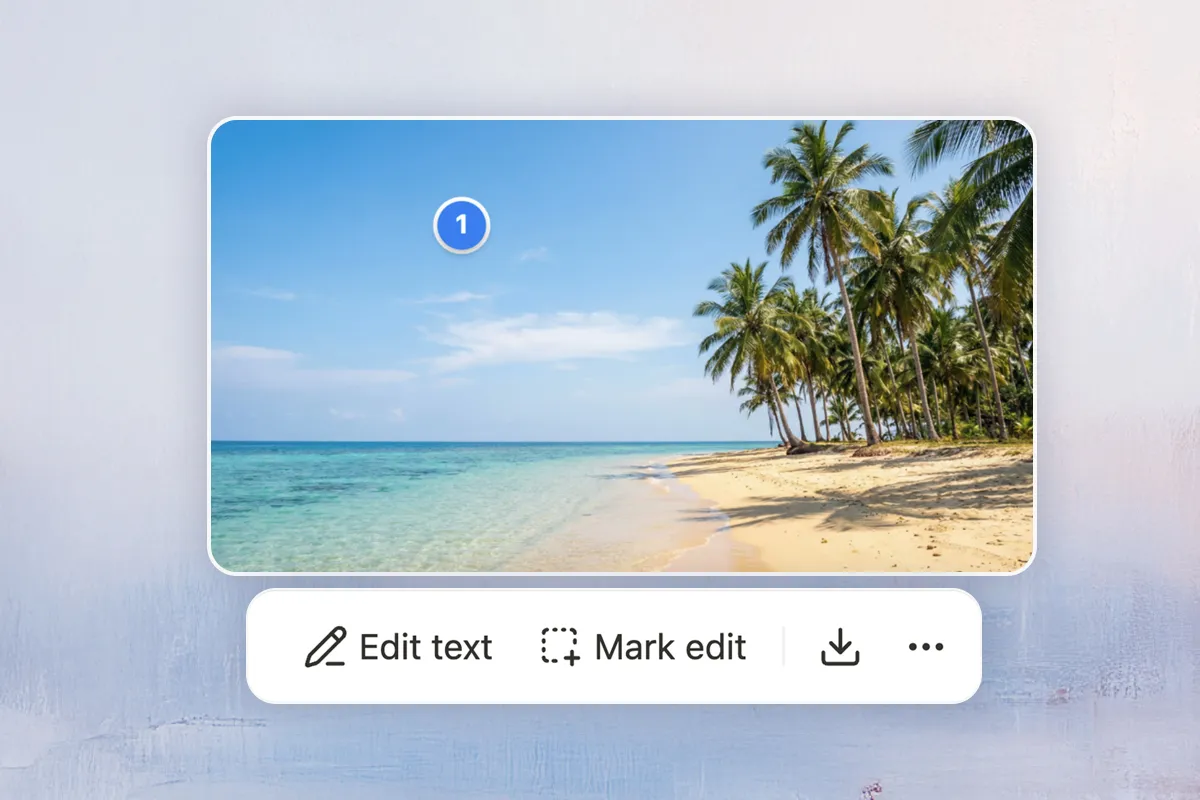
Step 2: Edit
Describe your edits in natural language or mark specific areas for precision adjustments.
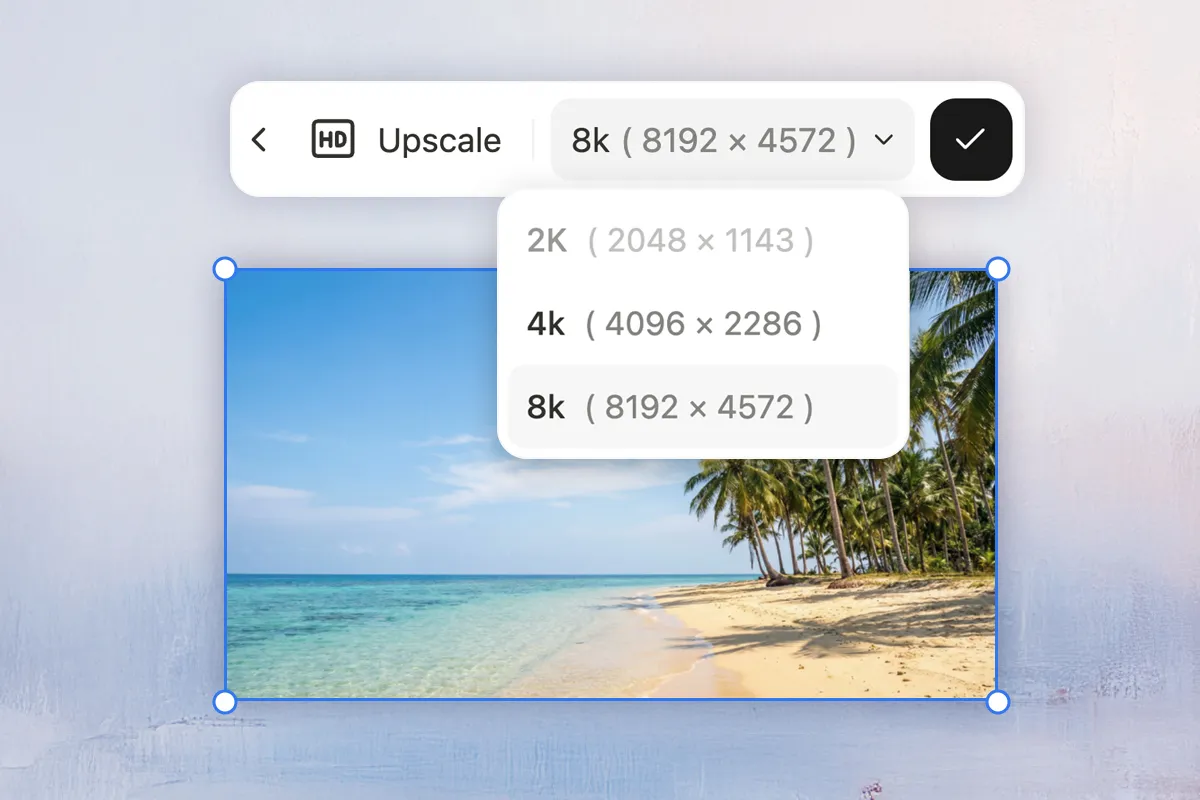
Step 3: Export
Preview your transformation and export in high resolution up to 8K—watermark-free.
Reimagine your AI image editing workflow
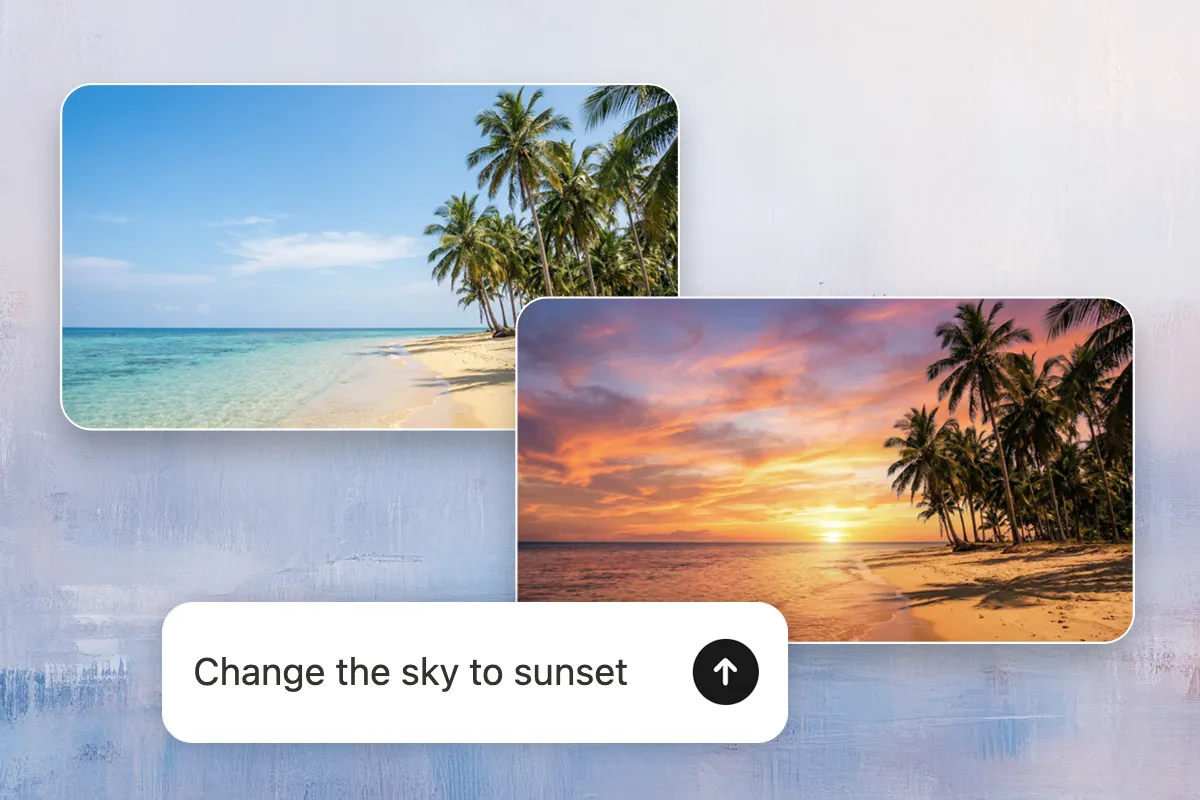
Edit images with a single prompt
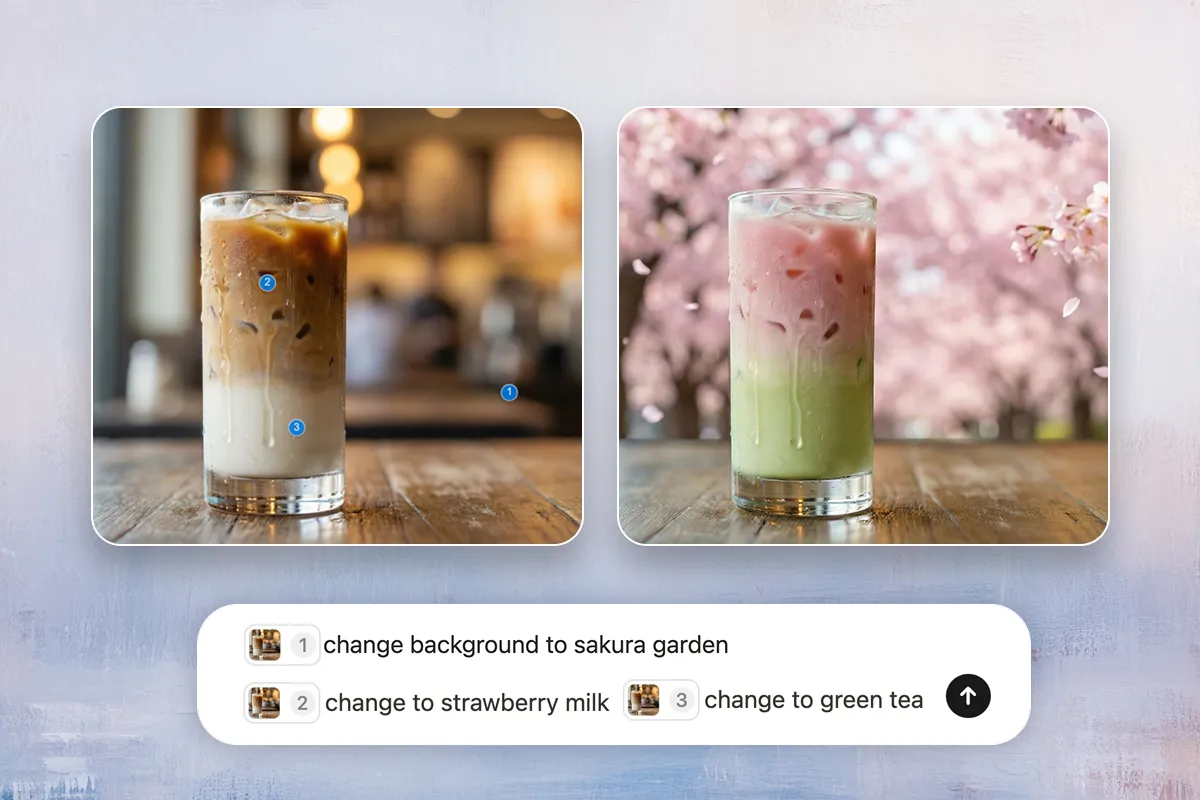
Precision editing with the mark tool
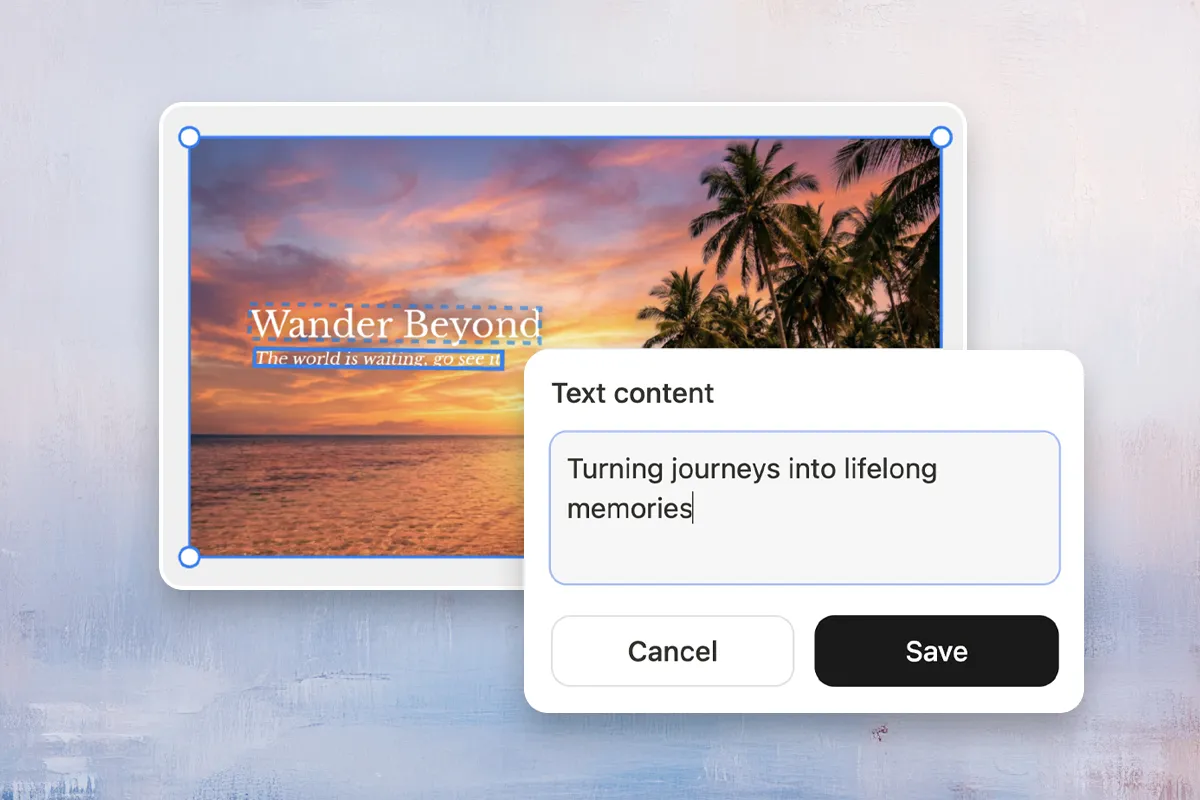
Edit text directly on images
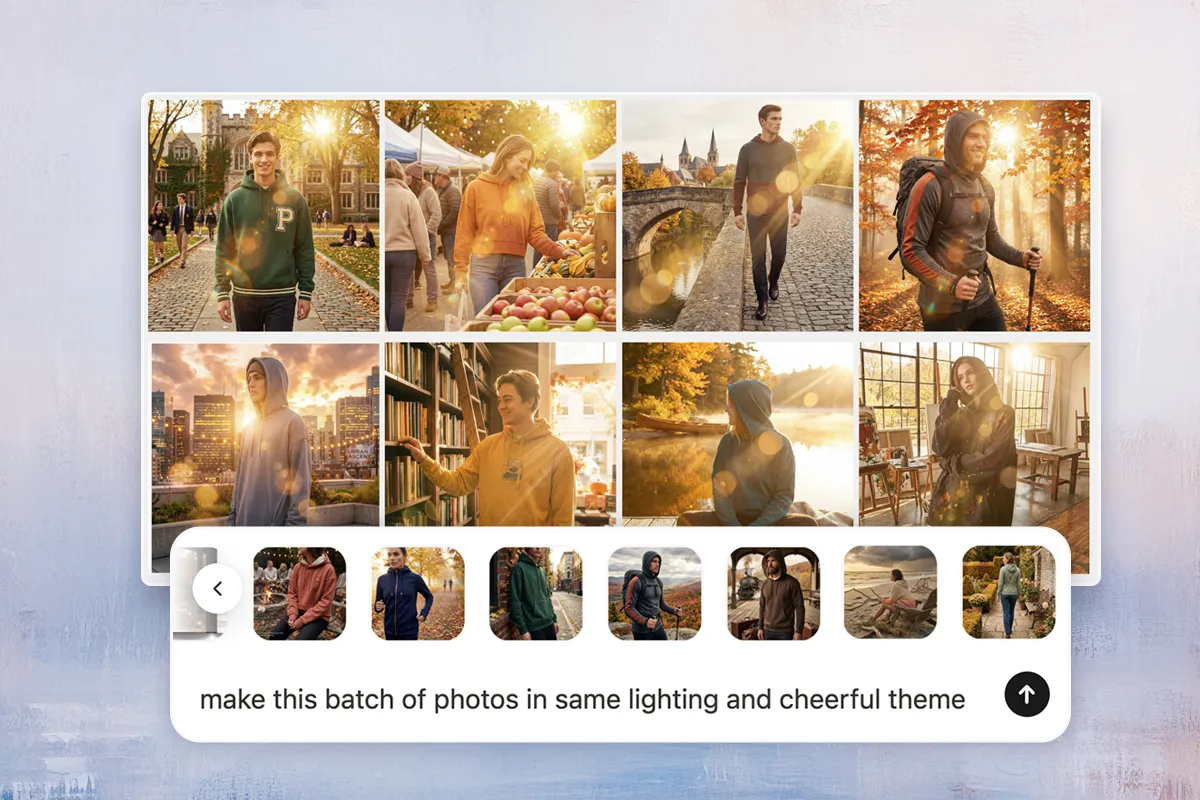
Batch edit images in seconds
Advanced AI photo editing features
Explore a complete suite of AI-powered tools designed to edit, enhance, and transform your images with professional precision.

Remove background
Isolate subjects with pixel-perfect precision to create transparent backgrounds for e-commerce or design.

Remove object
Effortlessly erase unwanted strangers, clutter, or defects while AI naturally fills in the missing details.

Change background
Teleport your subject anywhere—swap dull surroundings for professional studios or scenic landscapes in one click.

Upscale image
Enhance image resolution up to 4K, sharpening details and reducing noise for a crystal-clear look.

Extend image
Expand your canvas in any direction. Let AI generate realistic scenery to fit specific aspect ratios or formats.

Remove watermark
Cleanly wipe away text, date stamps, or logos without damaging the underlying texture of your photo.

Restore photo
Bring memories back to life. Fix blur, scratches, and color fading to make vintage photos look brand new.

Explore more features
Discover additional possibilities like Change Clothes, Face Enhancement, and Sketch-to-Image to unleash your full creativity.
Who is Manus AI image editor for?
Empowering creators across every industry to design without limits.
Why Manus AI image editor stands out?
Discover what makes our AI photo editor the best choice for your editing needs.
Powered by Nano & Image-1
Powered by Nano Banana Pro and GPT-Image-1, this AI photo editor combines speed with stunning details.
Visual consistency
Keep your characters and styles consistent. When you edit a pose or change an outfit, the face and identity remain 100% unchanged.
Design anywhere
Edit on the go with our mobile-first Design View. Simply long-press any area to mark it, then use voice or text to make changes instantly.
Explore more AI tools
Discover powerful AI tools to boost your productivity and creativity.
View all tools
Frequently asked questions
What is an AI image editor?
An AI image editor is a tool that understands your photos and makes changes based on what you ask. Instead of clicking around menus, you just describe what you want—"Remove the person in the background" or "Make the sky bluer"—and it happens. Unlike traditional AI photo editors that require technical skills, this tool works for everyone. No complex software, no learning curve.
Do I need design skills to use this AI image editor?
Nope. Our AI image editor is built for everyone. You don't need to know Photoshop or any design software. Just upload your photo, describe what you want, and you're done. That's why it's the best AI image editor for beginners—it works for people with zero experience.
What types of edits can I make with this AI image editor?
You can remove backgrounds, erase objects, change backgrounds, upscale images, extend canvases, remove watermarks, restore old photos, edit text, change clothes, and more. Our AI image editor offers a complete suite of professional editing tools to edit photos with AI. It's the best AI image editor for any editing task you can think of.
How fast is the editing process?
Most edits complete in seconds. Our AI image editor uses advanced models optimized for speed, so you get results almost instantly. For batch editing, you can apply the same changes to hundreds of images in a single conversation.
Can I edit multiple photos at once?
Yes. Our batch editing feature lets you upload multiple photos and apply the same edits across all of them automatically. This is perfect for e-commerce, social media, and anyone managing large photo collections. It's one of the reasons Manus is the AI photo editor for professionals.
Will my photos be saved or stored?
Your privacy is important to us. We process your images securely and don't store them without your permission. You have full control over your content.
Is Manus AI image editor suitable for professionals?
Absolutely. Manus is equally powerful for professionals as it is for beginners. Photographers benefit from quick retouching, background removal, and image upscaling without the complexity of Photoshop. Design professionals can batch edit hundreds of images in seconds, saving hours of repetitive work. Content creators and e-commerce teams handle high-volume projects efficiently with our batch editing feature and advanced AI tools. Professionals also appreciate the precision editing with the Mark Tool, allowing pixel-perfect adjustments on specific areas. Whether you're managing large photo collections, creating product images for e-commerce, or retouching portraits, Manus provides professional-grade results with enterprise-level efficiency. It's the perfect AI image editor for professionals who value speed, precision, and workflow optimization.
How does your AI image editor compare to other image editors?
Different tools serve different purposes. Canva excels at design templates, while Photoshop offers advanced manual editing. Google Photos provides basic AI features in a backup app. Manus is purpose-built for AI-powered photo editing. We focus entirely on intelligent, conversational editing—just describe what you want and it happens. Our AI photo editor features multi-turn memory, precision marking tools, and dual AI models (Nano Banana Pro for speed + Image-1 for stunning details). This makes it the best choice for creators who want to edit photos with AI and get professional results instantly. Plus, batch editing turns hours of work into minutes.
What's the quality of edited images?
Our AI image editor delivers professional-grade results. We use advanced AI models to ensure edits look natural and polished. You can export images in high resolution (up to 4K and 8K for upscaling) without watermarks.
Can I undo edits or try different versions?
Yes. You can refine your prompts and regenerate edits as many times as you want. Our AI image editor's conversational interface remembers your context, making it easy to iterate and find the perfect result.
Is Manus AI image editor free?
Yes, you get daily free credits to start editing right away with our free AI image editor. Once you're ready to do more, choose a plan that fits your needs. Visit our pricing page to explore all options.