Introducing Manus Design View
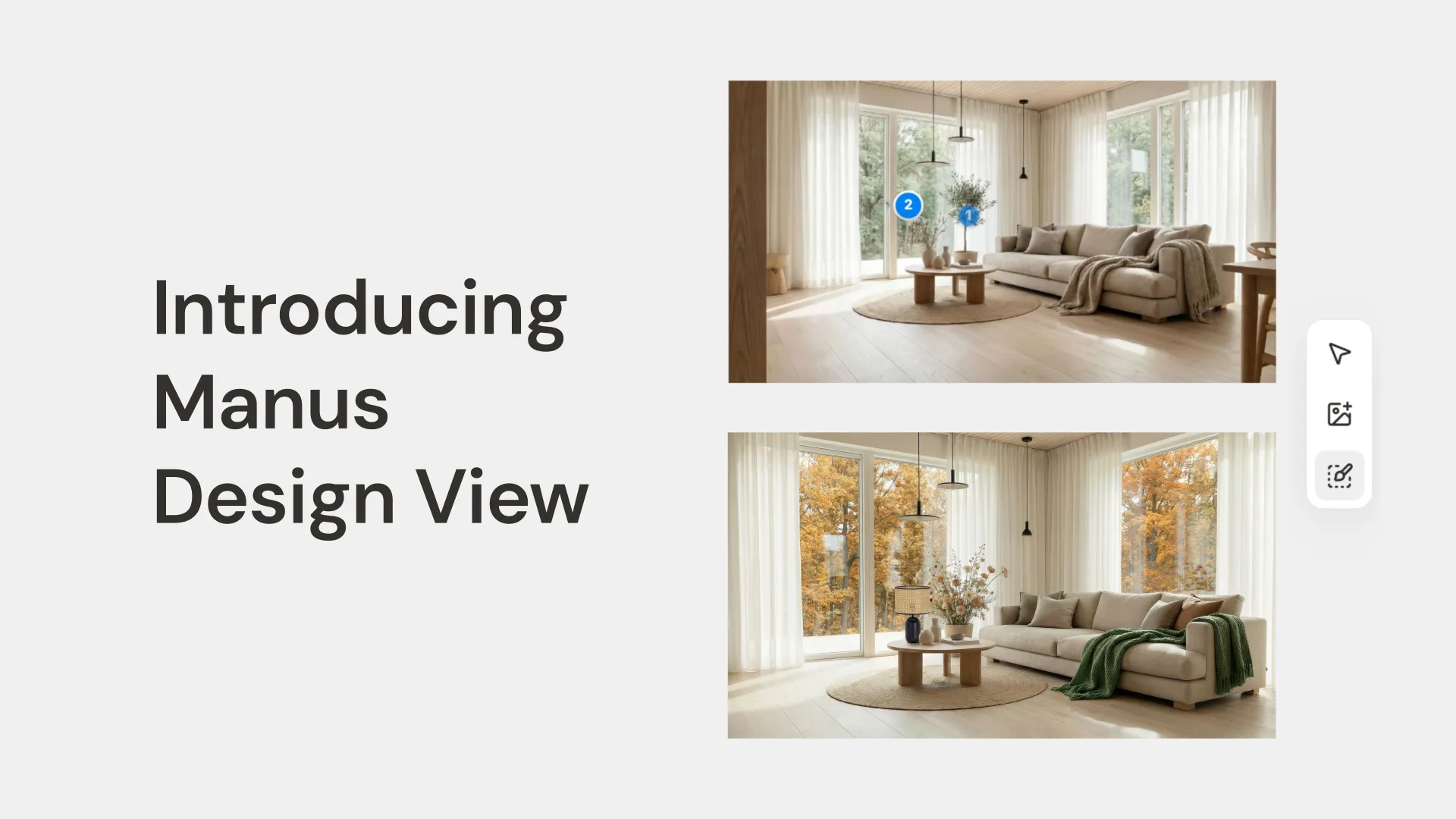
We are excited to announce Manus Design View—a new way to design. It is an extension of the Manus agent, allowing you to commission, create, and refine visual assets as part of a single, seamless AI design workflow.
Simplifying A Designer’s Workflow
Chloe’s client wants a “Japandi-style” living room, a blend of Japanese minimalism and Scandinavian warmth. Instead of spending hours searching for inspiration, Chloe starts directly in Manus.
Step 1: Generating the Initial Concept
Chloe gives Manus a simple prompt to get started.
Prompt: A photorealistic interior shot of a bright, airy living room in a Japandi style. The room has light oak wood floors, a large window with soft natural light, and a low-profile beige sofa.

Manus generates a beautiful starting point. But the client mentioned wanting a different sofa color. This is where the old workflow would break down. Not anymore.
Step 2: Precision Editing with the Mark Tool
Instead of re-prompting, Chloe uses the Mark Tool.
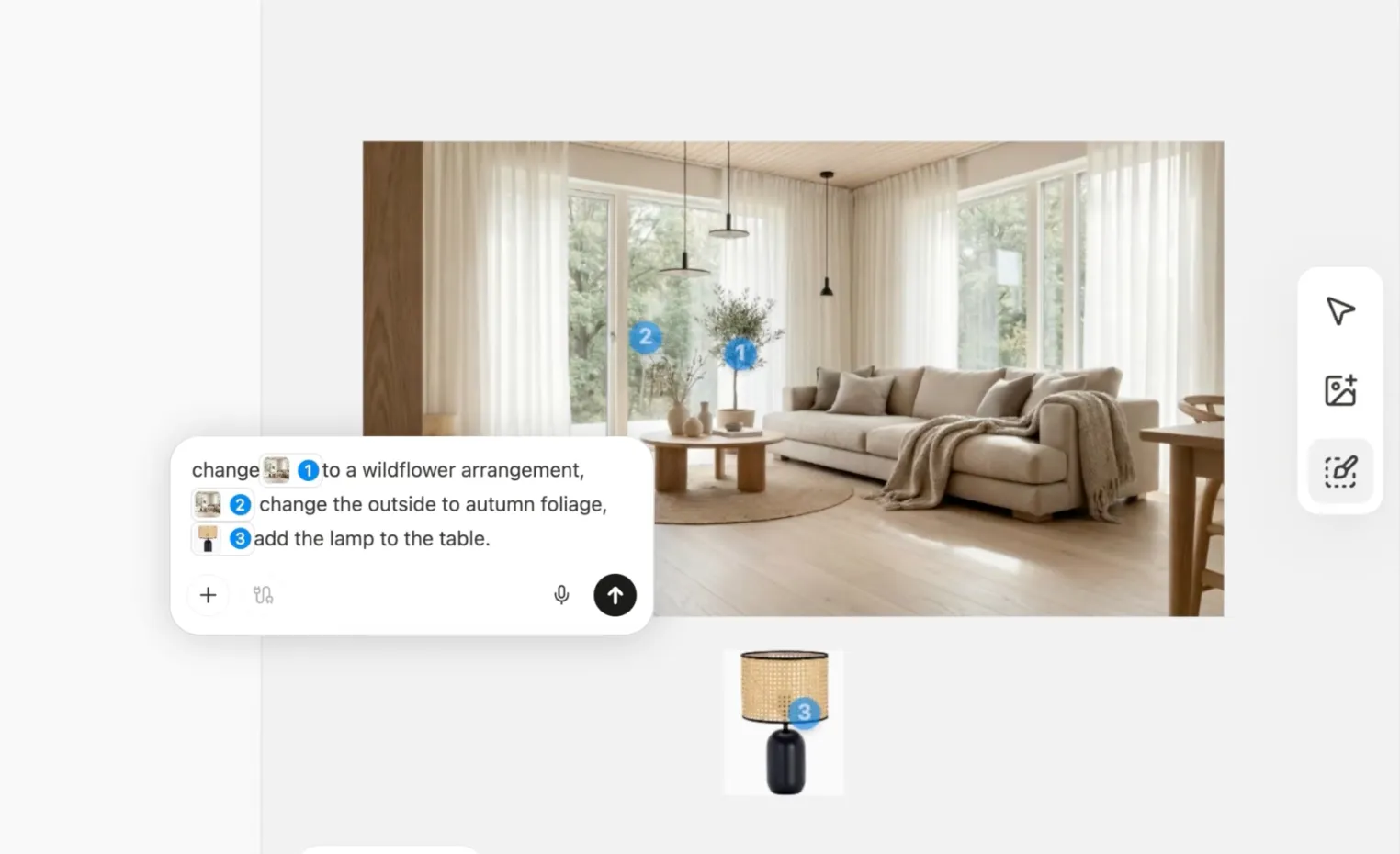
•She clicks the [Mark] tool and selects elements she wants changed
•She selects the throw: Change this throw to a muted sage green.
•She selects the plant: Change this to a wildflower arrangement
•She selects the window: Change leaves to autumn foliage
•She adds an image of a lamp she likes: Add lamp to the table
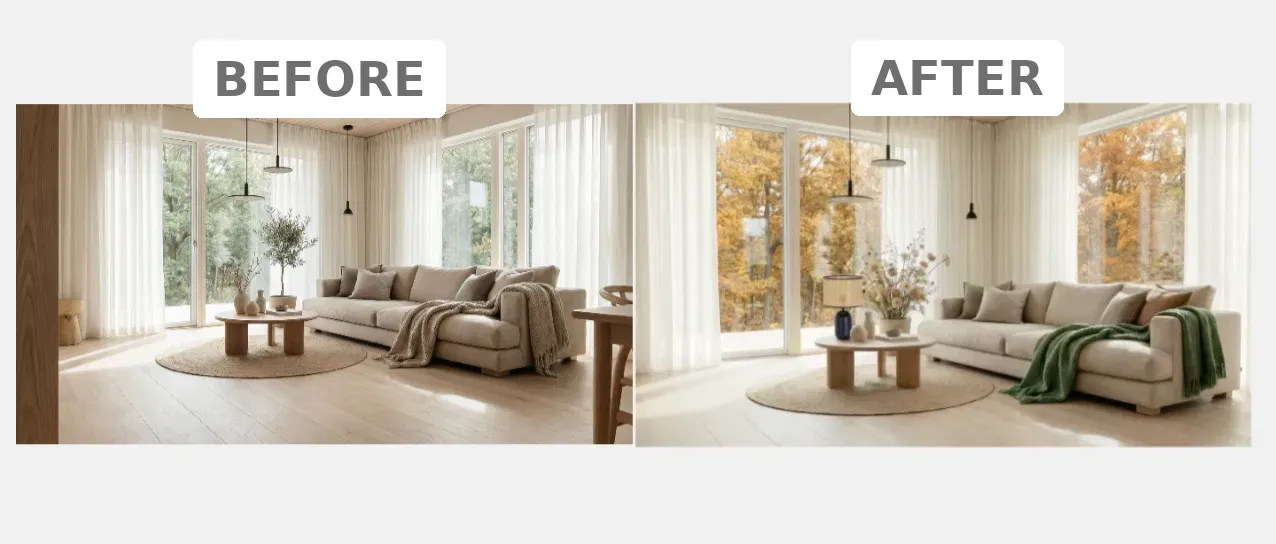
Her changes are recorded, but the lighting, the floors, the window—remains exactly the same. This is granular control, without the hassle. She is also able to be less specific with her prompt because of the selection.
Step 3: Editing text
Chloe wants this to be on a poster, she creates a poster with this image, but needs to change the text. She clicks on "edit text" and Manus extracts all text elements, allowing Chloe to make text edits with ease.
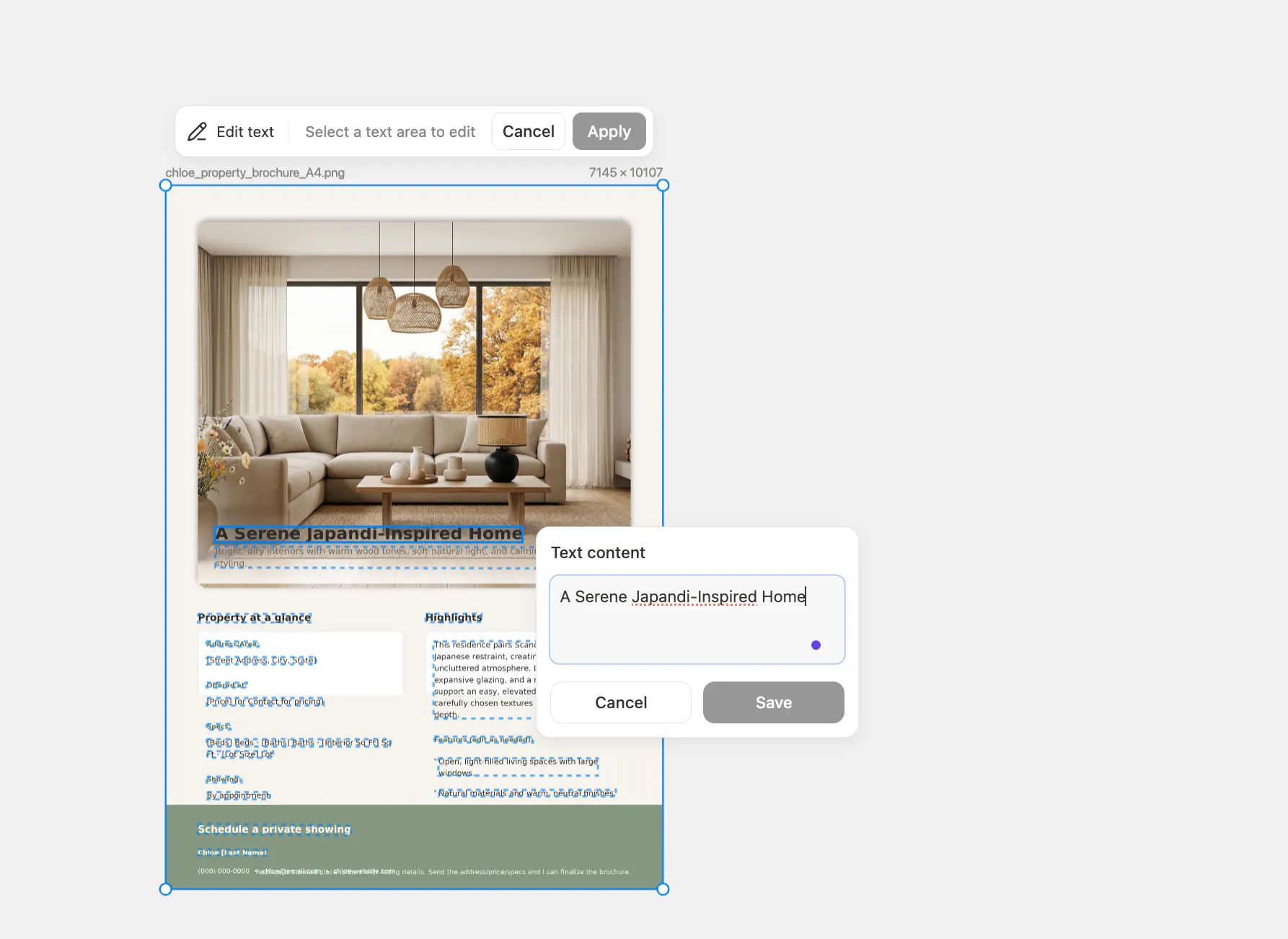
In minutes, Chloe has gone from a simple idea to a complete, refined visual concept, all within a single, uninterrupted workflow.
Design on the Go: Mobile Editing
Inspiration doesn’t always strike at your desk. With the Manus mobile app, you can continue your design workflow from anywhere.
•Press and Hold to Mark: On your mobile device, simply press and hold on any area of an image to create a selection.
•Voice or Text Input: Once an area is marked, you can either type your changes or use your voice to record instructions. Perfect for capturing ideas quickly.
•Batch Your Edits: Mark multiple areas on an image, add an instruction for each, and send them all to be processed in a single batch.
Availability
Manus Design View is available to all Manus users, starting today. It’s our first step toward building a true creative partner that understands your intent, from start to finish.
Common Questions
Q: What AI model powers Manus Design View?
A: Design Mode is powered by Google's Nano Banana Pro, a cutting-edge image generation model.
Q: How is this different from other AI image generators?
A: Design Mode is not a standalone tool; it is an integrated capability of the Manus agent that allows for complex, multi-step visual workflows.
