Manus Projects Just Got Smarter with Connectors

Imagine your routine workflows running automatically. No manual context switching. No repetitive steps.
Recently, Manus Projects has allowed users to turn repeatable tasks into persistent, reusable workspaces by saving core instructions, reference files and related chats so every session starts with the right context.
Now, Projects takes this further with Connectors. You can link your essential apps, such as My Browser, Gmail, Google Calendar, Google Drive, Notion, GitHub, and more, directly to your workspace. Custom APIs are also supported.
Once connected, Manus can follow your Projects Instructions automatically, fetching data, updating apps, and executing workflows without manual effort.
Individual Level: Your Workspace With Your Tools
At the individual level, a Project is your personal workspace built around your own SOPs, instructions and reusable context. Connectors allow you to attach a preset list of tools directly into that workspace, so you can execute your ideal workflow every time.
To activate Connectors in your Projects
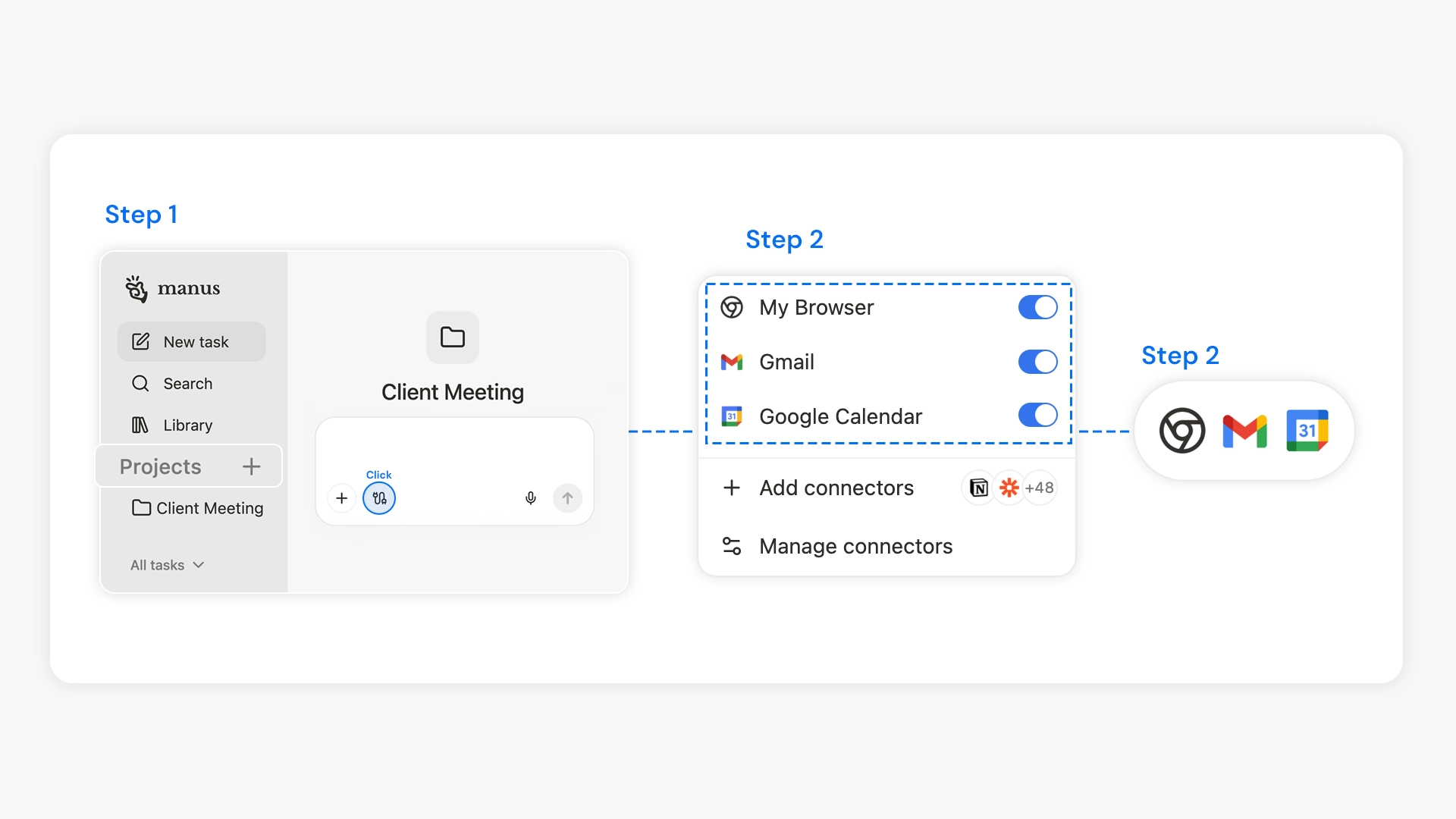
1.Create a new Project
2.Click on Connectors and select the app(s) to connect
3.Once connected, the integration is active for all new sessions in that Project.
Automation becomes practical and effortlessly repeatable. For example, you can instruct Manus to:
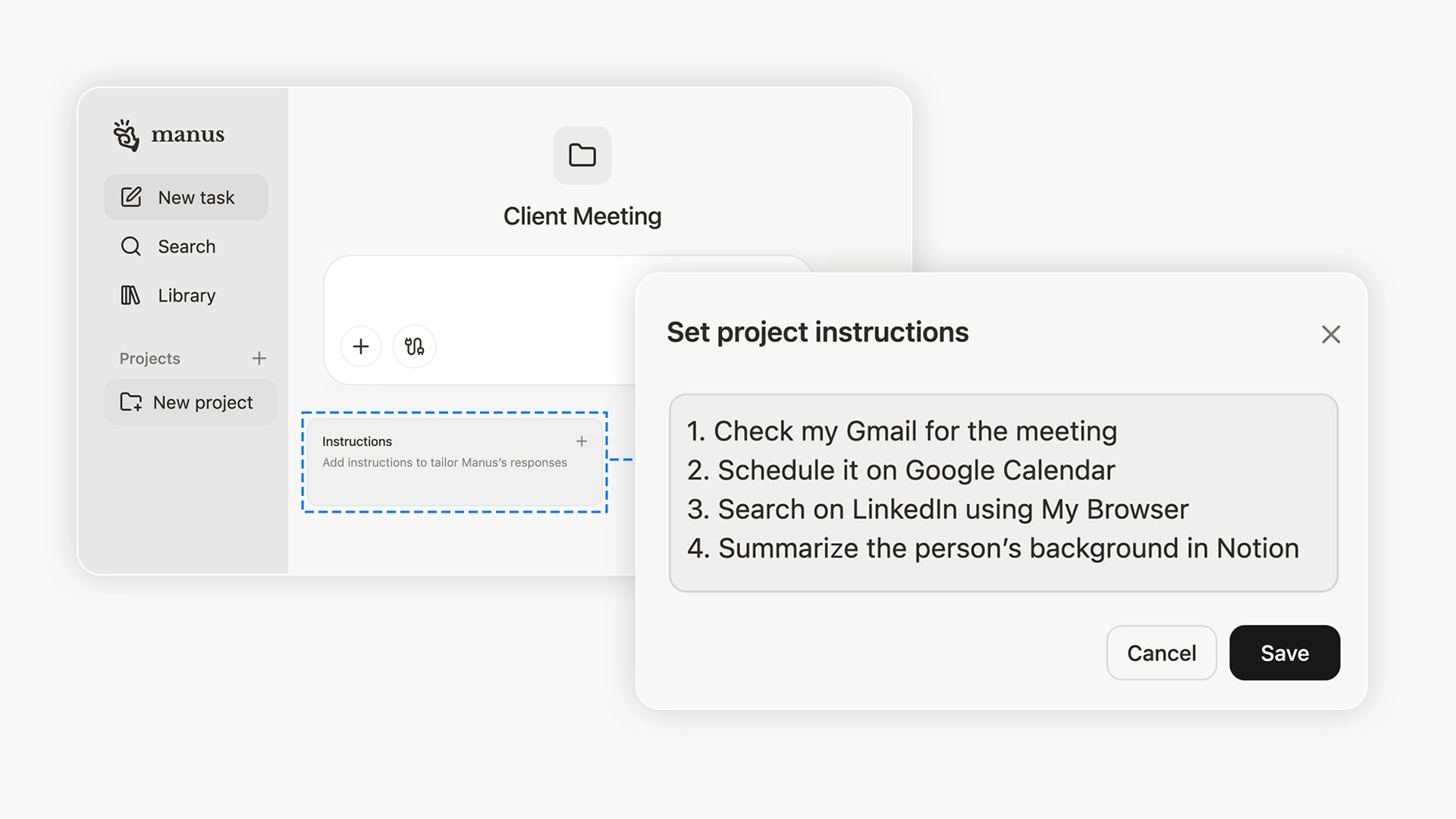
Once your Connectors are linked, Manus can perform these steps automatically every time before each client meeting.
You can also migrate your past tasks into a Project to centralize work that was previously scattered across multiple sessions. These migrated tasks are visible only to you unless you choose to share them, giving you complete control over what stays personal and what becomes collaborative.
To migrate existing tasks into a Project
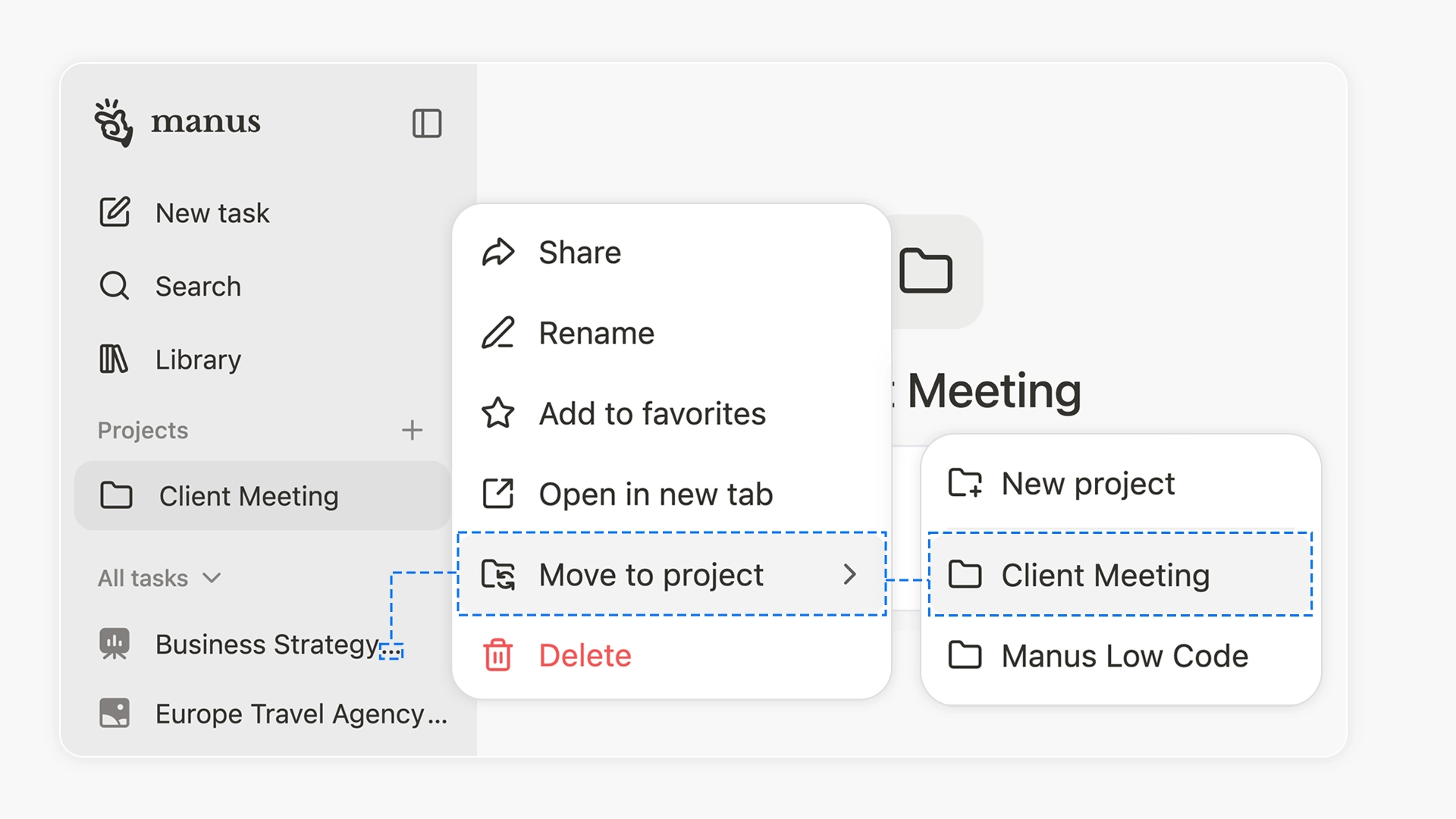
1.In All tasks, find the task you want to organise
2.Hover over it, click the three dots (More options), and select Move to project. The task inherits the Project's instructions and file context and appears in its history (visible only to you).
To remove any task from a Project
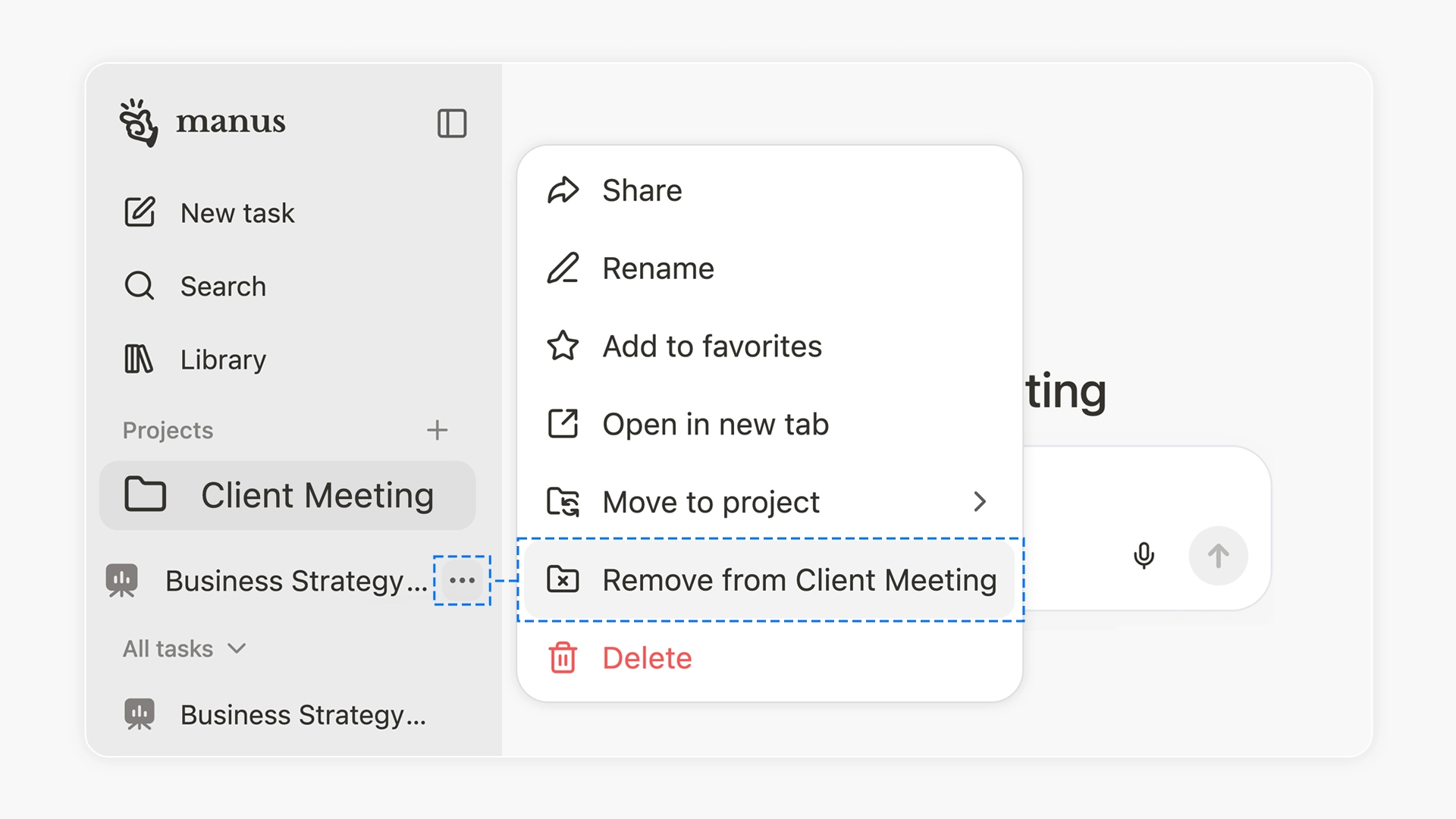
1.Click the three dots (More options) and open the task menu
2.Select Remove from [project name].
Team Level: Shared SOPs With Individual Privacy and Control
In a team Project, members work from the same SOPs and instructions created by the Project admins (owner and editors), ensuring everyone starts each task with the same context.
Each team member connects their own Connectors. Task content and app data remain private until shared, enabling seamless collaboration while preserving individual account control.
Project admins can also recommend Connectors to highlight essential tools for unlocking the full workflow potential. This helps teams quickly understand the required setup for the Project and stay aligned without extra guidance.
To recommend Connectors
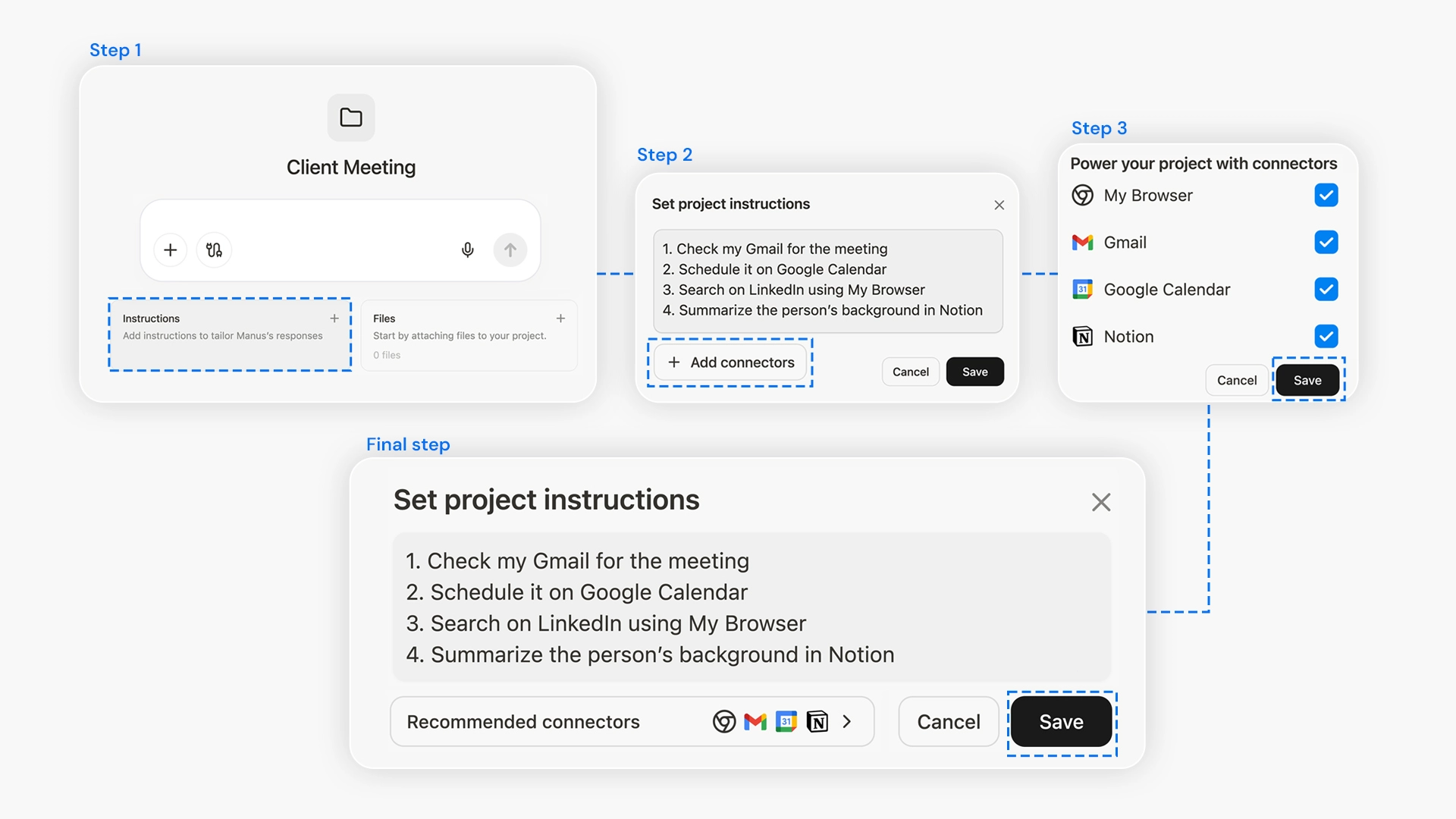
1.Open the Instructions box
2.Select Add Connectors
3.Choose the app(s) you want to recommend for this Project and click Save.
4.The Recommended Connectors appear and click Save. The latest version becomes the active configuration.
Availability
Connectors is rolling out in Projects today and is available to all users.
Projects provide persistent context. Connectors gives Manus the tools it needs to act on your instructions. Together, they turn your workflows into systems that are automated, reusable, and consistent, whether you are working individually or as a team.
