Introducing Manus Projects
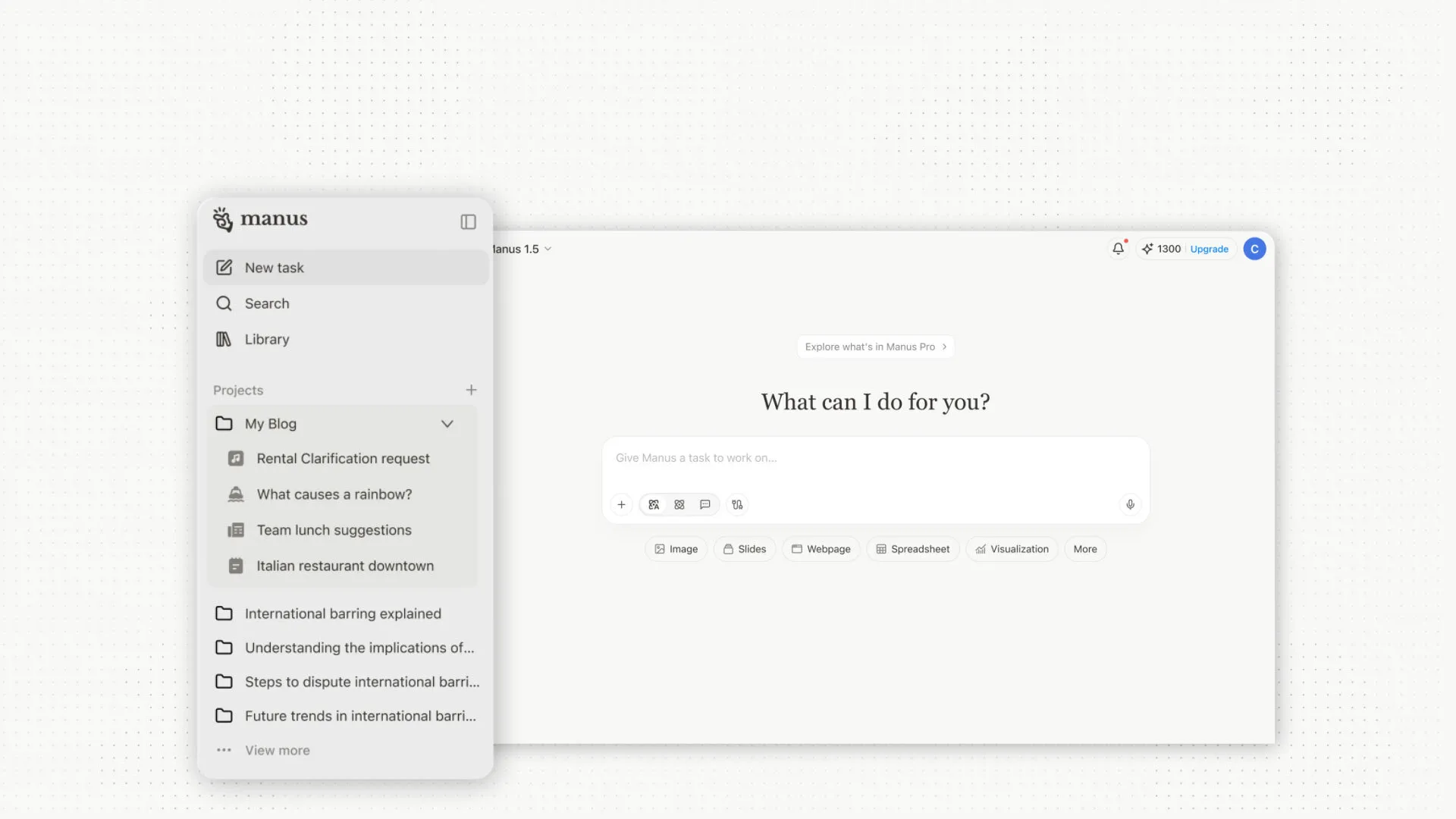
Every week, you create a market research report for your team. Every time, you start with the same instructions: "Use our brand voice, follow the template structure, pull data from our internal sources, and format it for executive review." You upload the same brand guidelines, the same visual assets, the same set of prompts. It works — but it's repetitive.
Or perhaps you're managing a content team. Each writer needs access to your style guide, approved image library, and SEO tools. But coordinating this across dozens of sessions means constant re-sharing, re-explaining, and re-configuring. The knowledge exists, but it's scattered.
This is the challenge we kept hearing from our users: the work itself is repeatable, but the setup isn't. Every new session meant starting from scratch, even when the task was fundamentally the same. Collaboration was fragmented across individual sessions, and hard-won expertise had no permanent home.
Today, we're introducing Projects — a new way to turn your one-time successes into persistent, reusable workflows.
With Projects, you can now create a dedicated workspace for each type of work you do regularly. Whether you're producing weekly reports, managing a content pipeline, conducting competitive analysis, or building prototypes, Projects gives you a structured foundation that persists across every session.
For every Project, you can:
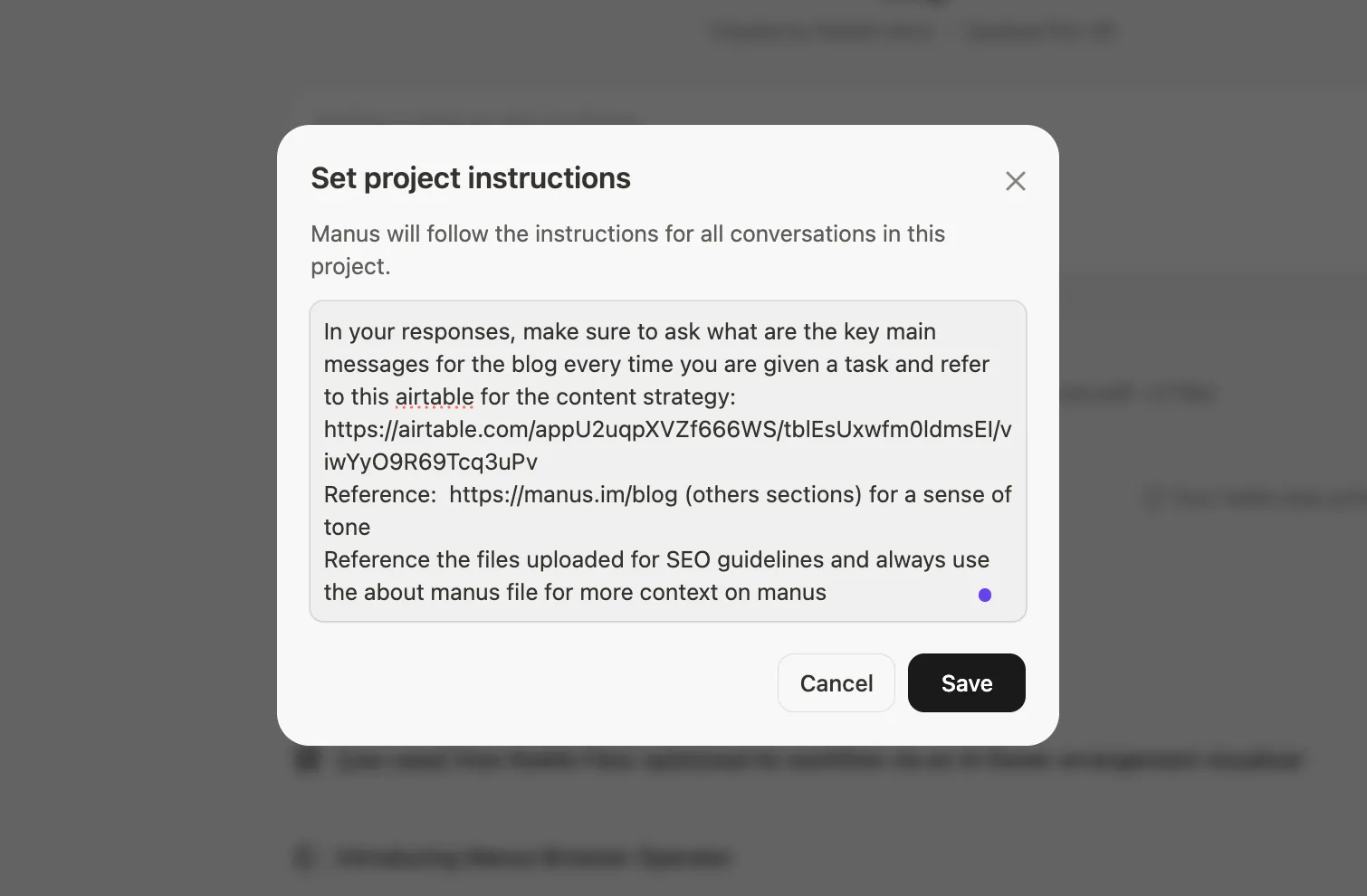
•Set a Master Instruction: Define the core directive that every new session within the project will automatically follow. Write it once, use it everywhere.
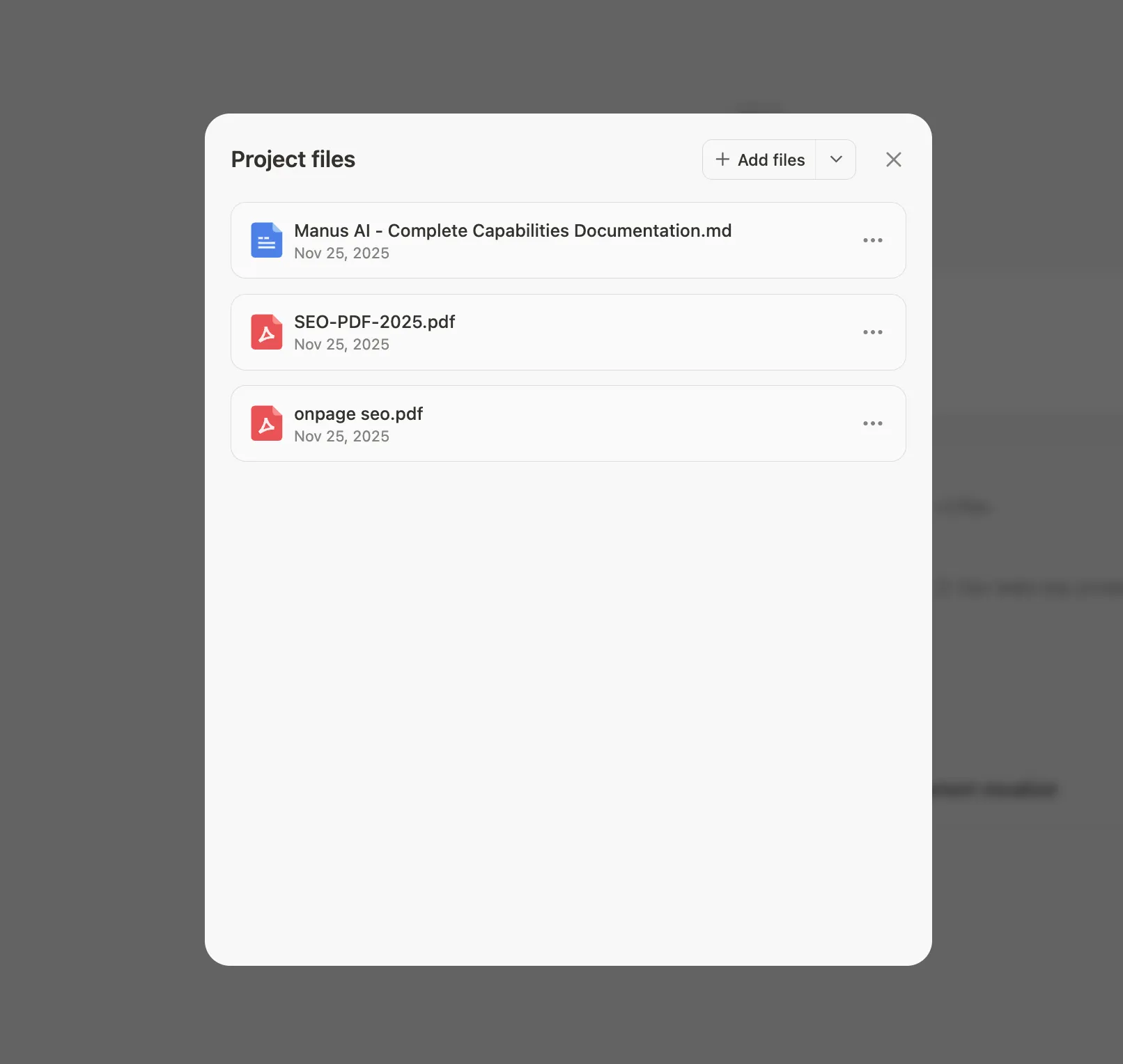
•Build a Knowledge Base: Upload your product documentation, brand guidelines, design systems, code libraries, or any files your work depends on. This knowledge becomes instantly accessible in every session, without re-uploading.
Real-World Scenarios
Imagine you're a product manager preparing quarterly business reviews. Create a "QBR Reports" project with your presentation template and instructions to analyze metrics in a specific format. Every quarter, you start a new session in this project, and Manus already knows exactly what you need.
Or you're a marketing lead managing campaign creation. Set up a "Campaign Development" project with your brand book, approved visual assets, tone of voice guidelines, and access to your social media tools. Every team member who starts a session in this project works from the same foundation, ensuring consistency without micromanagement.
For developers, a "Code Review Assistant" project could include your team's coding standards, architecture documentation, and links to your GitHub repositories. Every code review session starts with the right context, every time.
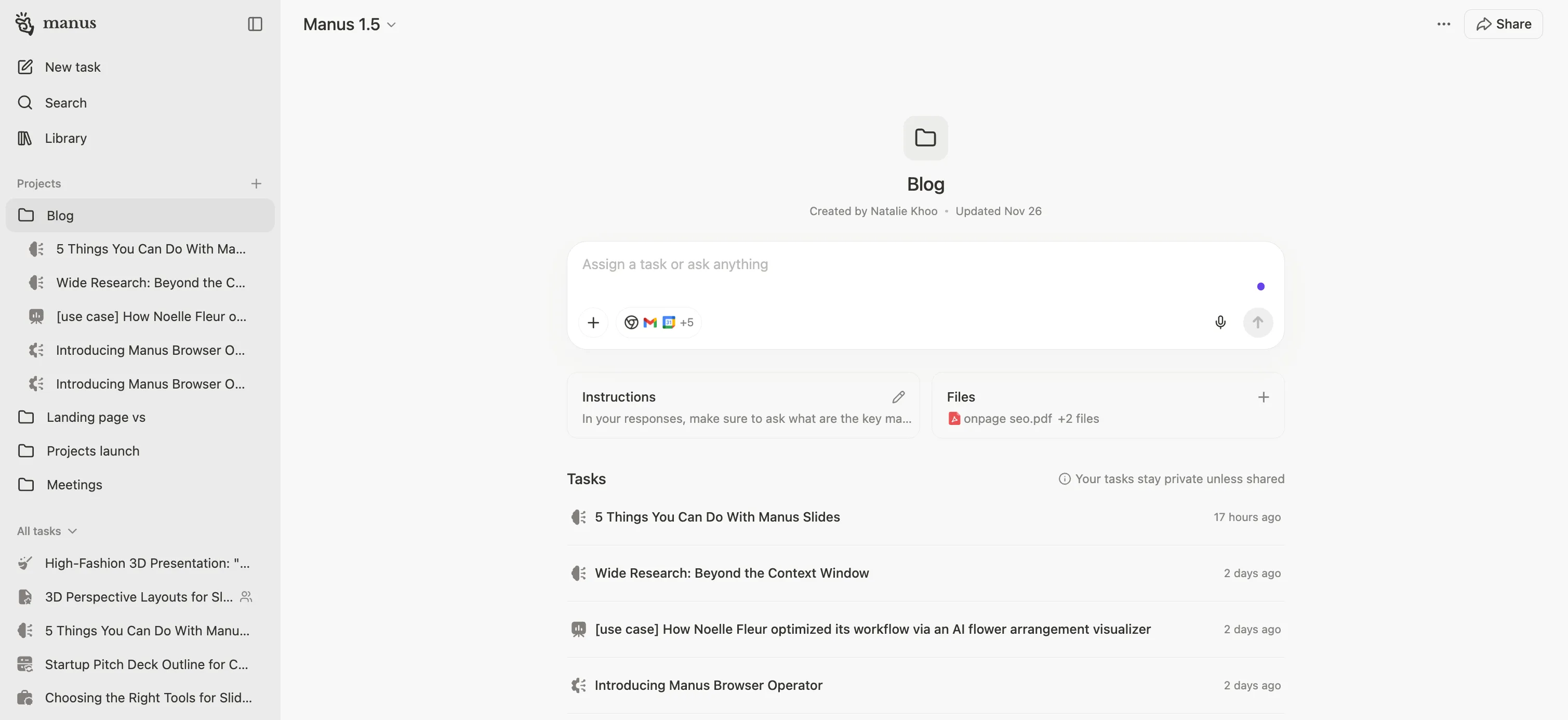
A New Level of Organization
Projects bring clarity to your Manus workspace. Instead of scrolling through an endless list of sessions trying to remember which one contained that important analysis, your work is now organized by context.
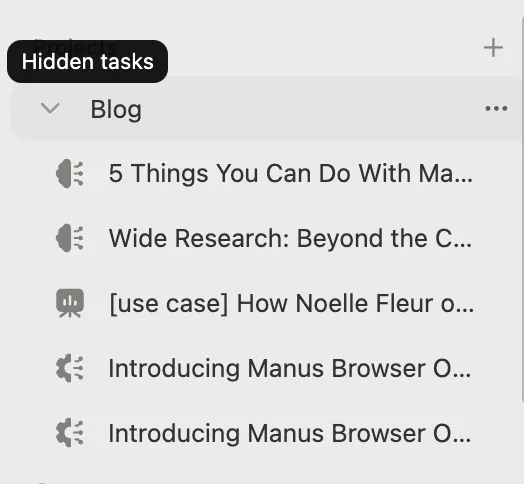
All your market research lives in one project. All your content creation lives in another. Your workspace becomes a reflection of how you actually work.
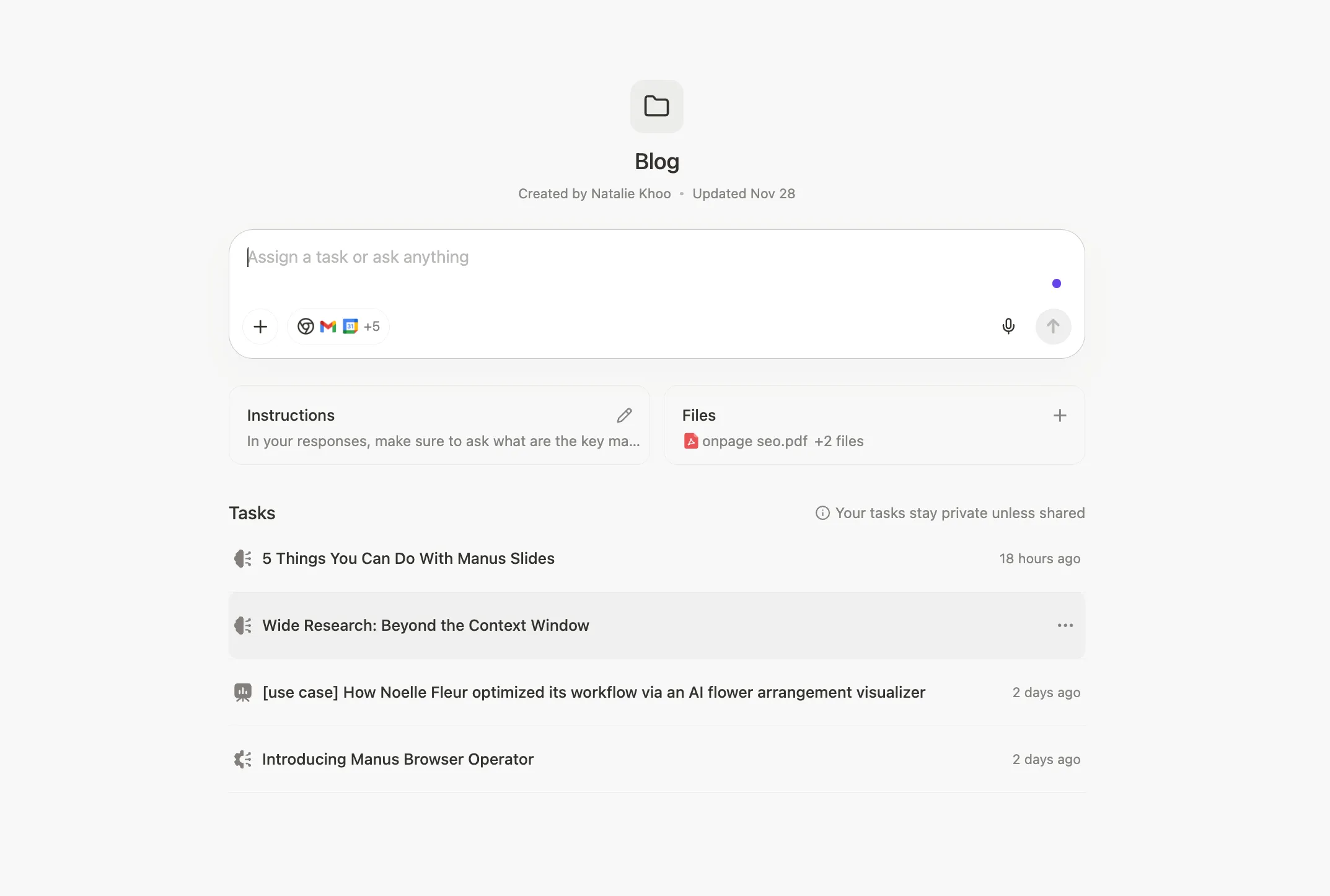
Built for Collaboration
But Projects are more than just personal organization. They fundamentally change how teams work together in Manus.
Previously, collaboration happened at the session level — you could invite someone into a specific conversation, but the knowledge and setup didn't carry forward. Now, teams can collaborate at the project level, sharing a common foundation of instructions, knowledge, and tools.
When you invite a colleague to a project, they don't just get access to a conversation — they inherit the entire context. New team members can start contributing immediately, without needing to understand every configuration detail. Your collective expertise becomes a reusable asset, not tribal knowledge locked in individual sessions.
This dramatically reduces onboarding friction. A new content writer joins your team? Add them to the "Content Production" project, and they immediately have access to your style guide, brand assets, and workflow. A new analyst? The "Market Research" project gives them everything they need to produce work that matches your standards.
How to Get Started
Creating a Project takes less than a minute:
1.Click the "Create Project" button in your workspace.
2.Give your project a name and write the master instruction that defines this workflow.
3.Add your knowledge base by uploading relevant files and documents.
4.Start creating sessions within your project — each one will automatically inherit your configuration.
For collaboration:
•Personal plans: Click "Invite" and enter team members' email addresses to add them to the project.
•Team plans: You can also manage project visibility and editing permissions within your organization. By default, projects you create are private to you unless you choose to share them.
Frequently Asked Questions
Q: When I invite someone to a Project, what can they see?
A: Both projects and individual sessions (tasks) are private by default. You control what you share. When you invite someone to a project, they gain access to the shared master instruction and knowledge base, but they can only see sessions they've created themselves. To share a specific session, you need to explicitly invite them to that session separately.
Q: If the project creator updates the configuration, how does it affect other members?
A: It depends on what was updated. Instruction updates (system prompts, custom instructions) apply the next time you send a message in your current session. File updates (knowledge base files, project resources) only take effect in new sessions created after the update.
All previously created sessions remain unaffected and will continue to use the configuration that existed when they were created. Any new sessions started after the update will follow the new project configuration.
Availability
Projects are rolling out today and are available to all users across all subscription tiers.
Projects represent a fundamental shift in how work gets done in Manus. They're not just folders or tags — they're living workspaces where your best practices, knowledge, and workflows become permanent and shareable.
This is the first step in a broader vision we're building around structured, collaborative work. Stay tuned.
