

How Billing Works
Manus uses two distinct systems for billing:- Credit-Based System: Building and editing your website is charged using the existing credit-based system. This covers the development process itself.
- Usage-Based System: A separate, usage-based system applies to hosting your website and powering experiences for your users. This includes cloud infrastructure, AI features, and API calls.
Free Monthly Allowances
Every Manus account includes free monthly allowances to cover the initial costs of hosting your website. These allowances are designed to be sufficient for most projects until they experience significant user traffic.| Resource Type | Free Monthly Allowance |
|---|---|
| Cloud | $10 |
| AI | $1 |
| API | $1 |
Pricing Examples
The table below provides estimated monthly costs for different types of websites based on typical traffic and workload patterns.| App Type | Traffic & Workload (typical month) | Cloud | AI | Integrations (APIs) | Estimated Total |
|---|---|---|---|---|---|
| Creator landing page | 1k–5k visits/mo, mostly pages + images, occasional form submissions, AI used sometimes | ~$6 | ~$1 | ~$0 | Subscription only |
| Marketing site + lead capture | 10k–50k visits/mo, regular updates, lead capture + email sends, light AI assistant/FAQ | ~$25 | ~$10 | ~$0 | Subscription + $24 |
| Content + search (docs/knowledge base) | 50k–200k visits/mo, lots of reads, site search, AI Q&A over docs, social media APIs | ~$90 | ~$30 | ~$20 | Subscription + $128 |
| E-commerce / marketplace | 100k–300k visits/mo, media-heavy catalog, search + checkout, AI support, Google Maps embed for locations | ~$150 | ~$80 | ~$30 | Subscription + $248 |
Managing Your Billing
You can monitor your consumption, add funds, and manage your payment settings from the Website usage & billing dashboard.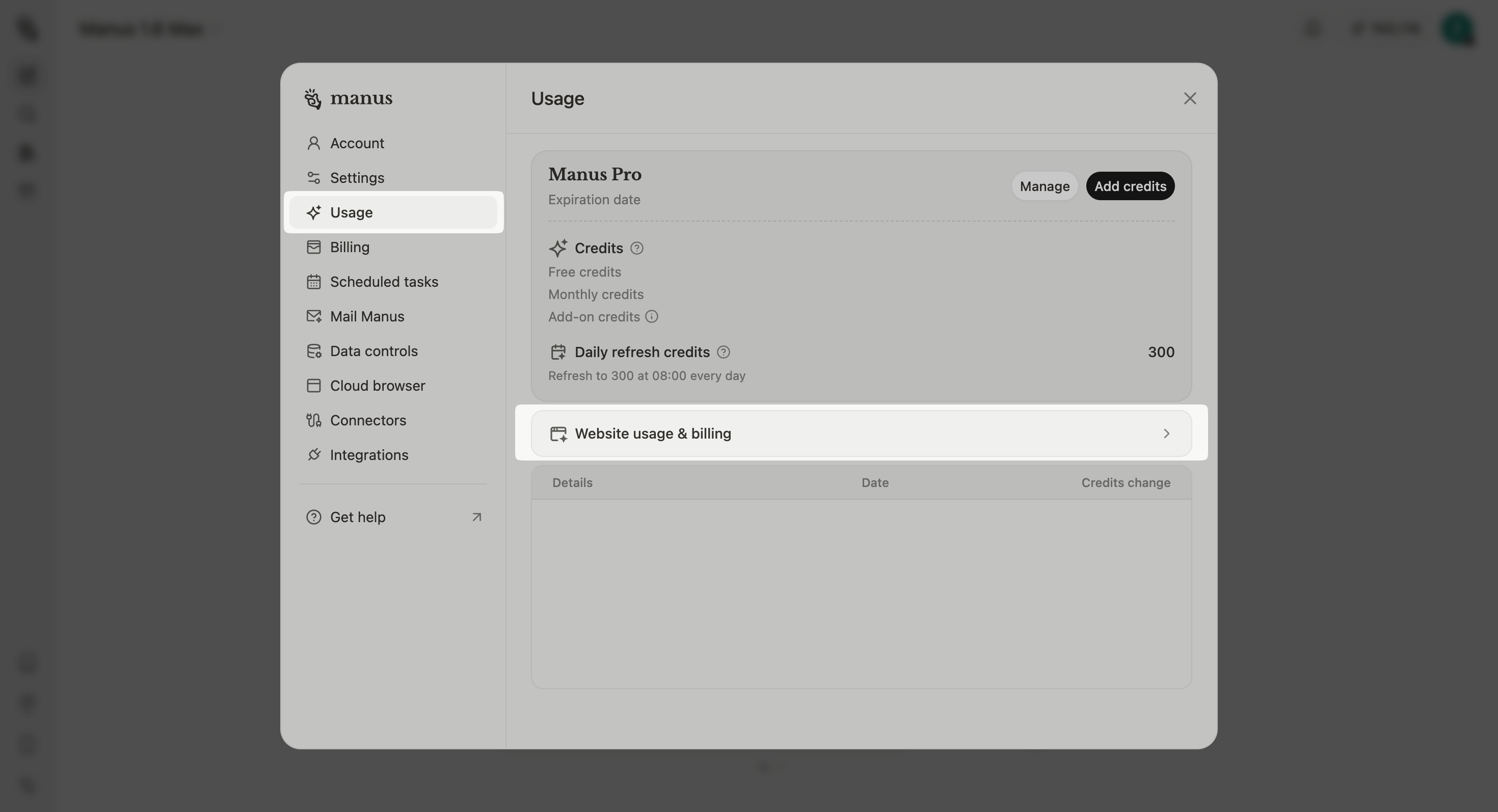
- Navigate to your account settings page.
- Select Usage from the menu.
- Click on Website usage & billing.
- Monitor Usage: View your real-time consumption of cloud, AI, and API resources.
- Top Up: Manually add funds to your account to cover usage costs.
- Enable Auto Top-Up: Automatically add funds to your account when your balance falls below a set threshold. This is highly recommended to prevent service interruptions.
Frequently Asked Questions (FAQ)
What are the standard usage rates after I exceed my free allowances?
What are the standard usage rates after I exceed my free allowances?
Once you have exhausted your free monthly allowances, standard usage rates will apply for any further consumption of resources.
What happens to websites created before December 29, 2025?
What happens to websites created before December 29, 2025?
All websites created before December 29, 2025, will continue to be supported for free until January 31, 2026. After this date, they will automatically transition to the new usage-based pricing model.
What specific activities count toward cloud, AI, and API usage?
What specific activities count toward cloud, AI, and API usage?
Cloud usage includes backend services, database operations, and file storage associated with hosting your website.AI usage covers LLM-powered features and image generation capabilities built into your website.API usage includes external API calls made by your website.
What happens if my account runs out of funds?
What happens if my account runs out of funds?
If your account does not have sufficient funds to cover your usage and auto top-up is not enabled, your website may become temporarily unavailable. You will receive notifications prompting you to top up your account to restore service.
I'm seeing a usage-related error message. What should I do?
I'm seeing a usage-related error message. What should I do?