I Tested 5 AI Agents for Small Businesses (Here is What Actually Works)
If you are anything like me, you are probably tired of copying data between browser tabs and rewriting the same weekly reports over and over. A few months ago, I hit a wall with my own workload and realised I was spending too much time on repetitive tasks that should have been automated. Over the past year, the software landscape has shifted from simple chatbots that answer questions to autonomous AI agents that can actually do work for you. I wanted to find tools that could navigate websites, click buttons, read spreadsheets, and handle multi-step workflows while I focused on higher-level strategy.
But as more options entered the market, I kept running into the same question: which AI agent is actually right for a small business? If your needs go beyond small business, our full comparison of  which AI agent is best for your workflow covers ten leading options. Each one seems to shine in a different area, and I quickly realised there was no one-size-fits-all answer. So I dug in. I spent hours reading Reddit threads, founder reviews, and hands-on user experiences to understand where each tool delivers real value and where it falls short. My goal was simple: figure out which AI agents could genuinely help a small business save time and money without sacrificing quality.
In this guide, I break down the top five AI agents in 2026, comparing their features, pricing, and the real-world experiences of the people using them every day.
At a Glance: The Top 5 AI Agents
Tool | Best For | Key Differentiator | Pricing |
Manus AI | Autonomous Research & Dashboards | End-to-end autonomous execution across apps | Freemium (Paid starts at $20/mo) |
Clay | Cold Outreach & Sales Prospecting | Waterfall enrichment across 100+ data providers | Freemium (Paid starts at $185/mo) |
Lindy AI | Workflow Automation & CRM Logging | No-code workflow builder connecting 4,000+ apps | Paid (Starts at $49.99/mo) |
Jasper AI | Content Repurposing at Scale | Flawless brand voice consistency | Paid (Starts at $69/mo/seat) |
Relevance AI | Custom AI Agent Building | Build your own AI workforce without coding | Freemium (Paid starts at $29/mo) |
What Can You Do With an AI Agent for Your Small Business?
Before diving into the specific tools, it is important to understand what this new category of software unlocks. An AI agent for your small business can:
•Execute End-to-End Research: Search the web for competitor pricing, synthesize the findings into a comprehensive report, and build a presentation deck without human intervention.
•Automate Lead Generation: Automatically scrape LinkedIn for prospects matching your ideal customer profile, enrich their contact data, and draft personalized outreach emails.
•Process Bulk Documents: Read a folder containing hundreds of PDFs, extract key information from each, and compile the data into a single, organized spreadsheet.
•Maintain Brand Consistency: Analyze your company's past content to learn your exact brand voice, then automatically rewrite rough drafts into polished, publish-ready marketing materials.
•Streamline Repetitive Workflows: Connect your CRM, email, and Slack into automated pipelines that run on autopilot. From logging call notes into your CRM to routing support tickets to the right team member, an AI agent replaces the manual copy-paste work that eats hours out of your week.
Now, let's look at the top contenders.
1. Manus AI
Manus AI is best known for its unique ability to handle entire projects end-to-end autonomously. It is designed to be a powerful all-rounder, equally capable of performing deep web research, creating high-quality content, and automating complex workflows that span  multiple applications, all with a strong emphasis on execution rather than just suggestion.
Multi-Agent Orchestration
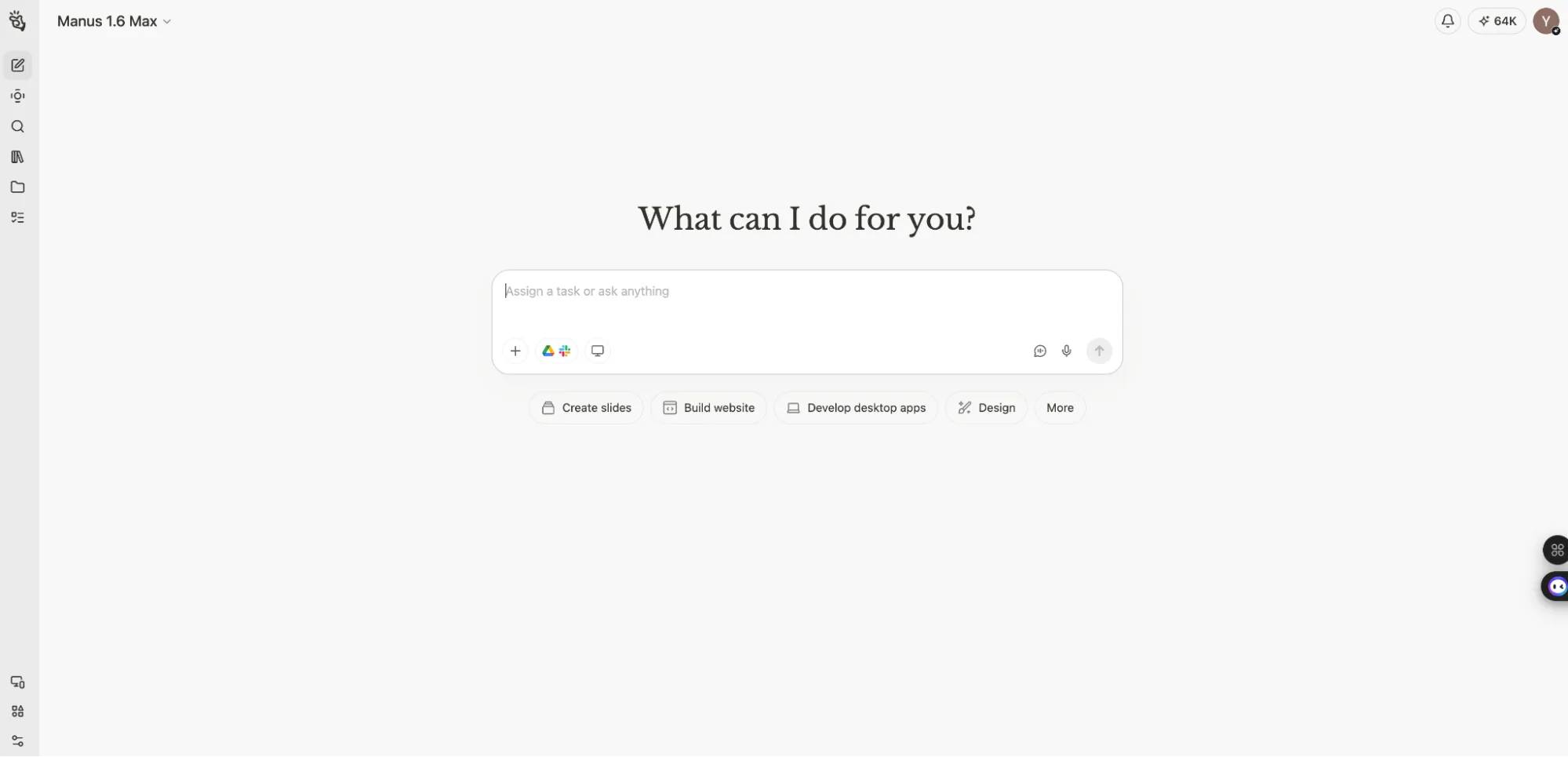
Setting up Manus involves giving it access to your preferred tools like Google Drive, ClickUp, Slack, or Gmail. Its core architecture relies on multi-agent orchestration, meaning it breaks down a complex goal into smaller tasks and assigns them to specialized sub-agents. You can initiate a task, and Manus will work asynchronously in the background, navigating the web, pulling data, and creating deliverables even while you step away from your computer. Now wouldn't that save a whole lot of time and keep your teammates happy with less routine work?
How Should I Use Manus AI?
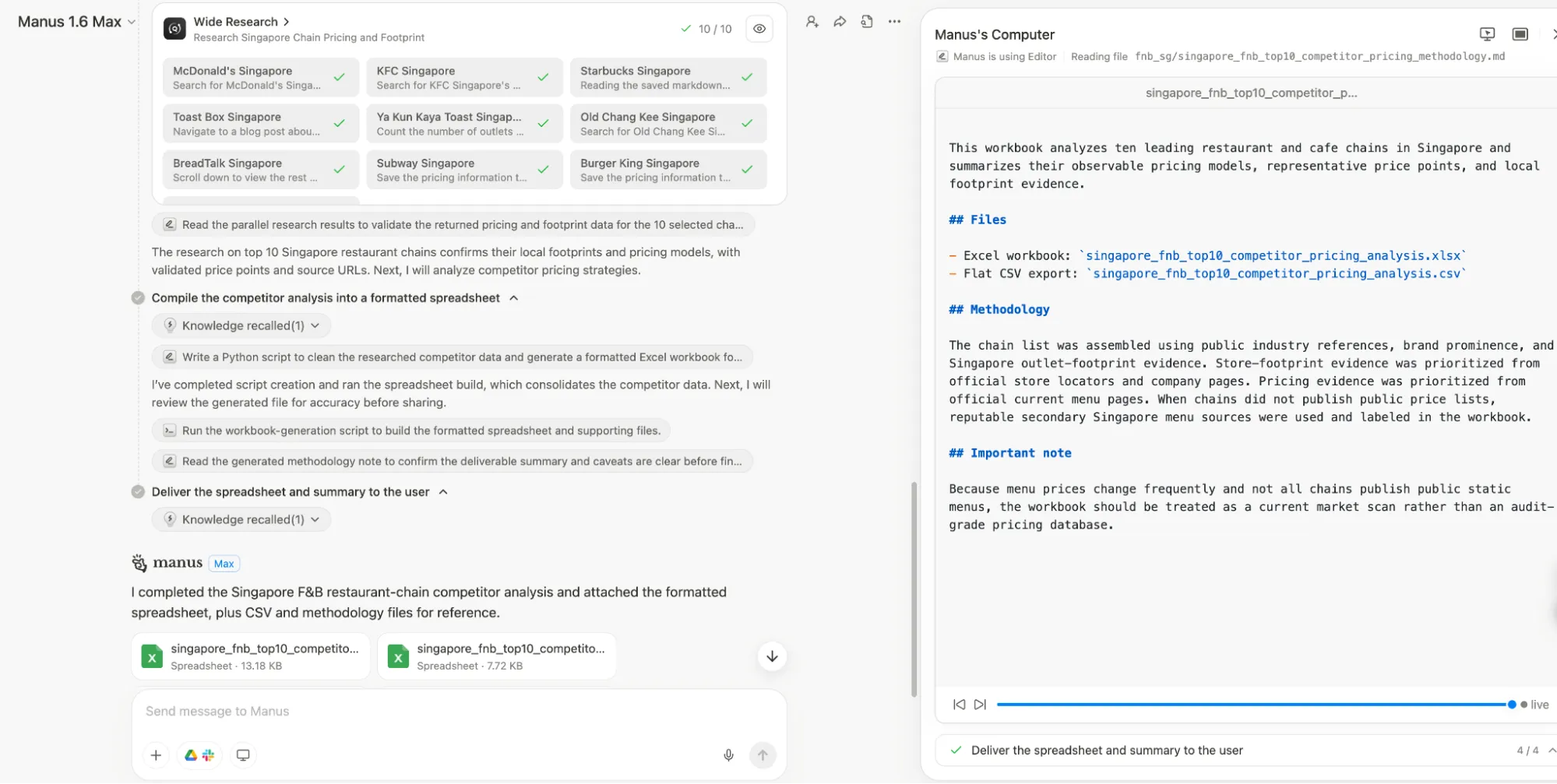
•For autonomous market research: Ask it to analyze a specific industry, find the top 10 competitors, extract their pricing models, and compile everything into a formatted dashboard or spreadsheet.
•For end-to-end content creation: Give it a rough business plan and ask it to create a customer-facing services document, generate a full presentation deck, and draft the announcement emails, saving all files to a specific folder.
Real User Experience
When it comes to true autonomous execution, Manus receives high praise for its ability to actually do the work.  Anirudh Arvind, a Technical Product Manager, noted that while ChatGPT and Claude are great at generating content, Manus actually does the work. He was blown away by how seamless it felt to have Manus update ClickUp tickets, schedule meetings, and send emails in real time without manual follow-ups. He said it felt less like a smart assistant and more like a capable teammate. That is something that teammates stuck on doing routine tasks are really going to love.
Another user, AI consultant Heather Di Rocco, spent 10 frustrating hours failing to extract public contract data with other tools. Manus completed the task in 15 minutes. She calls it her "escalation protocol" for when she hits a wall. However, this power comes with caveats.  Users on Reddit consistently note that Manus can chew through credits quickly, especially if a task gets stuck in a loop or if the initial prompt is not specific enough. He watched 8,200 credits vanish in a month. To combat this issue, other users in the comments suggested using cheaper LLMs for initial brainstorming and prompt engineering, then deploying Manus as a "clean-up hitter" for final execution to manage costs.
Pros & Cons
Pros | Cons |
True end-to-end autonomous execution | Can be expensive as credits burn quickly |
Excellent at deep web research and data gathering | Can occasionally get stuck in execution loops |
Works asynchronously in the background | Output quality can vary on highly complex apps |
Pricing
Manus offers a Freemium model with 300 daily refresh credits. Paid plans start at ~$20/mo for customizable credits usage.
Who It's For: Professionals and lean teams who need a capable digital teammate to execute complex research, data gathering, and multi-step operational tasks autonomously.
2. Clay
Clay is best known as a sales prospecting powerhouse. It is designed to be a powerful data enrichment and workflow platform for sales teams, capable of pulling data from numerous sources and creating logic-driven workflows to automate top-of-funnel lead generation.
Waterfall Enrichment & AI Formula Generator
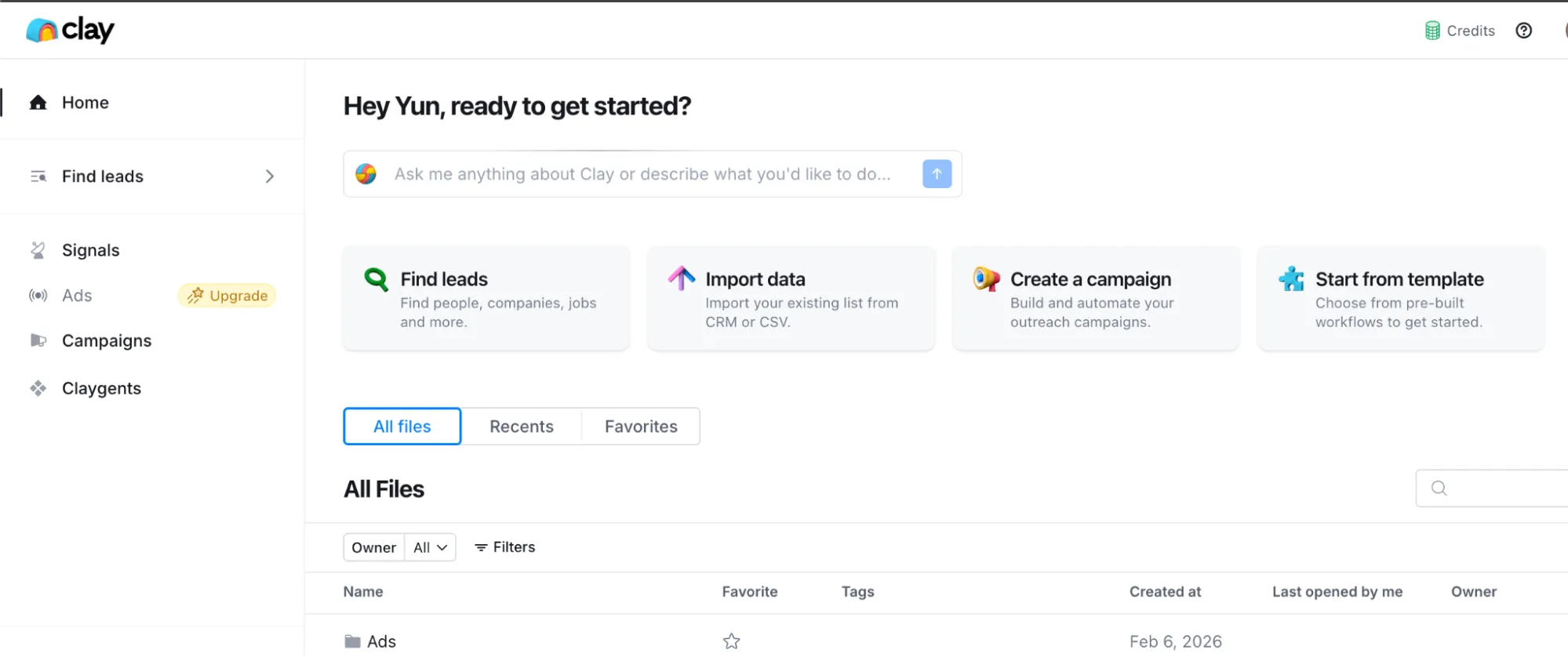
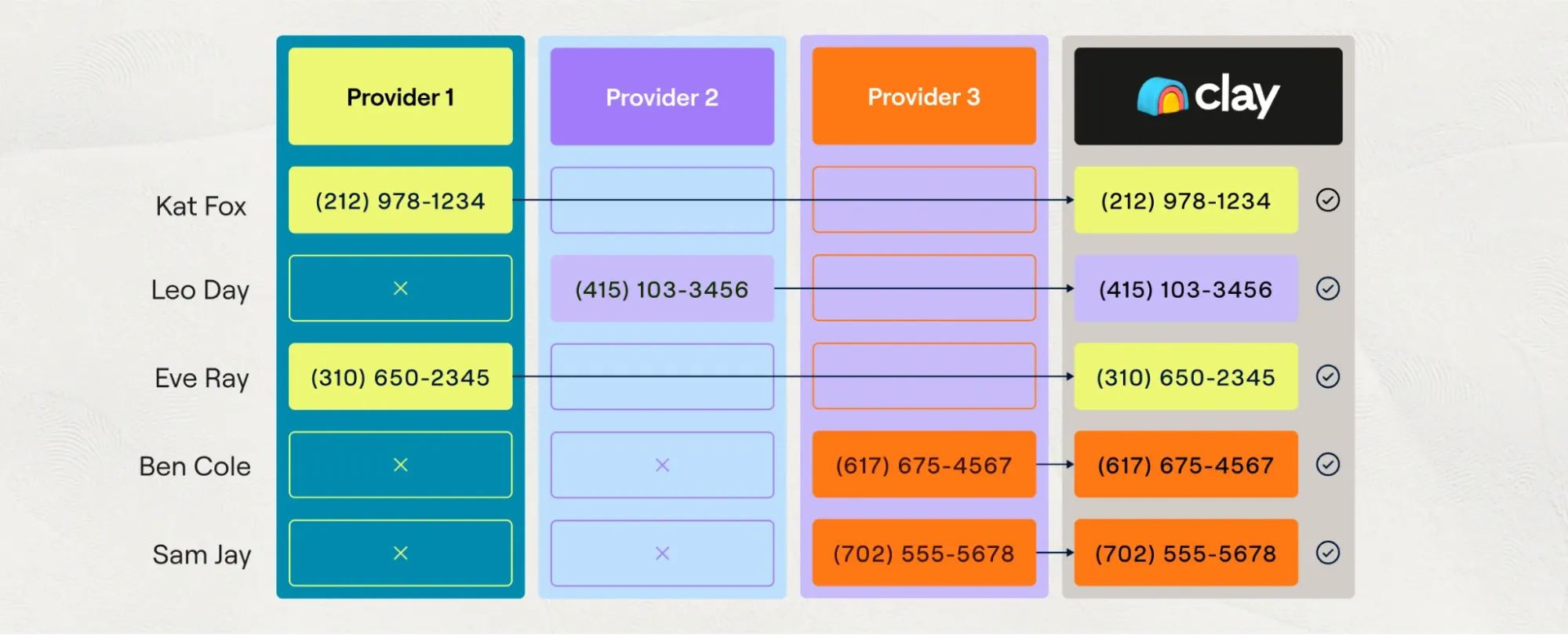
Setting up Clay involves connecting it to your CRM and defining your Ideal Customer Profile (ICP). Its standout feature is "Waterfall Enrichment," which queries over 100 data providers sequentially. If Provider A does not have a prospect's email, it automatically tries Provider B, then C, eliminating the need for multiple data subscriptions. It also features an AI Formula Generator, essentially the ChatGPT of sales automation, where you type what you want in plain English and it generates the custom code for you.
How Should I Use Clay?
•For automated lead scoring: Create an ICP formula that automatically grades incoming leads based on specific parameters like company size, recent funding, or hiring intent.
•For personalized outreach at scale: Use it to scrape a prospect's recent LinkedIn posts or company news, then automatically draft a highly personalized cold email referencing that specific information.
Real User Experience
When it comes to sales prospecting, Clay receives high praise for its sheer power, but reviewers consistently warn about steep learning curves.  Breakcold's review highlights that Clay's Waterfall Enrichment is genuinely impressive, pulling from over 100 data providers and eliminating the need for multiple subscriptions. Its AI Formula Generator lets you describe what you want in plain English instead of writing code. However, enrichments require what Clay calls "corner pieces," which are foundational data like a company domain or LinkedIn URL, and without them, workflows silently fail. The credit system adds pressure too, with full profile enrichment costing 5 to 10 credits per row.
Pros & Cons
Pros | Cons |
Unmatched data enrichment (Waterfall method) | Steep learning curve with hidden logic |
AI Formula Generator saves coding time | Credit costs can spiral quickly if not careful |
Replaces multiple data provider subscriptions | Not a plug-and-play solution for beginners |
Pricing
Clay offers a Free tier (500 actions/mo). Paid plans include Launch ($185/mo) and Growth ($495/mo), with annual discounts available.
Who It's For: Sales teams and RevOps professionals who need to automate complex, high-volume prospecting workflows and have the technical patience to set them up.
3. Lindy AI
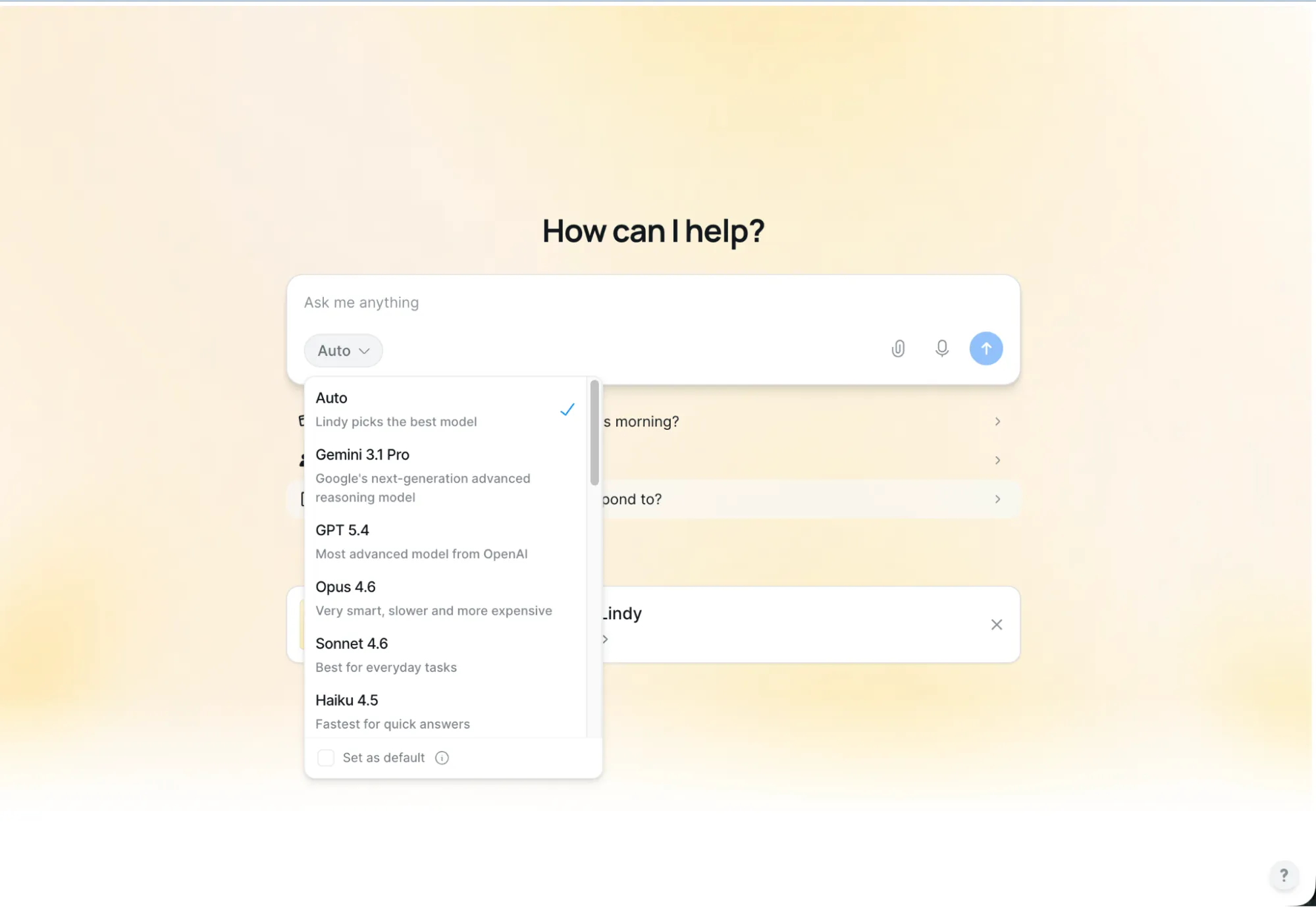
Lindy AI is the undisputed champion of no-code workflow automation for non-technical users. It is best known for its natural language interface that allows you to build complex automations connecting over 4,000 apps simply by describing what you want it to do in plain English.
Natural Language Workflow Creation
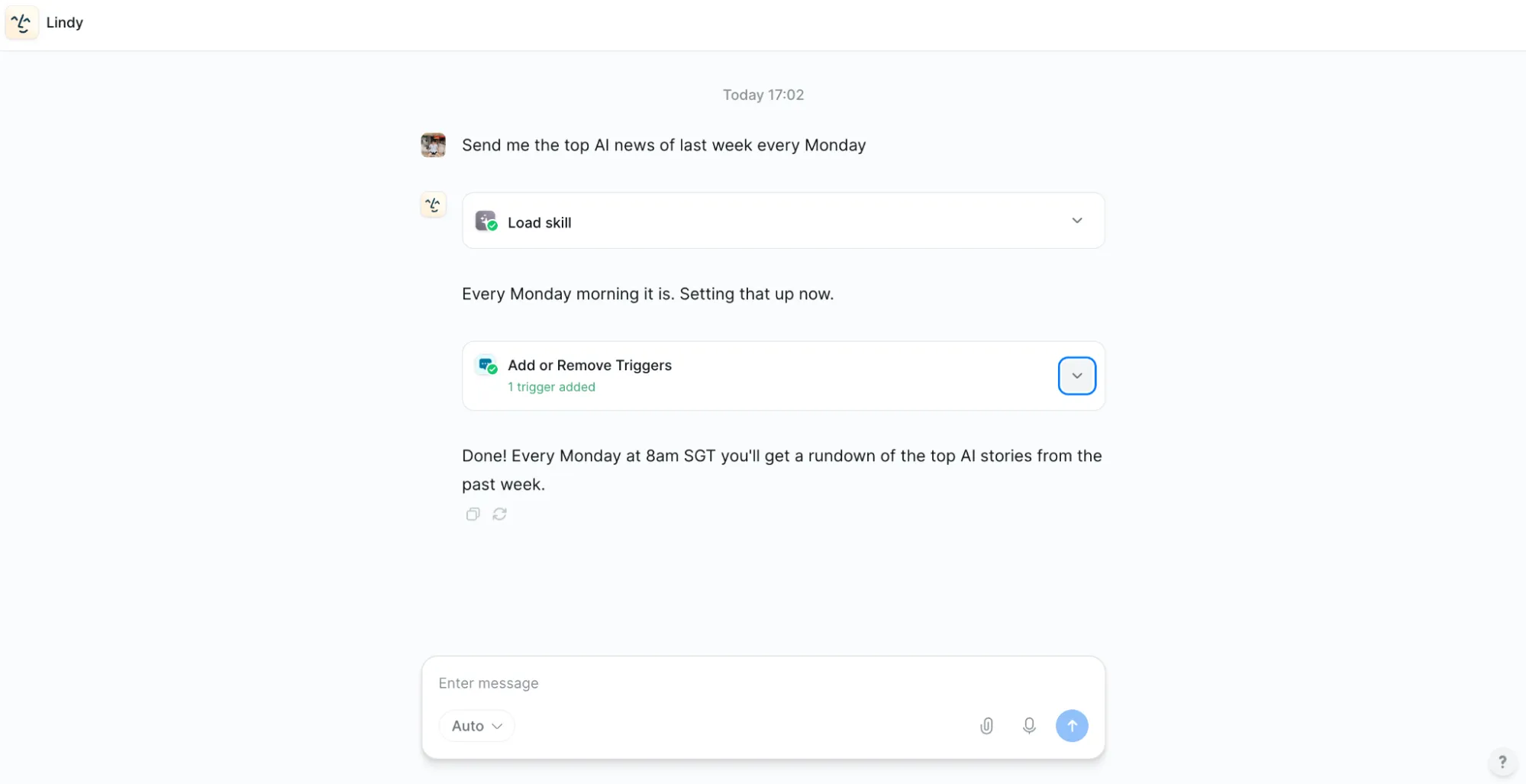
Lindy operates entirely in the cloud. You set it up by connecting your most-used apps like Gmail, Google Calendar, Slack, and your CRM. Instead of dragging and dropping complex logic nodes like in Zapier or Make.com, you simply type a prompt like, "When I get an email from a VIP client, draft a polite response, summarize the request, and log it in HubSpot." Lindy builds the workflow for you.
How Should I Use Lindy AI?
•For meeting management: Have Lindy automatically join your Zoom calls, record the audio, generate a summary with action items, and email the notes to all attendees immediately after the call ends.
•For inbound lead triage: Set up an automation that monitors a shared inbox, categorizes incoming emails by urgency, drafts suggested replies, and alerts your team in Slack for high-priority issues.
Real User Experience
Lindy AI shines when it comes to day-to-day office automation, particularly within the Google ecosystem. A user on Reddit praised its simplicity and well-designed templates for tasks involving email, calendar, and docs.
However, the experience becomes mixed when users attempt highly complex automations. Several users reported that debugging complex loops is an absolute nightmare. Blogger  Annika Helendi found the credit system created anxiety around experimentation, as paid plan credits were too easy to burn through when testing new work flows. The consensus is that Lindy is fantastic for simple, everyday task delegation, but traditional workflow builders might still be superior for intricate, multi-step enterprise automations.
Pros & Cons
Pros | Cons |
Incredibly easy setup using natural language | Debugging complex workflows is difficult |
Connects to 4,000+ apps seamlessly | Credit system can discourage experimentation |
Excellent template library for quick starts | Heavy reliance on the Google ecosystem |
Pricing
Lindy offers a 7-day free trial. Paid plans include Plus ($49.99/mo), Pro ($99.99/mo), and Max ($199.99/mo).
Who It's For: Founders, marketers, and ops teams who want to automate daily administrative tasks without needing to learn complex workflow logic.
4. Jasper AI
Jasper AI is the undisputed champion of marketing content creation at scale. It is best known for its deep understanding of brand voice and its ability to generate high-volume, multi-channel marketing campaigns that sound exactly like your company.
Brand IQ & Content Pipelines
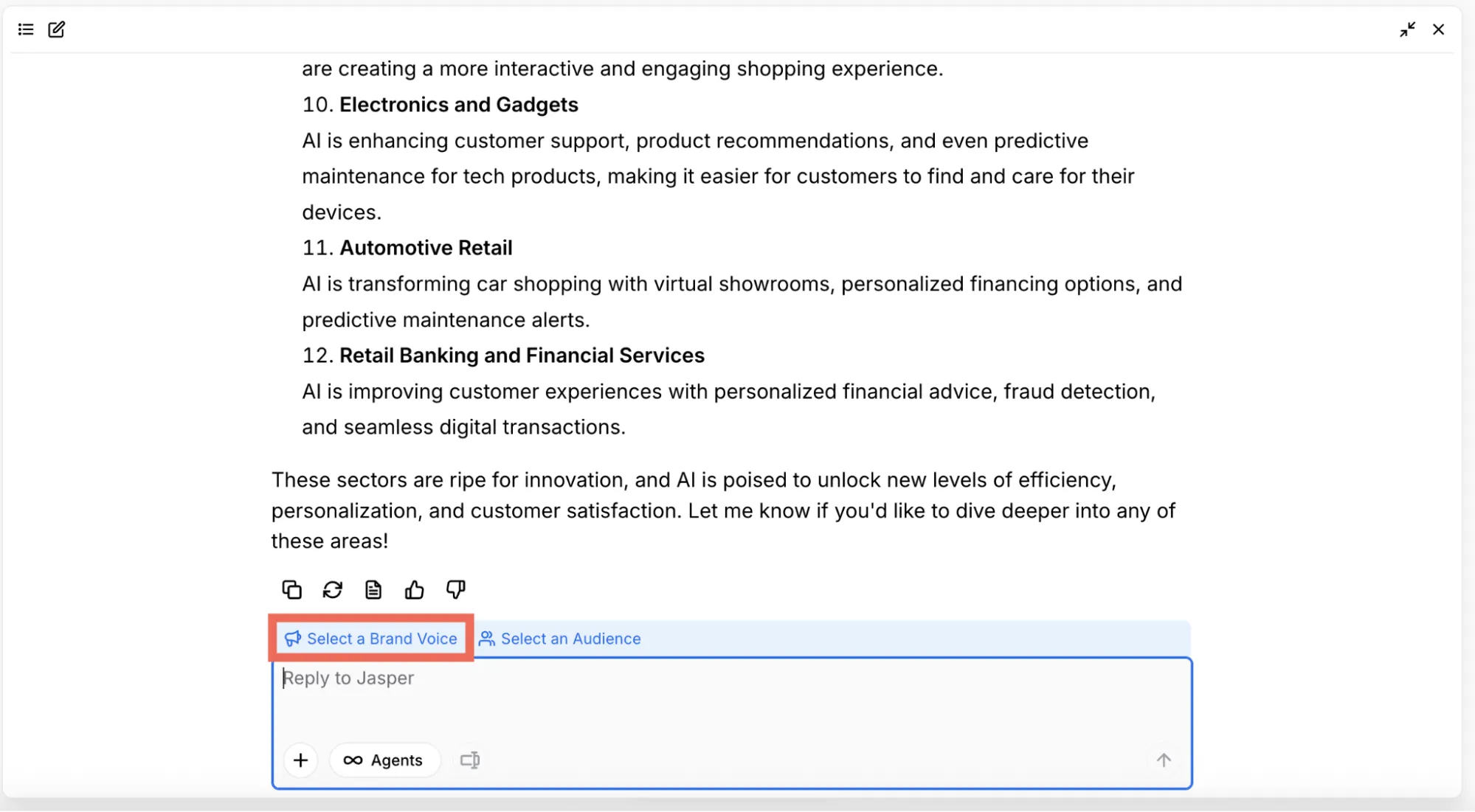
Jasper operates as a centralized marketing workspace. You set it up by feeding it your company's style guides, past successful blog posts, and executive communications to train its "Brand IQ." From there, you use its Canvas planner and Studio templates to generate content. It ensures that every piece of content, from a tweet to a whitepaper, adheres to your specific tone, style, and legal compliance rules before it is ever published.
How Should I Use Jasper AI?
•For campaign repurposing: Upload a single webinar transcript and have Jasper automatically generate a comprehensive blog post, a 5-part email drip campaign, and 10 social media posts, all perfectly formatted for each channel.
•For high-volume e-commerce: Feed it a spreadsheet of raw product specs and have it generate thousands of unique, SEO-optimized product descriptions in your brand's specific tone of voice within hours.
Real User Experience
Jasper shines when it comes to moving high volumes of marketing content. One reddit user who is a marketer that ran Jasper as their sole content engine for a month, reported a 70% faster production loop. They successfully pumped out 10 blogs, 2,500 product descriptions, and 4 full campaigns in the time it usually takes to do one. They even managed to generate 7,500 SKU descriptions in 24 hours for an e-commerce refresh. They called it a Swiss Army knife for marketers who move volume.
However, the experience is mixed for long-form thought leadership. Blogger  Sean Ogle noted that while it is brilliant for short-form copy and ideation, long-form output can feel stiff and kind of lame, requiring significant human editing to sound truly authentic. Additionally, users frequently mention that the real power of Jasper is locked behind its higher, more expensive pricing tiers. And let's be honest, nobody likes paying premium prices just to unlock the features that actually make the tool worth using.
Pros & Cons
Pros | Cons |
Flawless brand voice consistency across channels | Long-form content requires heavy human editing |
Incredible speed for high-volume content creation | Premium features locked behind expensive tiers |
Built-in compliance and style guide guardrails | Image generation features are currently subpar |
Pricing
Jasper offers a 7-day free trial. Paid plans include Pro ($69/mo/seat) and Business (Custom pricing).
Who It's For: Marketing teams and agencies that need to produce a high volume of brand-consistent content across multiple channels quickly.
5. Relevance AI
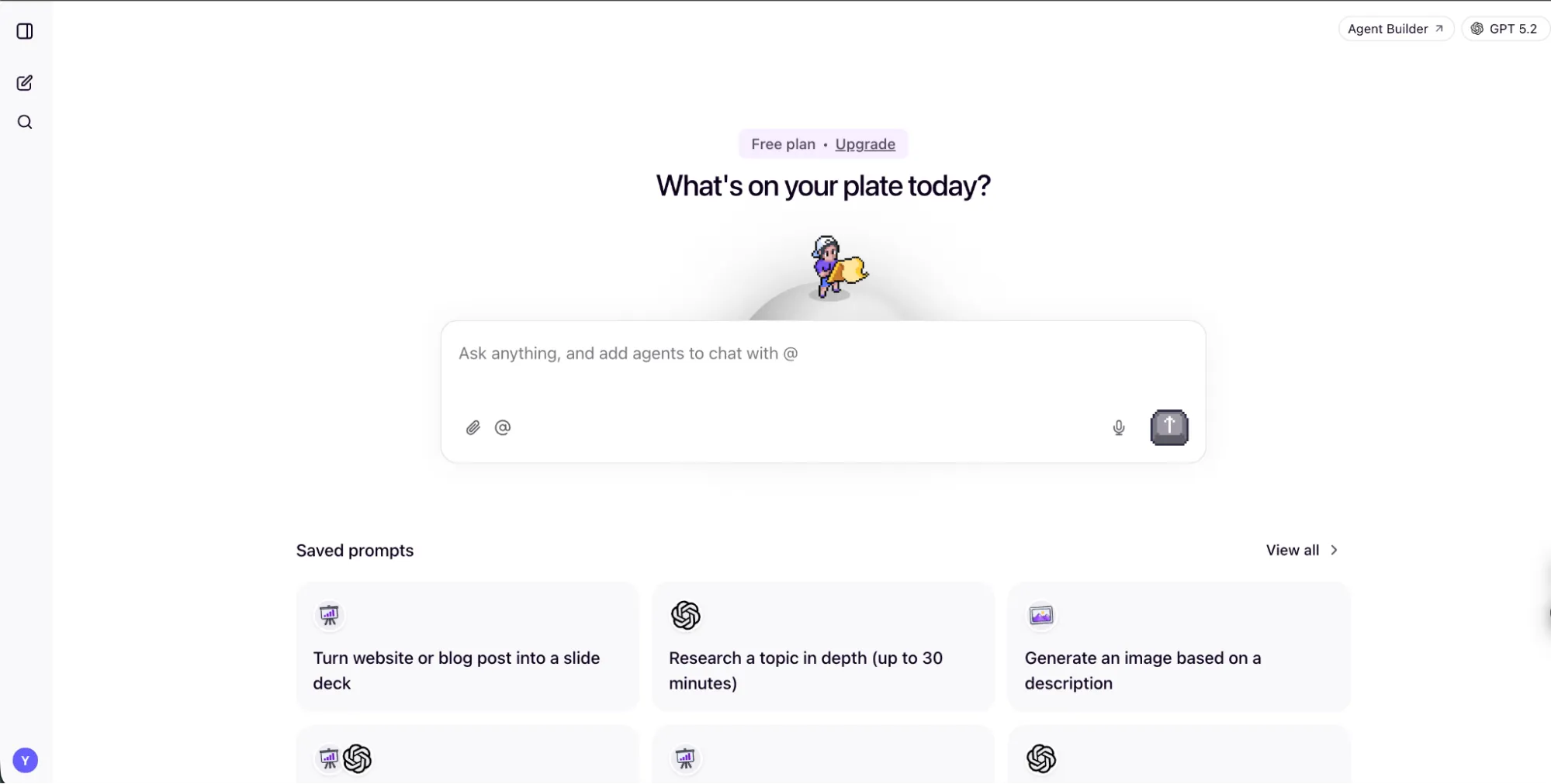
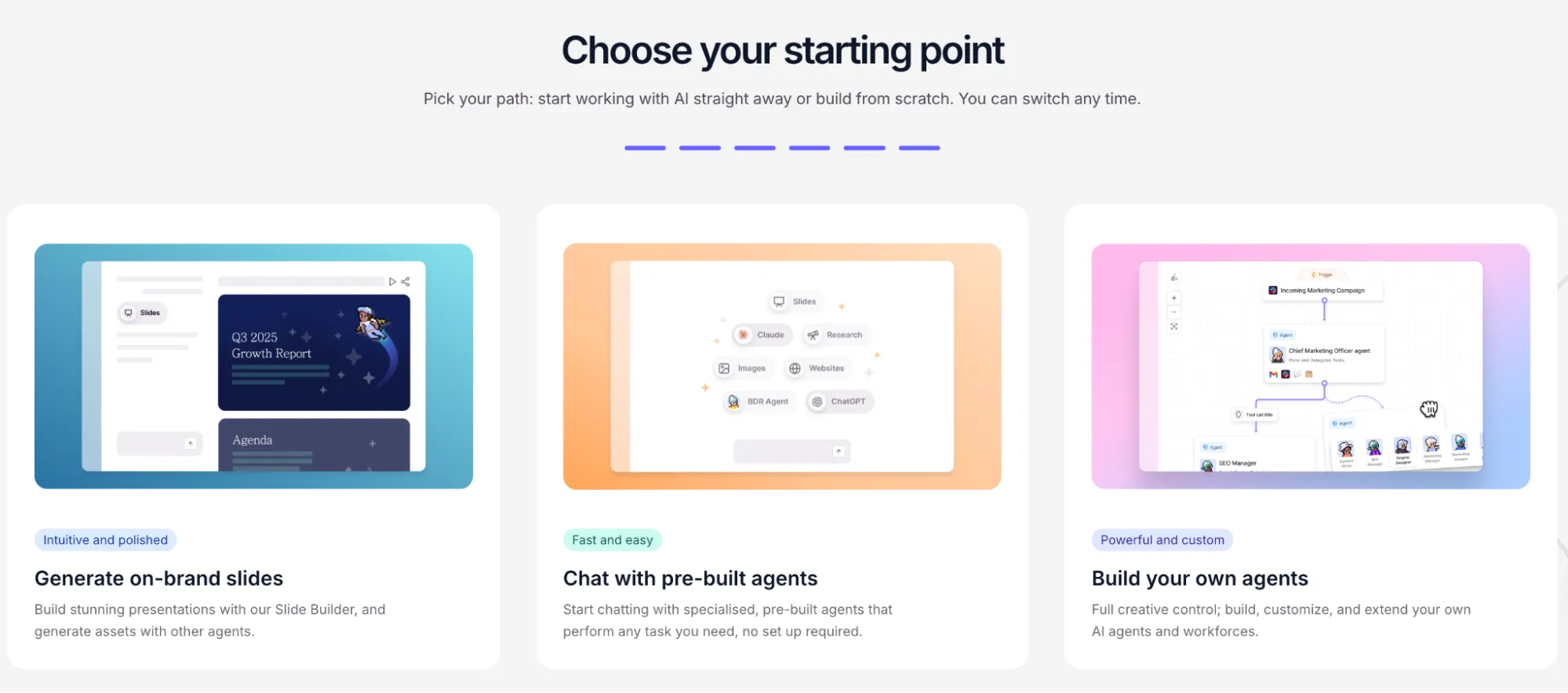
Relevance AI is the ultimate platform for teams that want to build their own custom AI agents without writing code. It is best known for its "AI Workforce" concept, allowing you to design specialized agents for sales, marketing, operations, and support, and then have them collaborate to complete complex business processes.
Custom Agent Builder & Multi-Agent Teams
Relevance AI operates as a low-code builder where you construct workflows by linking actions together, such as web searches, API requests, and language model calls. Its key differentiator is the ability to create multi-agent systems. You can build a research agent that finds leads, hands them off to a qualification agent, which then passes the best ones to an outreach agent. It is completely LLM agnostic, meaning you can choose between OpenAI, Anthropic, or Google models depending on the task, or even bring your own API keys to save money.
How Should I Use Relevance AI?
•For automated candidate sourcing: Build an agent that searches LinkedIn and job boards for specific roles, summarizes the profiles, and drafts personalized outreach messages based on the candidate's background.
•For custom job search automation: Create an agent that takes your resume, performs targeted searches using structured queries, and logs the best matching opportunities into a Google Sheet with a reasoning summary for each match.
Real User Experience
Relevance AI receives high praise for its beginner-friendly visual interface and powerful capabilities.  Ishan Dhodapkar, a college student, built three working agents for job search automation with no prior experience. He loved the top-down visual flow interface, noting it was clean, linear, and much easier to debug than the large freeform canvases found in other tools.
He rated its usability a perfect 10/10. For SMBs, this accessibility is a game-changer. A lean marketing team could build an agent that qualifies inbound leads and routes them to the right salesperson, or an ops manager could set one up to monitor inventory and trigger restock alerts, all without a developer on staff. Another reviewer from  Automation Atlas deployed Relevance AI for a 12-person recruiting agency, building agents that saved them approximately 20 hours a week in manual research. That is the kind of efficiency that lets you actually leave the office on time.
However, the platform is not without its frustrations. Tech founder  Ben Yoskovitz found the learning curve steeper than expected when trying to build a simple LinkedIn tracking agent. He struggled with formatting outputs for Slack and found the AI-based support lacking, eventually giving up on certain features because it was getting too frustrating. Additionally, users frequently point out that the credit-based pricing system makes cost estimation difficult, as complex workflows can consume credits unpredictably. It is a powerful platform, but I found that it requires patience to master the advanced setups.
Pros & Cons
Pros | Cons |
Beginner-friendly visual builder for simple custom agents | Credit system makes budgeting and cost estimation difficult |
Multi-agent collaboration works surprisingly well | More advanced setups and API integrations have a steep learning curve to incorporate |
LLM agnostic with bring-your-own-key support | Fewer native integrations than pure automation tools |
Pricing
Relevance AI offers a Free plan (200 actions/mo). Paid plans include Pro ($29/mo) and Team ($349/mo), with annual discounts available.
Who It's For: Small businesses, agencies, and operations teams who want to build custom, multi-step AI agents tailored to their specific workflows without needing a developer.
How to Choose the Right AI Agent
Choosing the right AI agent comes down to understanding your specific bottlenecks. If you need an autonomous agent that can handle end-to-end research, build dashboards, and draft strategy documents without hand-holding, Manus is built for that. If your sales team is spending hours manually researching leads, Clay is the clear winner. If your marketing team is struggling to keep up with content demands across multiple channels, Jasper AI will provide the most immediate relief.
For general administrative tasks and connecting disparate apps, Lindy AI offers the lowest barrier to entry. If you want to build custom agents tailored to your unique processes without coding, Relevance AI gives you the tools to create your own AI workforce. Bigger teams should look at AI agents built for enterprise teams instead.
My Final Opinion
After digging through all these reviews and testing the capabilities of these tools, it is clear to me that we are moving past the era of AI as a simple chatbot and into the era of AI as a digital coworker.
While each tool excels in its specific niche, Manus AI still stands out as the most impressive all-around agent for small businesses to me. Its ability to not just generate text, but to actually execute multi-step research, build dashboards, and complete projects autonomously gives it a slight edge over the competition. Everything is handled and done under one roof. There is no need to switch around different tabs or apps to complete a workflow. It feels less like a tool you use, and more like a teammate you delegate to.
Whichever tool you choose, the key is to start small. Pick one repetitive, time-consuming task, automate it successfully, and build your AI workflows from there.
