> ## Documentation Index
> Fetch the complete documentation index at: https://manus.im/docs/llms.txt
> Use this file to discover all available pages before exploring further.
# 資料來源
> 存取整合到 Manus 中的優質第三方資料 API
資料來源提供存取整合到 Manus 中的優質第三方資料 API。這些資料來源可讓您使用來自外部平台的即時資訊來豐富您的任務,而無需自行管理 API 金鑰或整合。
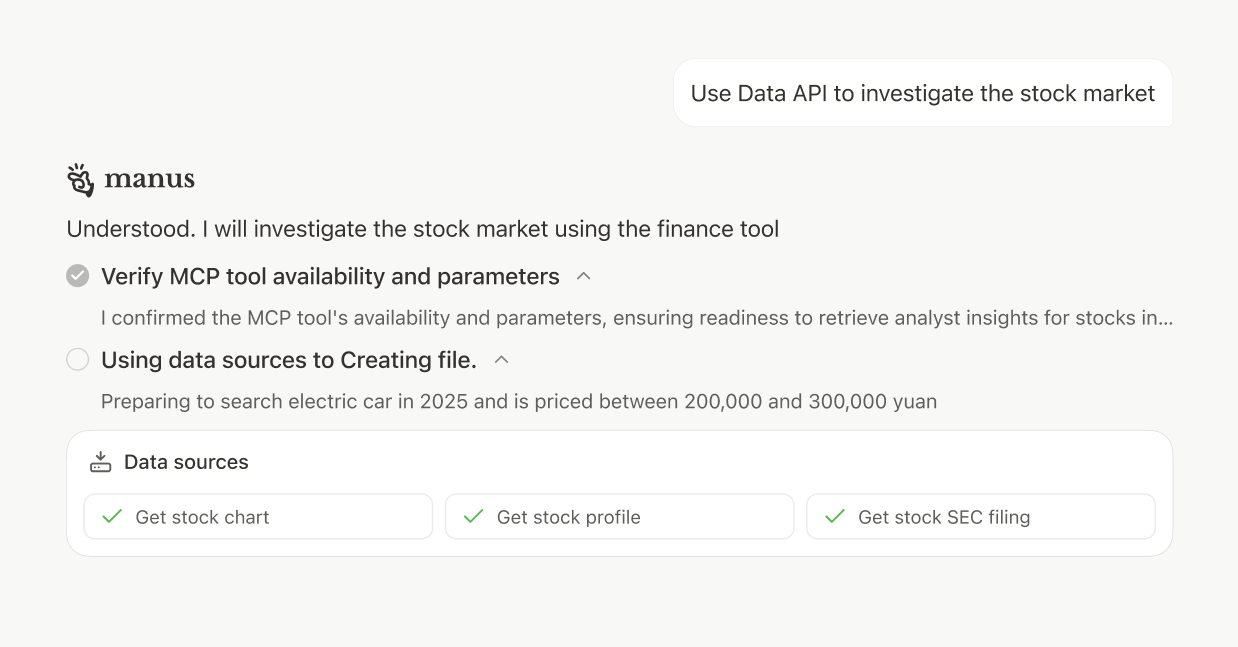 只需在您的任務提示詞中提及您需要的資料,manus 就會自動使用適當的資料來源。
## 如何使用資料來源
資料來源在您的任務中自動可用。只需在您的提示詞中提及您需要的資料,manus 就會使用適當的提供者。
## 用例
從社交媒體、公司簡介和財務資料中收集競爭情報。
分析股票表現、SEC 文件和市場洞察,以做出明智的決策。
查找並分析 YouTube 和 TikTok 上的熱門內容。
存取全球經濟指標和宏觀經濟資料進行研究。
## 注意事項
所有資料來源都包含在您的 Manus 訂閱中。無需額外的 API 金鑰或設定。
資料可用性和速率限制因提供者而異,並可能受到額外限制。manus 會自動處理 API 呼叫和快取以實現最佳效能。
來自第三方來源的資料受其服務條款和資料新鮮度政策的約束。請務必從官方來源核實關鍵資訊。
只需在您的任務提示詞中提及您需要的資料,manus 就會自動使用適當的資料來源。
## 如何使用資料來源
資料來源在您的任務中自動可用。只需在您的提示詞中提及您需要的資料,manus 就會使用適當的提供者。
## 用例
從社交媒體、公司簡介和財務資料中收集競爭情報。
分析股票表現、SEC 文件和市場洞察,以做出明智的決策。
查找並分析 YouTube 和 TikTok 上的熱門內容。
存取全球經濟指標和宏觀經濟資料進行研究。
## 注意事項
所有資料來源都包含在您的 Manus 訂閱中。無需額外的 API 金鑰或設定。
資料可用性和速率限制因提供者而異,並可能受到額外限制。manus 會自動處理 API 呼叫和快取以實現最佳效能。
來自第三方來源的資料受其服務條款和資料新鮮度政策的約束。請務必從官方來源核實關鍵資訊。