> ## Documentation Index
> Fetch the complete documentation index at: https://manus.im/docs/llms.txt
> Use this file to discover all available pages before exploring further.
# Project Analytics
> Understand your users with integrated analytics, providing you with valuable insights into how users are interacting with your site
Manus-built applications come with integrated analytics, providing you with valuable insights into how users are interacting with your site. This data-driven approach allows you to make informed decisions to improve your application and better serve your audience, all without needing to install or configure third-party tools.
## Built-in Tracking
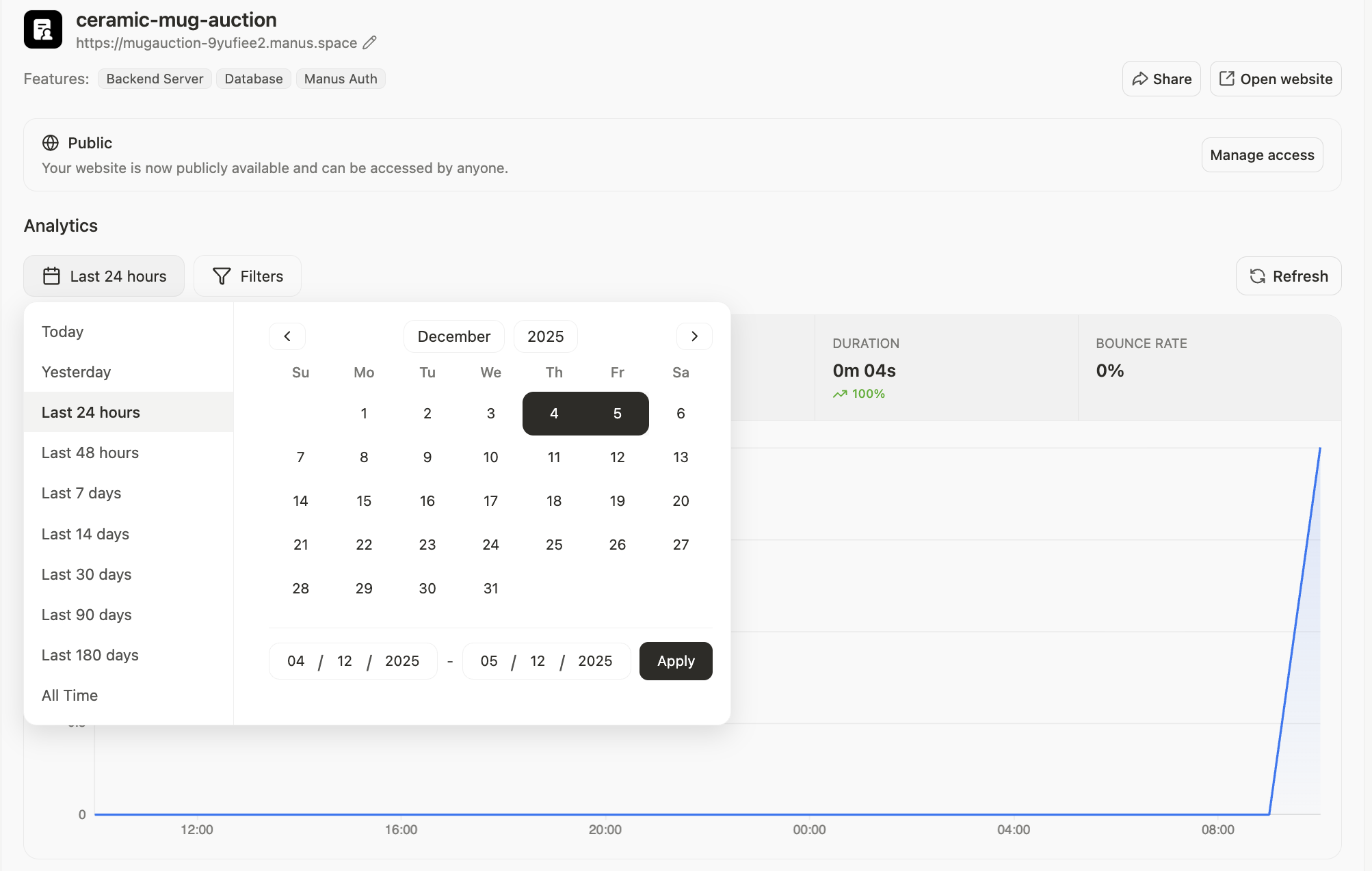 From the moment your site is live, Manus automatically tracks key metrics, giving you a clear picture of your site's performance.
| Metric | Description |
| :------------------ | :----------------------------------------------------------------------------------------- |
| **Visitors** | The number of unique users visiting your site over a given period. |
| **Page Views** | The total number of pages viewed, helping you identify your most popular content. |
| **Traffic Sources** | Where your users are coming from, such as direct traffic, search engines, or social media. |
| **Users** | Manus can also show you who your users if they had to log in to access your site |
## Database
Every Manus web project with the **database feature** includes a fully managed MySQL database and a visual interface to inspect and manage your data.
From the moment your site is live, Manus automatically tracks key metrics, giving you a clear picture of your site's performance.
| Metric | Description |
| :------------------ | :----------------------------------------------------------------------------------------- |
| **Visitors** | The number of unique users visiting your site over a given period. |
| **Page Views** | The total number of pages viewed, helping you identify your most popular content. |
| **Traffic Sources** | Where your users are coming from, such as direct traffic, search engines, or social media. |
| **Users** | Manus can also show you who your users if they had to log in to access your site |
## Database
Every Manus web project with the **database feature** includes a fully managed MySQL database and a visual interface to inspect and manage your data.
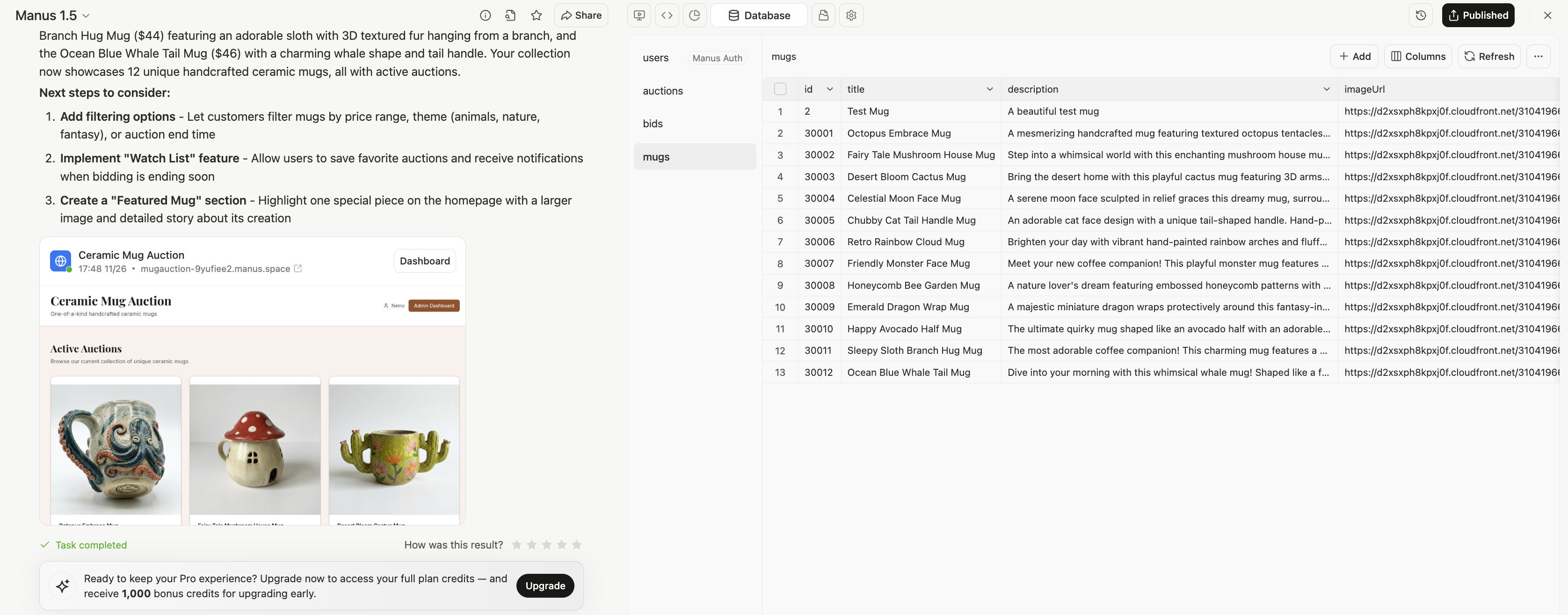 ### **1. Visual Data Browser**
* View all tables in your database from the left sidebar
* Click any table to see its contents in a sortable, searchable grid
* Inspect individual records by clicking rows
### **2. Direct Editing**
* **Add** new records with the "+ Add" button
* **Edit** existing records by clicking cells
* **Delete** records when needed
* **Refresh** to see the latest data from your live application
### **3. Column Management**
* Click "Columns" to view the full schema (data types, constraints, indexes)
* See which fields are required, unique, or have default values
* Understand relationships between tables (foreign keys)
### **1. Visual Data Browser**
* View all tables in your database from the left sidebar
* Click any table to see its contents in a sortable, searchable grid
* Inspect individual records by clicking rows
### **2. Direct Editing**
* **Add** new records with the "+ Add" button
* **Edit** existing records by clicking cells
* **Delete** records when needed
* **Refresh** to see the latest data from your live application
### **3. Column Management**
* Click "Columns" to view the full schema (data types, constraints, indexes)
* See which fields are required, unique, or have default values
* Understand relationships between tables (foreign keys)