> ## Documentation Index
> Fetch the complete documentation index at: https://manus.im/docs/llms.txt
> Use this file to discover all available pages before exploring further.
# Manus Skills
## What It Is
Manus Skills are modular, file-system-based resources that encapsulate a specific capability or workflow. Think of them as a detailed set of instructions or an "onboarding guide" that you can give to your Manus agent, enabling it to perform specialized tasks with precision and consistency. By loading a Skill, you provide the agent with the necessary context, procedural knowledge, and tools to excel in a particular area, from financial analysis to branded content creation.
The core advantages of using Skills are:
* Specialization: Customize your agent's capabilities for specific domains, tailoring its knowledge and behavior to your unique needs.
* Reusability: Capture a successful workflow once and reuse it across multiple sessions and projects, ensuring consistent results and saving time.
* Composability: Combine multiple Skills to construct powerful, automated workflows capable of handling complex, multi-step processes.
## How to Use It
Integrating Skills into your workflow is a straightforward process, from adding new capabilities to invoking them in your conversations with Manus.
### Accessing and Managing Your Skills
You can manage your Skills through the Manus interface. Navigate to the Skills tab in the main menu on the left-hand side of your screen. This will open the Skills management page, where you can view your installed Skills, search for new ones, and add them to your workspace.
### Adding New Skills
Manus provides several ways to add Skills to your library. On the Skills page, click the + Add button to reveal the following options:
**Build with Manus**
Create a new Skill from a successful interaction with your agent. If you've completed a task and are pleased with the outcome, you can instruct Manus to save the entire process.
**Upload a skill**
If you have a Skill on your local machine as a .zip archive, a .skill file, or a folder, you can upload it directly to your Manus workspace.
\*\*Add from official: \*\*
Explore a curated library of pre-built Skills maintained by the Manus team. This is a great way to get started and discover the power of Skills without having to build them from scratch.
**Import from GitHub**
You can import a Skill directly from a GitHub repository by providing the repository link. This enables you to leverage Skills shared by the open-source community.
### Using a Skill in a Chat
Once a Skill is added to your library, you can activate it at any time during a conversation by using a slash command. Simply type / in the chat input, which will bring up a list of your available Skills. Select the one you want to use to instruct Manus to load its instructions and execute its workflow.
## What You Need to Know
To make the most of Skills, it's important to understand a few key concepts regarding their security and efficiency.
### Verifying Community Skills
While the community is a fantastic source of powerful Skills, it is crucial to verify their contents before use, as they can contain code and shell commands. Manus provides a transparent way to audit a Skill. Before using a new Skill, you can ask Manus to review it for you:
"Review the Skill named community-data-viz-skill. Analyze its SKILL.md file and any associated scripts. Explain what it does, identify any potential security risks, and tell me if it’s safe to use."
Mans will perform a detailed analysis, explaining the Skill's functionality and flagging any potentially risky operations, allowing you to use community-built Skills with confidence.
### Progressive Disclosure for Efficiency
Skills are designed to be highly efficient by using a "Progressive Disclosure" mechanism. This ensures that the agent only loads the information it needs, when it needs it, preserving the valuable context window. The content of a Skill is structured into three levels:
| Level | Content | Load Time | Context Cost |
| :-------------------- | :------------------------------------------------------- | :--------------------------------------------------- | :--------------------------------- |
| Level 1: Metadata | The Skill's name and description | Loaded at startup | Extremely low (\~100 tokens/Skill) |
| Level 2: Instructions | The main content of the [SKILL.md](http://SKILL.md) file | Loaded when the Skill is triggered via slash command | Moderate (\<5k tokens) |
| Level 3: Resources | Associated scripts, reference files, and other assets | Loaded on demand when referenced in the instructions | Consumed only when used |
## Tips
Start with the Official Library: If you are new to Skills, browse the official library first. It's a great way to see what's possible and learn how they are structured.
Capture Your Best Practices: Don't let a successful workflow be a one-time event. Use the "Build with Manus" feature to turn your personal best practices into reusable Skills.
Collaborate with Your Team: Look out for the upcoming Team Skill Library feature. This will allow you to share and reuse expertise across your entire organization, boosting collective productivity.
## FAQ
Yes. Since Skills are file-based, you can edit the [SKILL.md](http://SKILL.md) file and any associated scripts to refine or update the workflow as needed.
They are complementary technologies. MCP focuses on creating standardized "data pipelines" to connect to external data sources like Gmail or Notion. Skills, on the other hand, provide the "operating manuals" or workflows that can leverage those pipelines to perform complex tasks.
You can ask Manus to search GitHub for open-source Skills. We will also be launching a dedicated Manus Skills website in the future to serve as a central hub for the community.
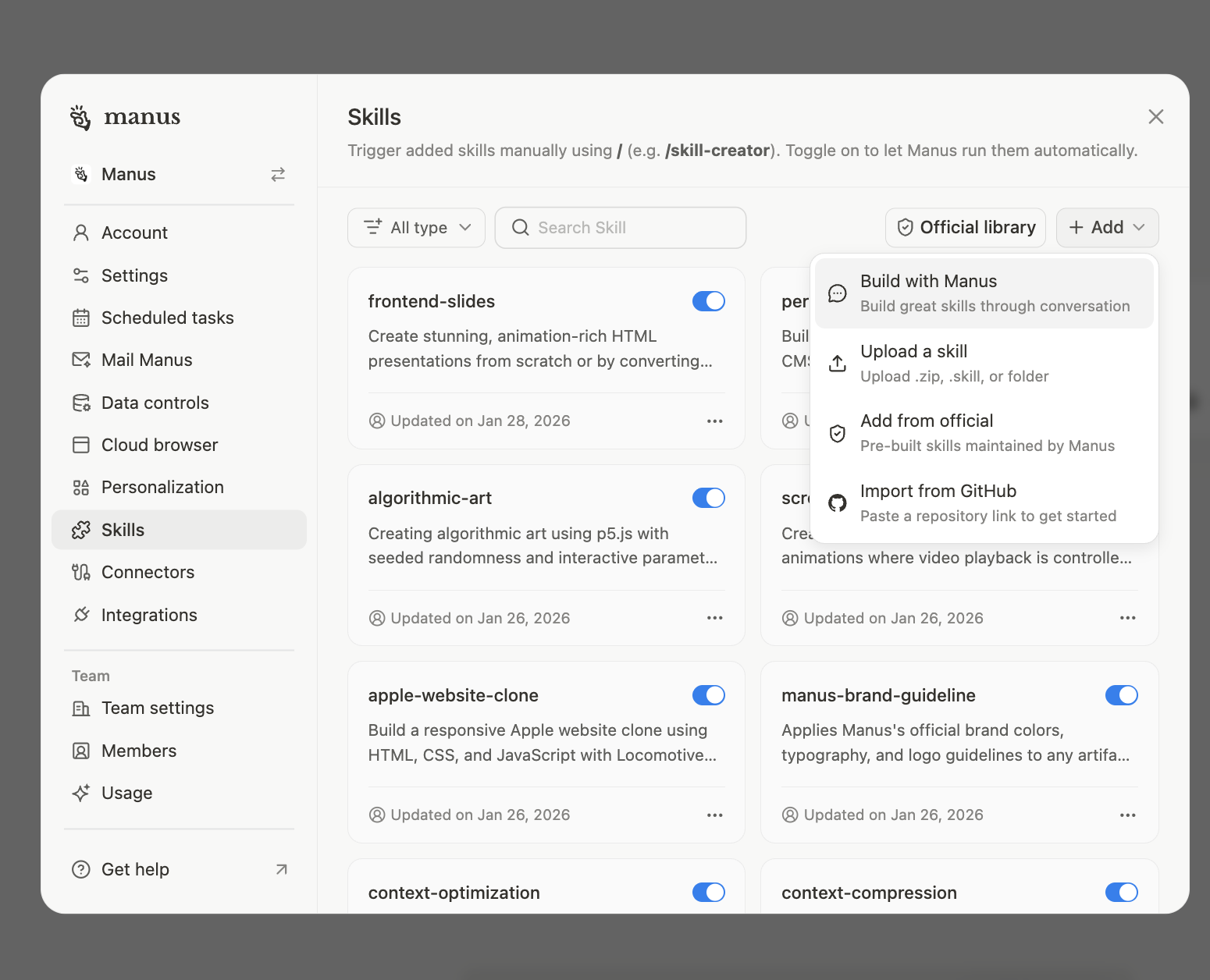 Create a new Skill from a successful interaction with your agent. If you've completed a task and are pleased with the outcome, you can instruct Manus to save the entire process.
**Upload a skill**
Create a new Skill from a successful interaction with your agent. If you've completed a task and are pleased with the outcome, you can instruct Manus to save the entire process.
**Upload a skill**
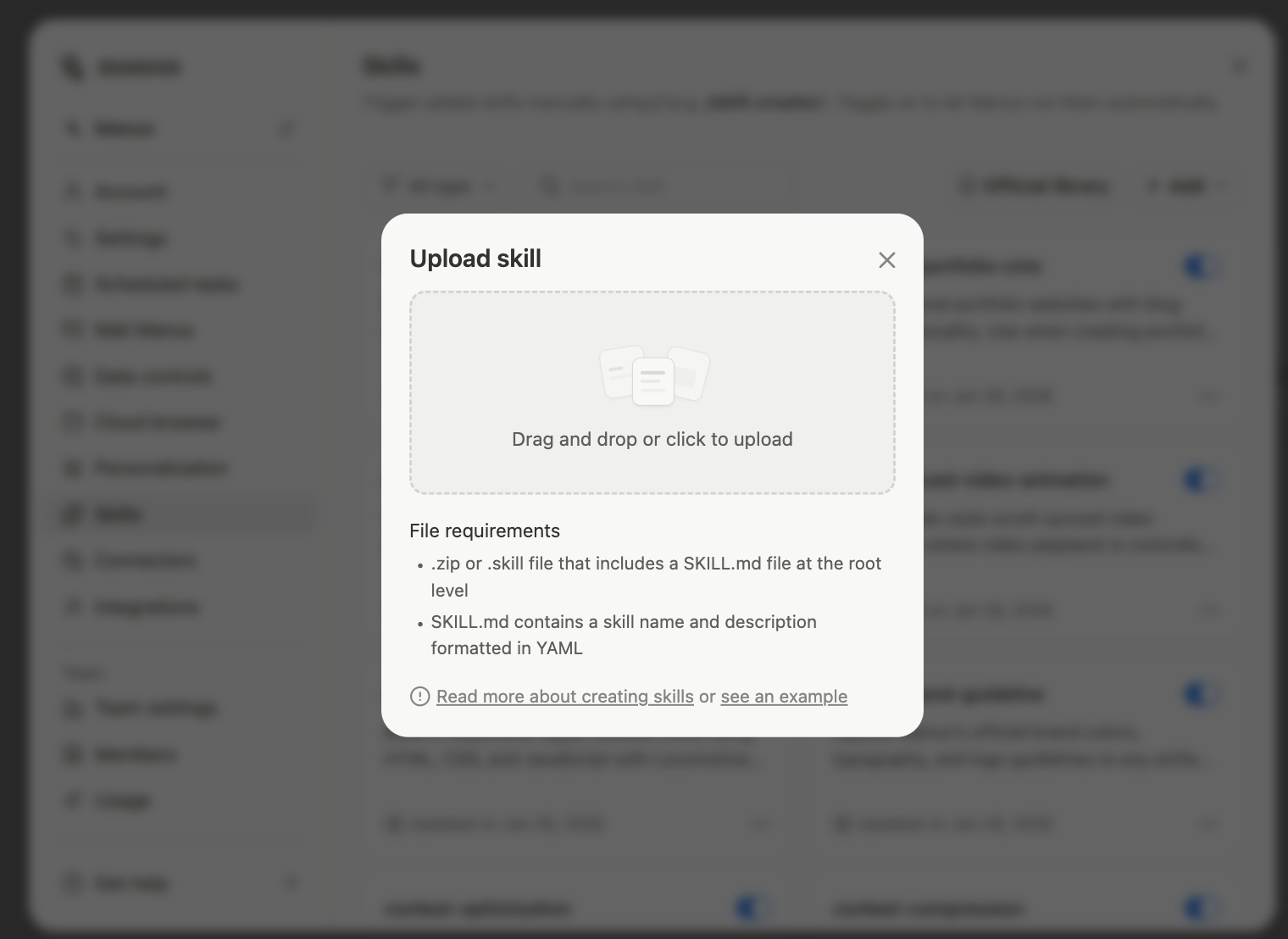 If you have a Skill on your local machine as a .zip archive, a .skill file, or a folder, you can upload it directly to your Manus workspace.
\*\*Add from official: \*\*
If you have a Skill on your local machine as a .zip archive, a .skill file, or a folder, you can upload it directly to your Manus workspace.
\*\*Add from official: \*\*
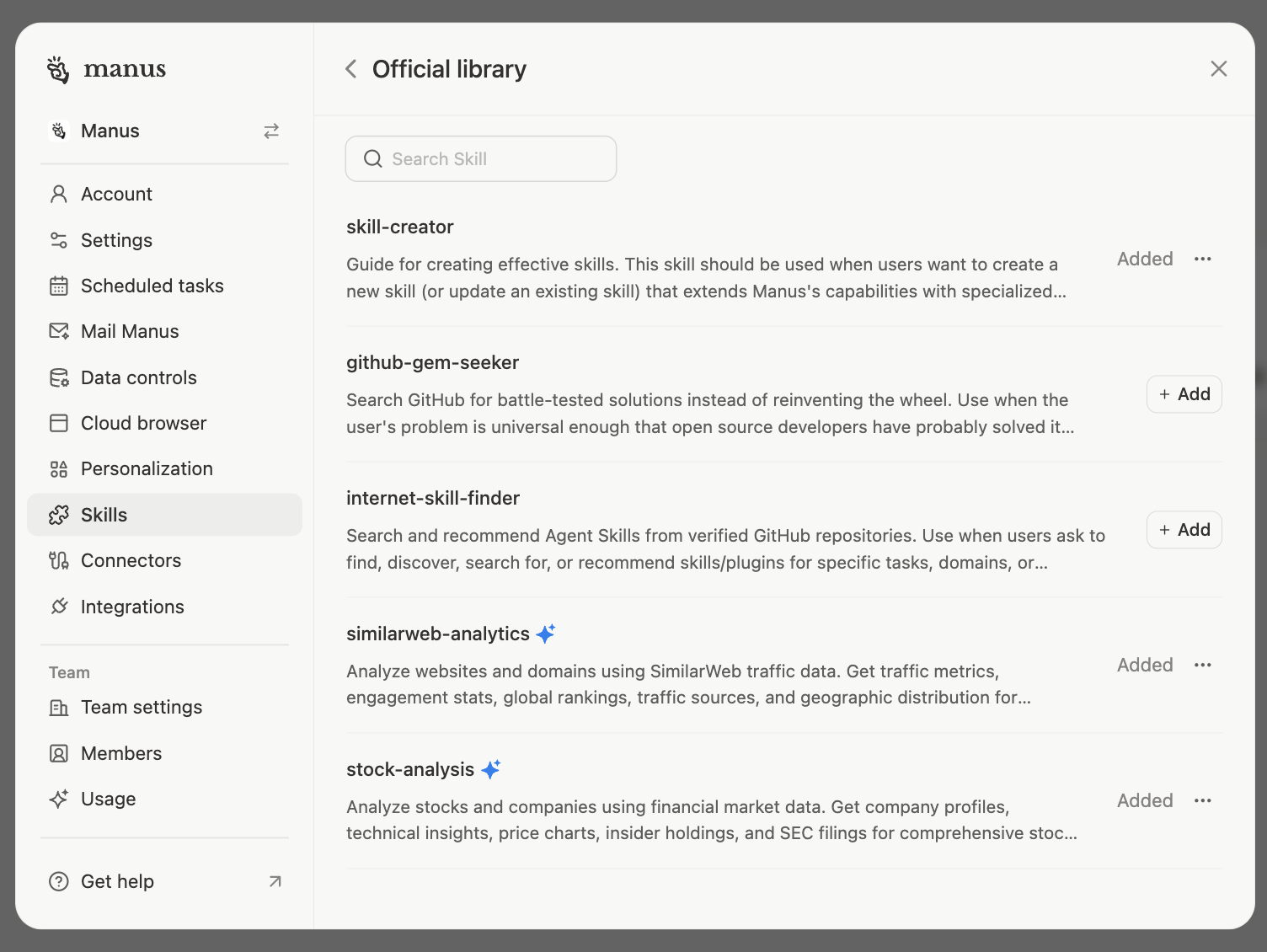 Explore a curated library of pre-built Skills maintained by the Manus team. This is a great way to get started and discover the power of Skills without having to build them from scratch.
**Import from GitHub**
Explore a curated library of pre-built Skills maintained by the Manus team. This is a great way to get started and discover the power of Skills without having to build them from scratch.
**Import from GitHub**
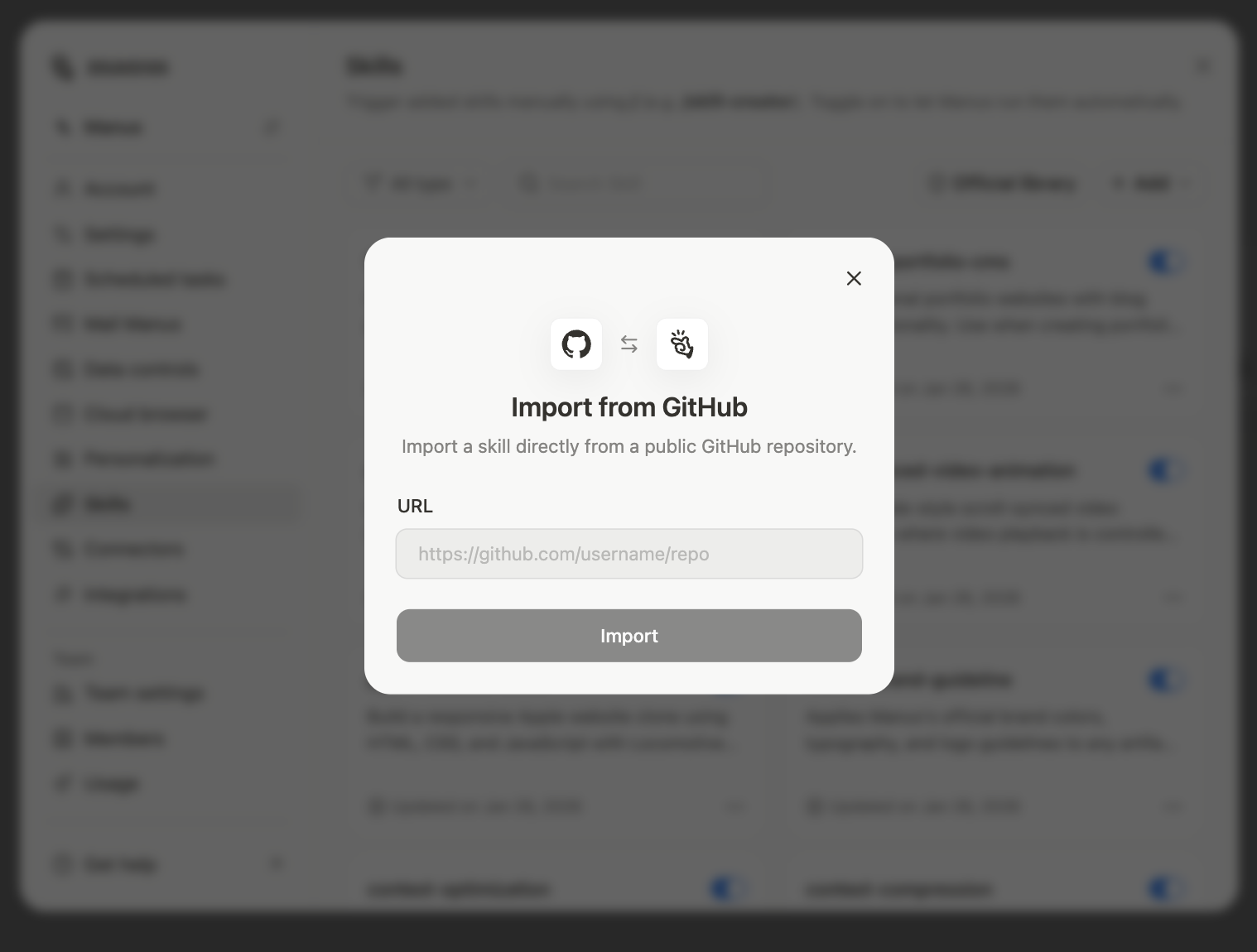 You can import a Skill directly from a GitHub repository by providing the repository link. This enables you to leverage Skills shared by the open-source community.
### Using a Skill in a Chat
You can import a Skill directly from a GitHub repository by providing the repository link. This enables you to leverage Skills shared by the open-source community.
### Using a Skill in a Chat
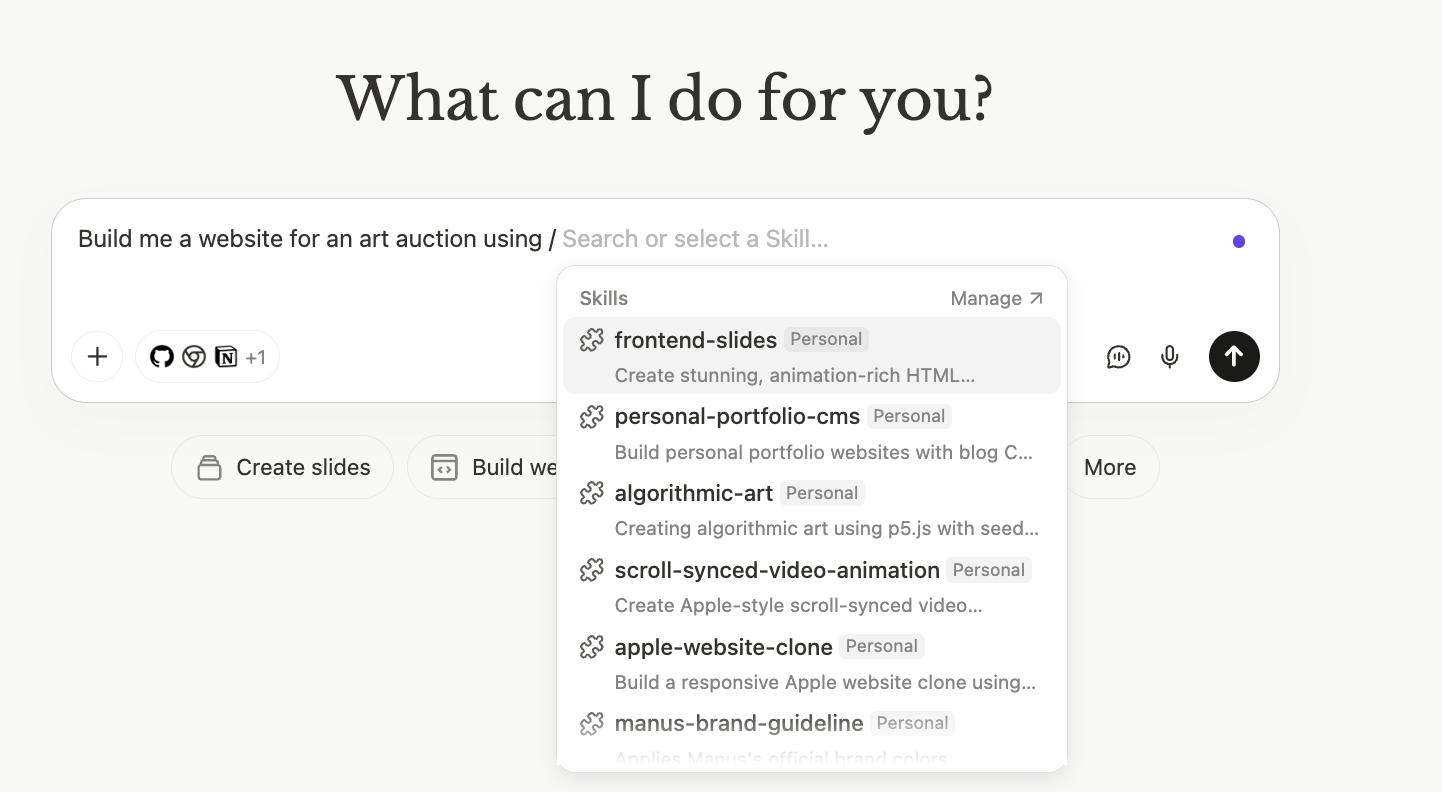 Once a Skill is added to your library, you can activate it at any time during a conversation by using a slash command. Simply type / in the chat input, which will bring up a list of your available Skills. Select the one you want to use to instruct Manus to load its instructions and execute its workflow.
## What You Need to Know
To make the most of Skills, it's important to understand a few key concepts regarding their security and efficiency.
### Verifying Community Skills
While the community is a fantastic source of powerful Skills, it is crucial to verify their contents before use, as they can contain code and shell commands. Manus provides a transparent way to audit a Skill. Before using a new Skill, you can ask Manus to review it for you:
Once a Skill is added to your library, you can activate it at any time during a conversation by using a slash command. Simply type / in the chat input, which will bring up a list of your available Skills. Select the one you want to use to instruct Manus to load its instructions and execute its workflow.
## What You Need to Know
To make the most of Skills, it's important to understand a few key concepts regarding their security and efficiency.
### Verifying Community Skills
While the community is a fantastic source of powerful Skills, it is crucial to verify their contents before use, as they can contain code and shell commands. Manus provides a transparent way to audit a Skill. Before using a new Skill, you can ask Manus to review it for you: